Add Site: I am getting "Unauthorized" with "Error=917656" when I try to add a new SharePoint Online site
Last updated: 2026-10-01
Adding a site in the SharePoint Essentials Toolkit gives and error "Cannot contact web site 'https://tenant-admin.sharepoint.com/' or the web site does not support SharePoint Online
credentials. The response status code is 'Unauthorized'. The response headers are 'X-SharePointHealthScore=7,
X-MSDAVEXT_Error=917656; Access+denied.+Before+opening+files+in+this+location%2c+you+must+first+browse+to+the+web+site+
and+select+the+option+to+login+automatically."
Issue
When you try to add a site you receive an error ''Unauthorized" and "Cannot contact web site"
Details
The SharePoint environment requires ‘Modern Authentication’, which means that you need to have the SharePoint Essentials Toolkit registered in Azure Entra ID as an allowed Enterprise App.
Fix / Workarounds
Option 1 - Register the application with Entra ID
See this article to configure the Azure Entra App registration
SharePoint Essentials Toolkit Release - Installation & Deployment
Option 2 - Turn Off ‘Allow Apps that do not use Modern Authentication’
Change the Settings to allow applications that do not support Modern Authentication to access SharePoint:
Navigate to your SharePoint Admin Center
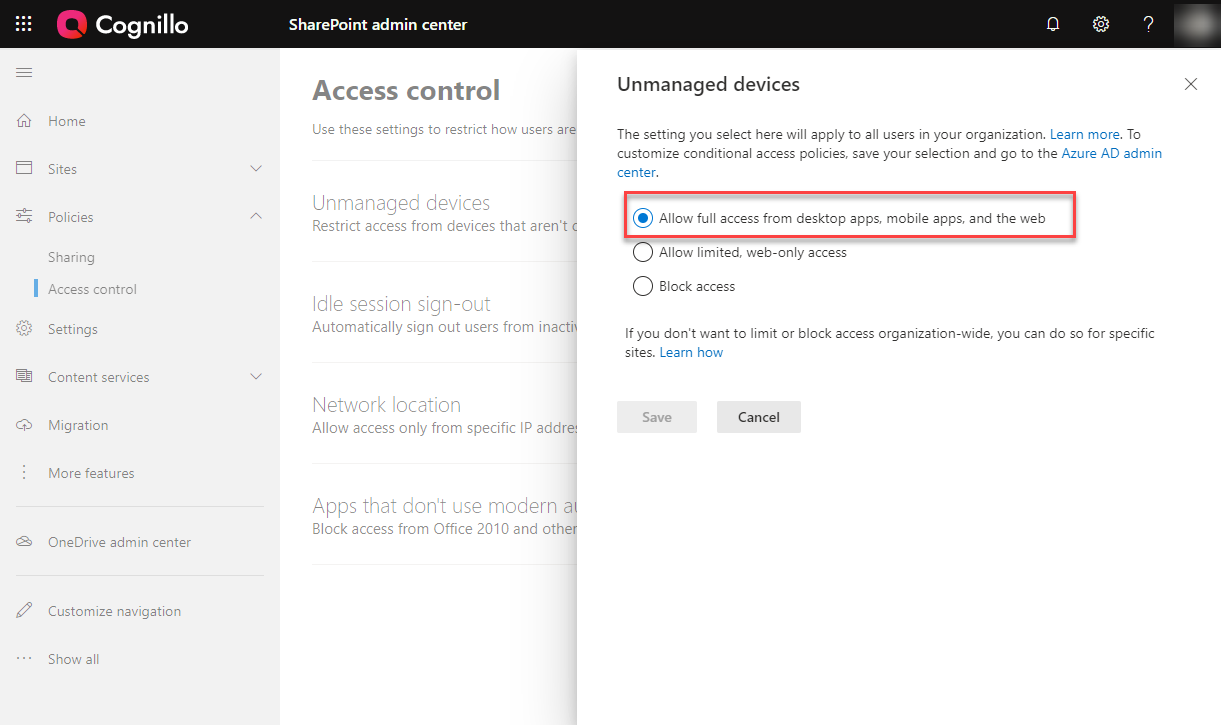
Click Policies->Access Control -> Unmanaged Devices, set to Allow (see below)
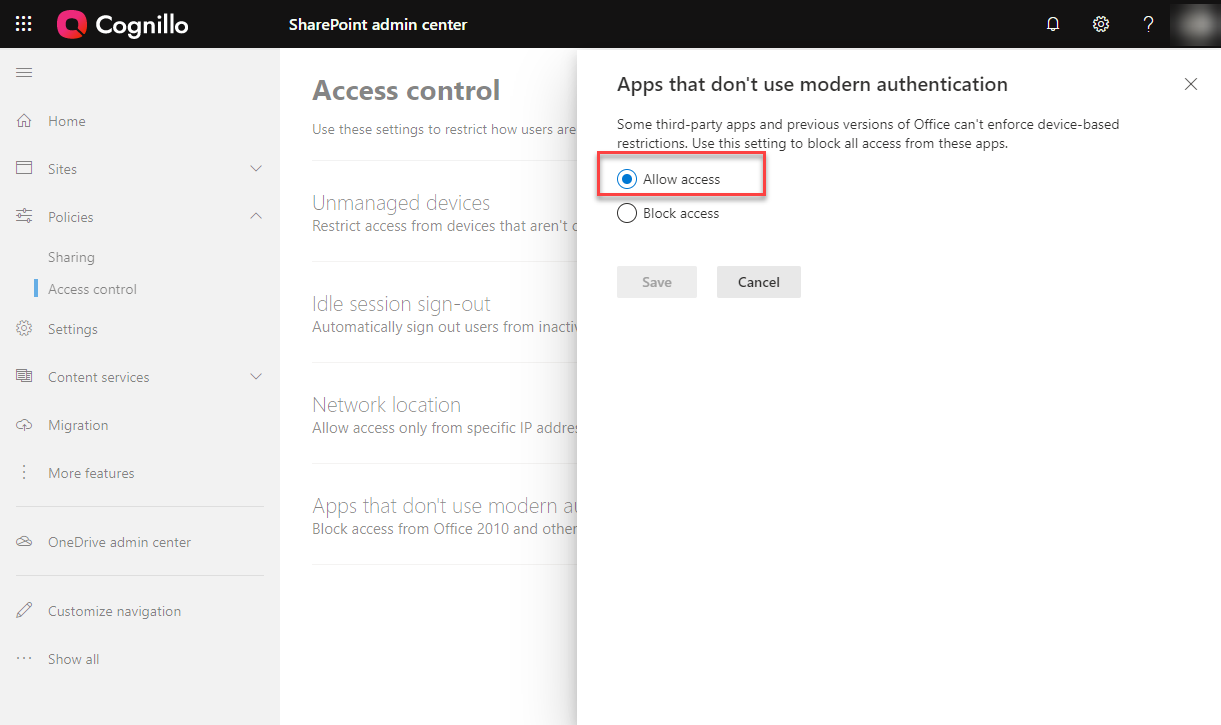
Click Policies->Access Control -> Access Control -> Apps that don’t use modern authentication, set to Allow (see below)
These changes may take up to 30 minutes to take effect.