How to Show Group Counts in Reports
Last updated: 2026-09-21
Learn how to display group member counts in SharePoint Essentials Toolkit reports for better visibility into permission group sizes.
This article shows how you can show a groups count for any of the reports in the SharePoint Essentials Toolkit.
Step-by-Step Guide
Start the SharePoint Essentials Toolkit
Select one or more sites from the Home Page Dashboard
Right Click and select View Reports→choose your report to view
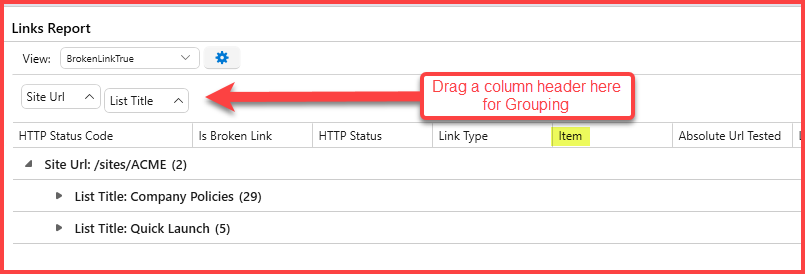
You will need a column header to select (if needed drag a Column Header into the Group panel above it)
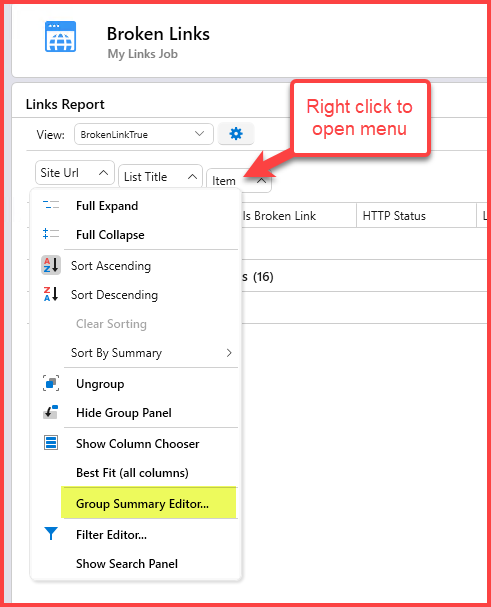
Right click the Group Header as below and select 'Group Summary Editor'
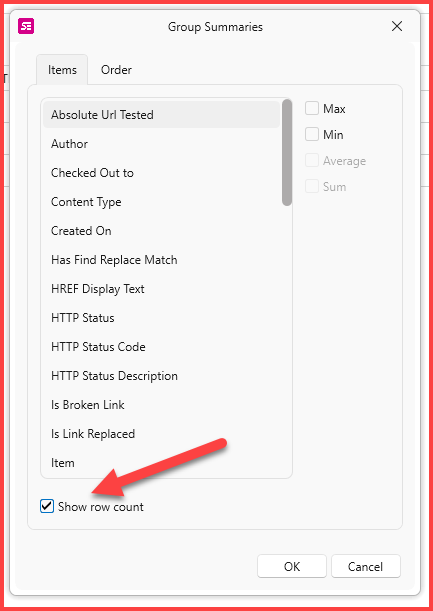
Check on the 'Show row count' checkbox
The groups should now show the group counts as below
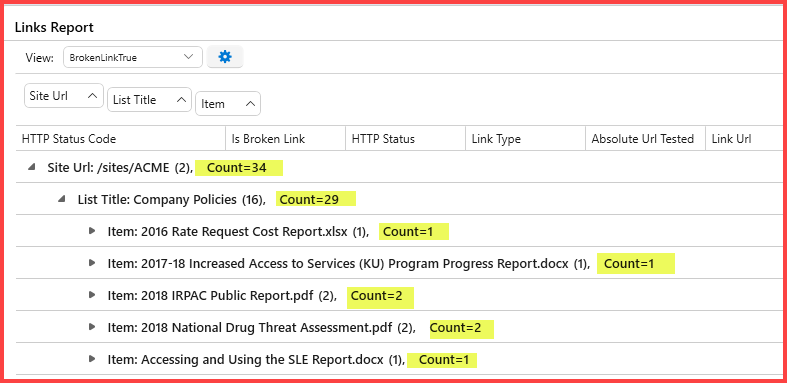
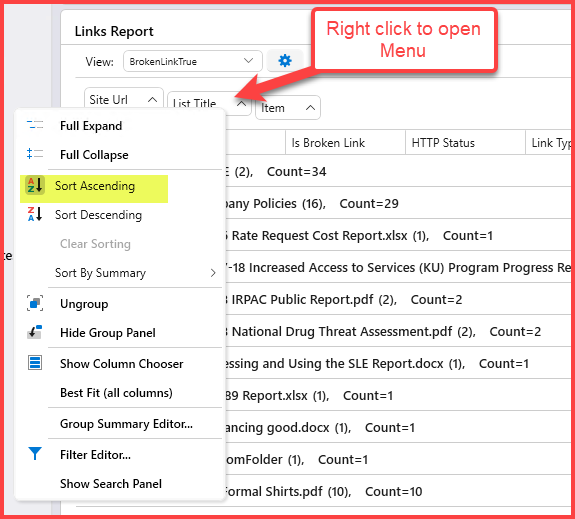
To change the Sort Order, right click the group column, and choose Ascending or Descending