How to Report on User Activity
Last updated: 2026-10-01
Track and report on user activity across SharePoint sites to identify inactive users, audit access patterns, and support governance.
This article will go over how to set up a User Activity report using the SharePoint Essentials Toolkit.
Introduction
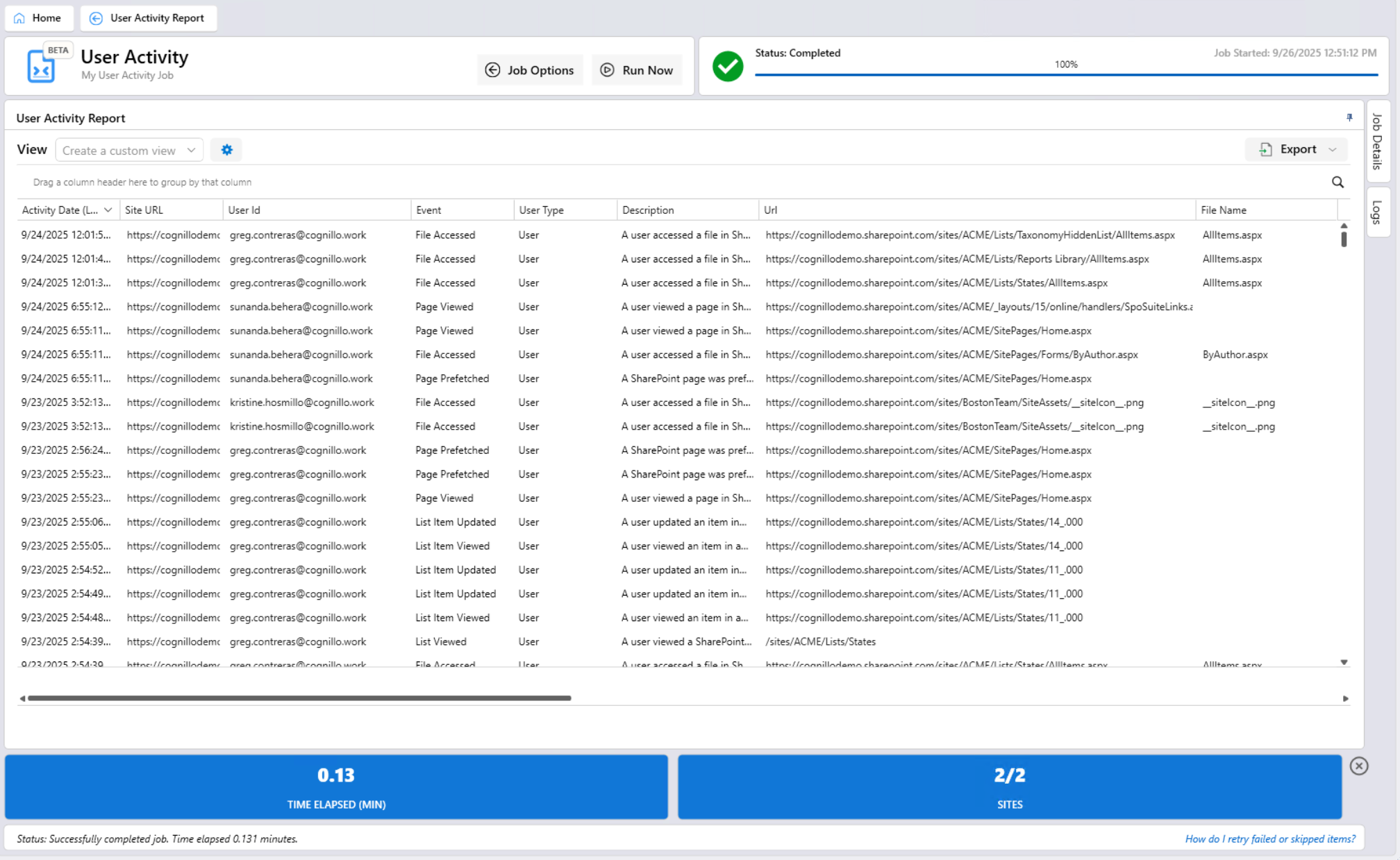
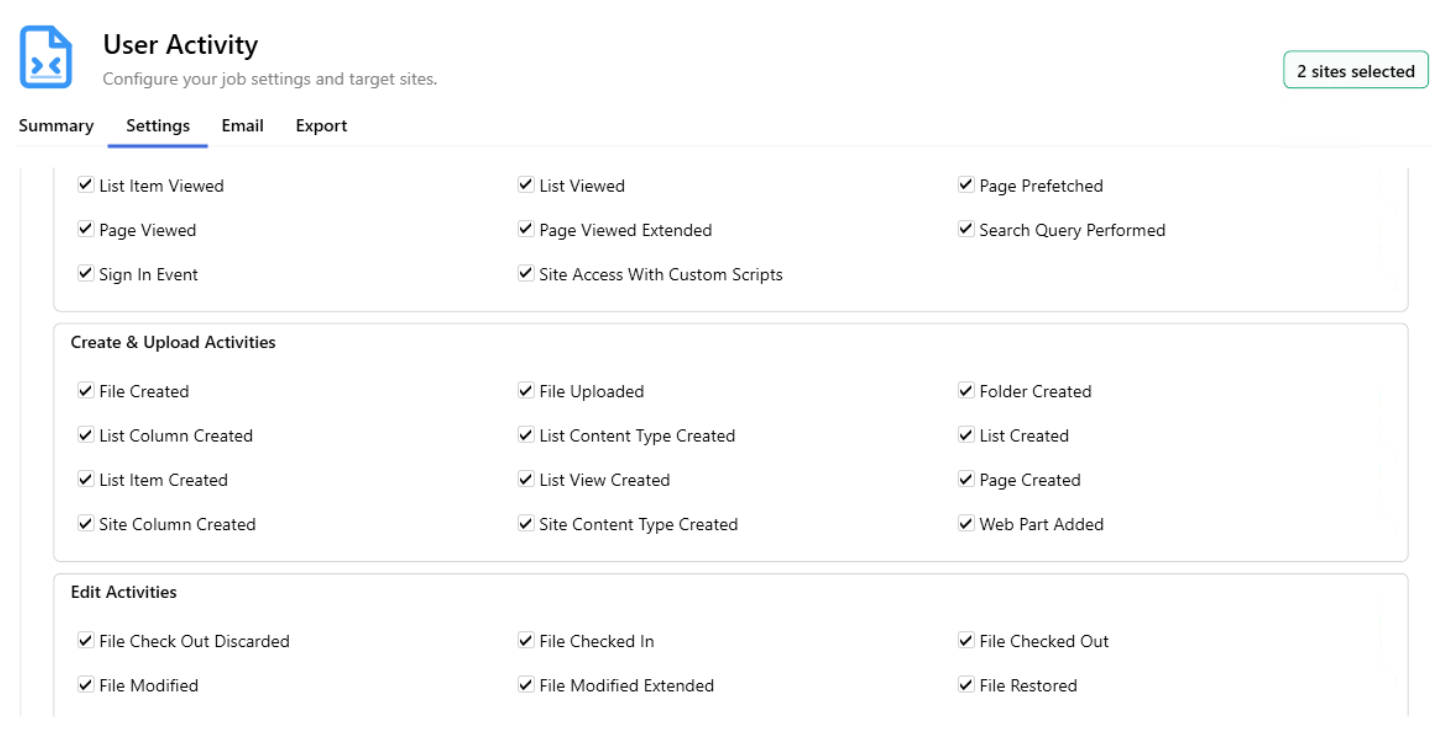
The SharePoint Essentials Toolkit “User Activity” reports will report on events that occur in your SharePoint environment, such as file, list item and web page views, edits, deletions, downloads, permission changes, sharing events and more.
Pre-requisites
Azure App Registration with Certificate, see SharePoint Essentials Toolkit - Installation & Deployment Guide for more instructions.
A connection in “My Connections” configured for “Governance and User Activity”
User must have at least “Read” permission level on the SharePoint site to view activity (related to that SharePoint site).
How do the User Activity reports work?
User Activity reports utilize Microsoft Purview Audit Logs to obtain information about events that occur across your SharePoint environment. The SharePoint Essentials Toolkit will refactor, and add additional information to the logs as they are processed for use within the SharePoint Essentials Toolkit.
The service (within the SharePoint Essentials Toolkit) that collects and processes the data from Microsoft Purview is called the “SharePoint User Activity Service”. This service can be added by going to “My Connections” and adding the connection, see below for more information on how to set this up.
Privacy & Security: The data that is collected from Microsoft Purview is encrypted by the SharePoint Essentials Toolkit, and then stored locally on the user’s machine. Cognillo does not have access to your organization’s data. See Do you share our information with outside parties? for more information.
For details on encryption strength and data location, see SharePoint Essentials Toolkit - Installation & Deployment Guide.pdf.
note
Governance Data Collection can be disabled in the Settings section.
IMPORTANT: While the connection to Microsoft Purview collects all User Activity across multiple SharePoint sites, the SharePoint Essentials Toolkit will automatically security trim the data so that users will not be able to view events that occur in SharePoint sites which they do not have at least Read access to.
How long can audit data? Longer than 90 days?
Yes, as there is no limit on the number of days the event data will be retained, the User Activity reports will be able to report on data from the date the “SharePoint User Activity Services” connection was configured and running.
Manually Sync Governance Data
The SharePoint Essentials Toolkit will automatically attempt to fill in missing dates when the application starts. You can perform a manual sync by clicking the “Start Governance Data Collection” button in the “My Connections” section.
Step-by-Step Guide
Step 1: Configure Azure App Registration with Certificate
See this article for instructions
Step 2: Add Connection for User Activity services
Click “My Connections” in the left navigation.
Click “Create New”
Click “Run Now” button.

Once the report is generated, you can export, sort, drag and drop column headers, group, and create custom views as needed.