Deleting and Restoring SharePoint Sites: What Happens, How Long You Have, and Why the URL Stays Taken
A deleted SharePoint site goes to Deleted sites in the SharePoint admin center for 93 days, where an admin can restore it with its content, permissions and site ID. Until it's permanently deleted, its URL stays reserved, so a new site can't use it. Sites connected to a Microsoft 365 group are deleted and restored with the group, which has a shorter window of about a month. Inventory and export a site's permissions before you delete it; SharePoint Essentials Toolkit does both, but doesn't delete or restore sites itself.
Published:
Last updated: 2026-10-29
What we tested
We created a communication site, Retired Projects Archive, deleted it, and checked what happened:
| Step | Result |
|---|---|
| Open the site URL after deleting | 404 |
| Site status for the URL | "Not found", as if the URL were free |
| Create a new site at the same URL | Failed (status Error). The deleted site still holds the URL. |
| Restore from Deleted sites | Restored in seconds, no confirmation prompt |
| After the restore | Same site ID, same title, original Created date, URL works |
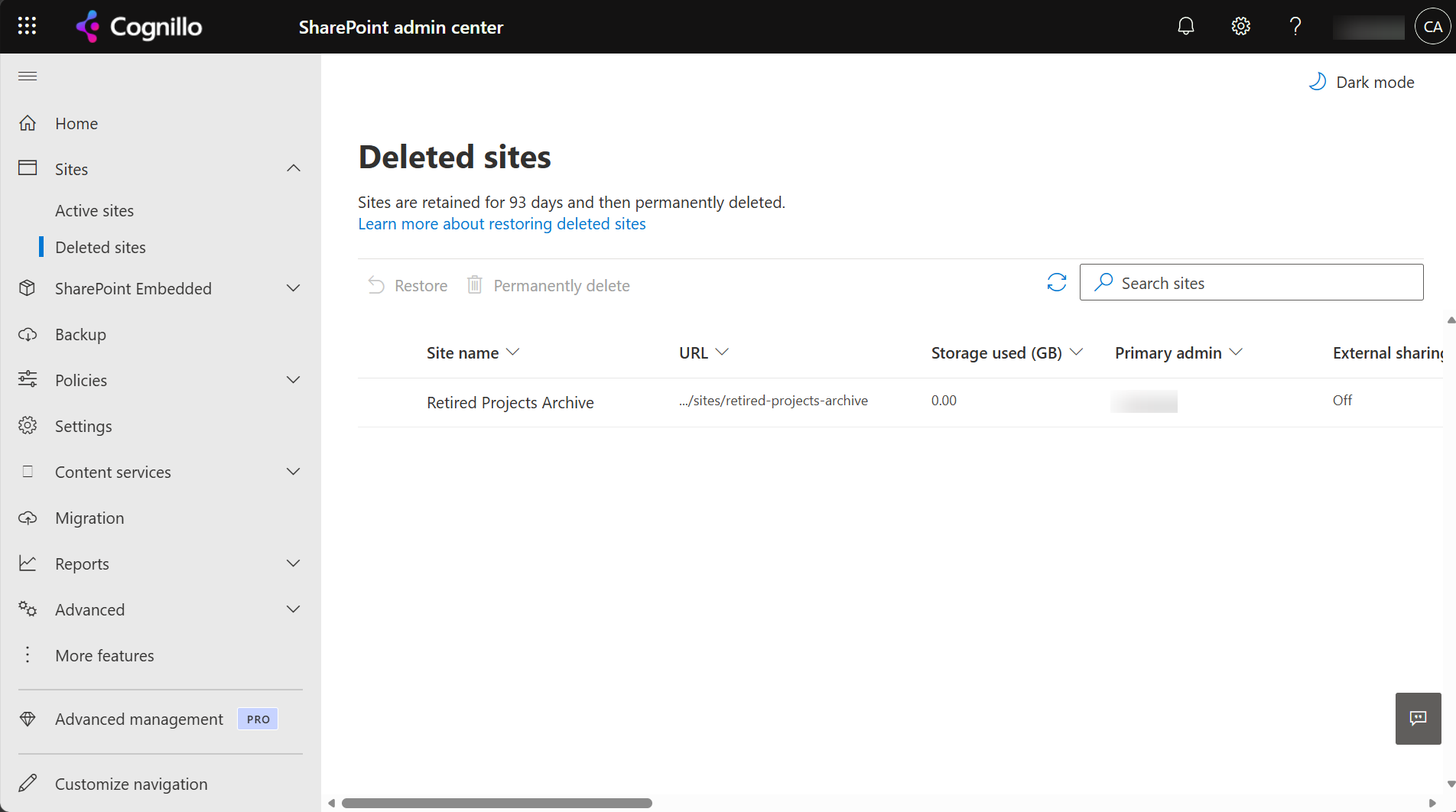
Option 1: Delete and restore in the admin center
- Delete: SharePoint admin center, Sites, Active sites, select the site, Delete. Site owners can also delete their own site from Settings, Site information.
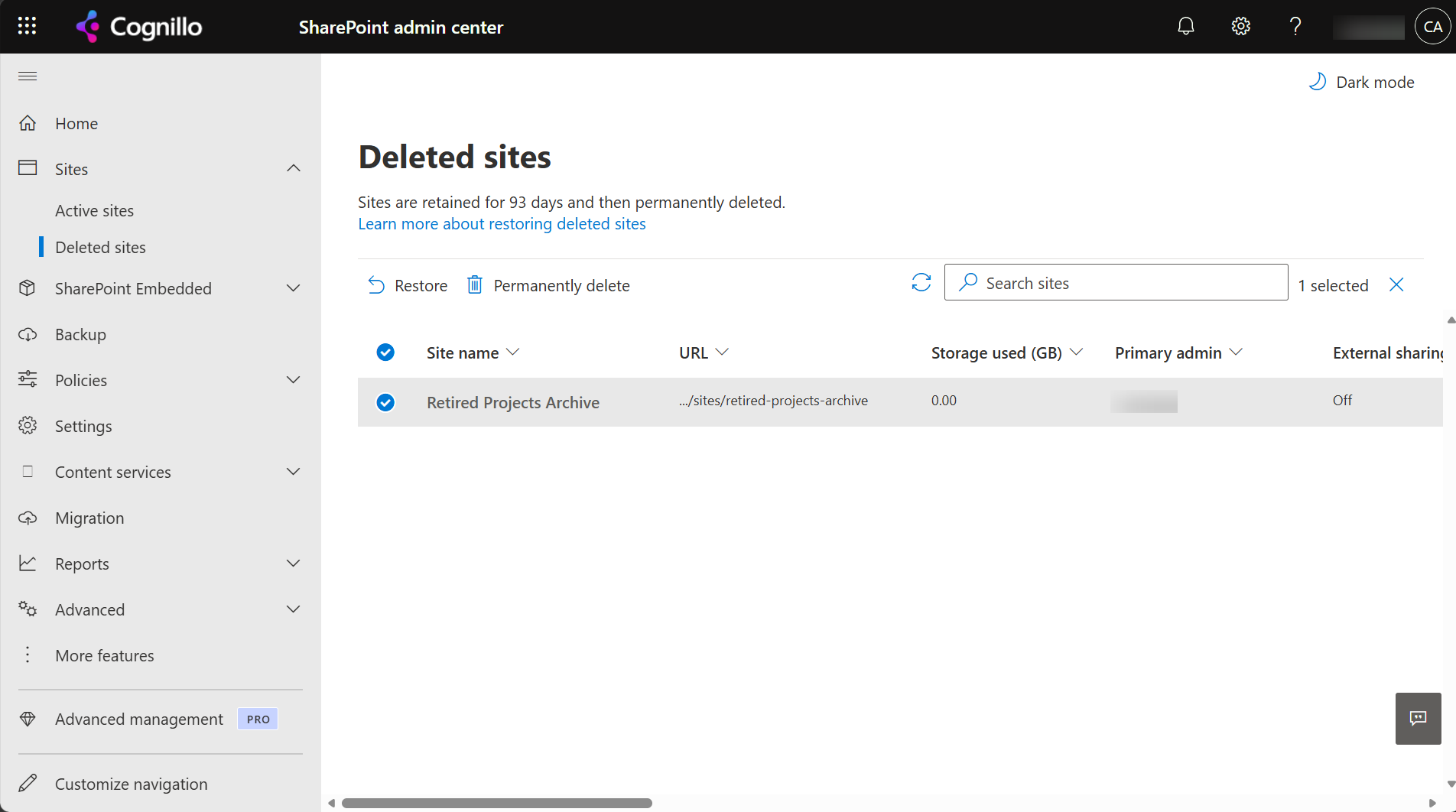
- Restore: Sites, Deleted sites, select it, Restore. It's back straight away with its content, permissions, versions and sharing links.
- Permanently delete: same page, Permanently delete. This frees the URL and can't be undone.
Things that change the picture:
- Microsoft 365 group sites. Deleting the group deletes the site, and the site shows in Deleted sites. Restoring the site restores the group too, but only while the group is restorable, about a month after deletion. After that the group can't come back with it, even if the site is still within its 93 days. Restore it from the Microsoft 365 admin center (Groups, Deleted groups) early if you need the team, mailbox and planner too.
- Teams. Deleting a team deletes its group and site the same way; private and shared channel sites go with it.
- Hub sites. Unregister the hub before deleting it, so the sites associated with it are released cleanly.
- Retention policies. A site under a retention policy or hold can't be deleted until the policy is removed, and its content is kept in the Preservation Hold library regardless.
- Files and items deleted inside a site are a different recycle bin, with its own 93 days; see recovering deleted files.
Option 2: Delete and restore with PowerShell
This SharePoint Online Management Shell script shows a site's details and what would happen, and only deletes when you set $WhatIf = $false. Run it as a SharePoint Administrator.
$AdminUrl = "https://contoso-admin.sharepoint.com"
$SiteUrl  = "https://contoso.sharepoint.com/sites/retired-projects-archive"
$WhatIf   = $true
Connect-SPOService -Url $AdminUrl

$s = Get-SPOSite -Identity $SiteUrl -Detailed
"{0}`n  Template {1}, {2:N2} GB, last content change {3:d}`n  Group {4}, Hub {5}, Lock {6}" -f `
    $s.Url, $s.Template, ($s.StorageUsageCurrent / 1024), $s.LastContentModifiedDate, $s.GroupId, $s.IsHubSite, $s.LockState
if ($s.GroupId -ne [guid]::Empty) { "  Group-connected: deleting removes the Microsoft 365 group, its mailbox and the team too." }
if ($s.IsHubSite) { "  Hub site: run Unregister-SPOHubSite first." }

if ($WhatIf) { "WhatIf: would move the site to Deleted sites (restorable for 93 days)." }
else { Remove-SPOSite -Identity $SiteUrl -Confirm:$false }
Restore and manage deleted sites:
# What's in Deleted sites, and how long each has left
Get-SPODeletedSite -IncludeOnlyPersonalSite:$false |
    Select-Object Url, DeletionTime, DaysRemaining, Status | Sort-Object DeletionTime -Descending

# Restore one
Restore-SPODeletedSite -Identity "https://contoso.sharepoint.com/sites/retired-projects-archive"

# Permanently delete (frees the URL; can't be undone)
# Remove-SPODeletedSite -Identity "https://contoso.sharepoint.com/sites/retired-projects-archive" -Confirm:$false
For group sites, restore the group instead (Restore-PnPDeletedMicrosoft365Group -Identity <groupId> with PnP, or Microsoft Graph); the site comes back with it. In PnP PowerShell, the site cmdlets are Remove-PnPTenantSite, Get-PnPTenantDeletedSite, Restore-PnPTenantDeletedSite and Clear-PnPTenantDeletedSite.
If New-PnPSite or the admin center says the URL is in use and you can't see a site there, check Get-SPODeletedSite: a deleted site is holding it. We hit exactly that in our test. See bulk creating sites for a script that checks first.
How SharePoint Essentials Toolkit relates
The toolkit doesn't delete or restore sites; use the admin center or the scripts above. Where it helps is the decision before deleting, and the record of what was there:
- Which sites to delete. Get inventory of sites & lists flags unused sites and unused lists, with last modified dates, size and admins for every site:
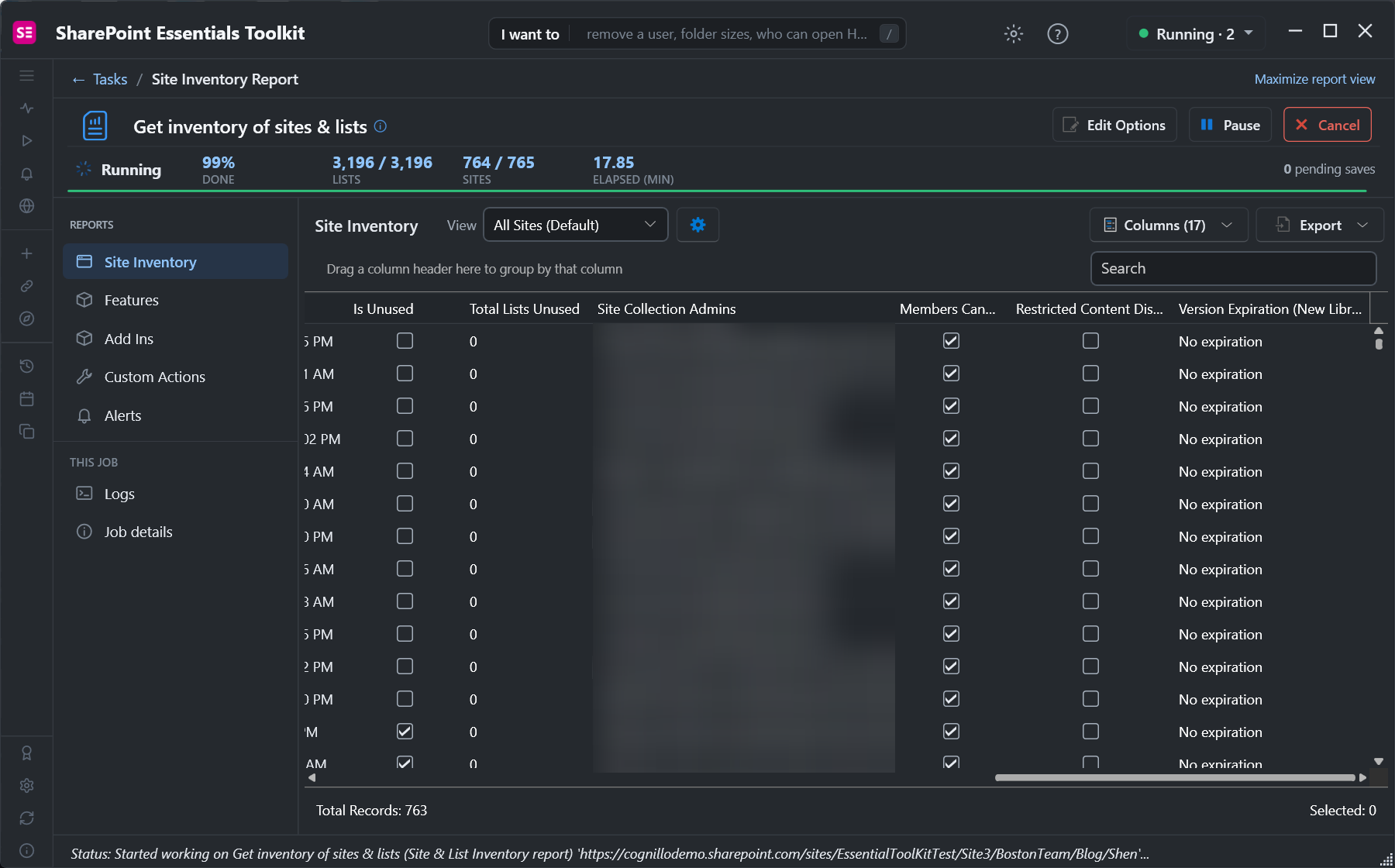
Is Unused and Total Lists Unused per site, with the admins to ask before deleting. - A record of access. Run a Permissions report on the site and export it before deleting. If the site is restored later, or its content moved elsewhere, you know who had access.
- Moving content first. If parts of a site should live on, Copy lists copies its libraries to another site with versions and metadata before you delete it.
Frequently asked questions
How long can I restore a deleted SharePoint site?
93 days from deletion, from Deleted sites in the SharePoint admin center or with Restore-SPODeletedSite. After that it's permanently deleted. Group-connected sites also depend on the group, which is restorable for about a month.
Why can't I reuse the URL of a deleted SharePoint site?
The deleted site still holds it until it's permanently deleted. In our test, creating a new site at the same URL failed. Permanently delete the old site (Remove-SPODeletedSite) or restore it.
Does restoring a SharePoint site restore its permissions and versions?
Yes. In our test the restored site had the same site ID and Created date. Content, versions, permissions and sharing links come back as they were.
How do I restore a deleted Teams or Microsoft 365 group site?
Restore the group from the Microsoft 365 admin center (Groups, Deleted groups) or with Restore-PnPDeletedMicrosoft365Group while it's still restorable. The site, team and mailbox come back with it.
Can a site owner restore a deleted SharePoint site?
No. Site owners can delete a site, but only a SharePoint Administrator or Global Administrator can restore it from Deleted sites.
Know what's on a site before you delete it, free
SharePoint Essentials Toolkit Community Edition is free. Find unused sites, export who has access, and copy libraries elsewhere before you delete, on up to 20 sites per Microsoft 365 tenant. Get your free Community Edition license key.