Bulk Create SharePoint Sites, Libraries and Columns from a CSV or Excel File
SharePoint has no built-in bulk create. With PowerShell, read a CSV with Import-Csv and call New-PnPSite (or New-SPOSite) per row for sites, New-PnPList for libraries and Add-PnPField for columns, checking first whether each already exists so the script can be re-run safely. The free SharePoint Essentials Toolkit creates sites from an Excel file, and copies a configured library with its columns and views to many sites at once.
Published:
Last updated: 2026-10-29
Built-in options, and their limits
- SharePoint admin center, Create: one site at a time.
- Site templates (site designs) apply lists, columns and settings to a site after it's created, but someone still creates each site.
- Teams creates a team site per team; useful when the sites should be teams anyway.
- Lists: From existing list creates a list with another list's columns and views, one site at a time, without content.
For ten or more, script it or use a tool.
Sites from CSV with PowerShell
The CSV:
Title,Alias,Type,Owner,Description
Project Atlas,project-atlas,TeamSite,anna@contoso.com,Atlas delivery team
Project Borealis,project-borealis,TeamSite,ben@contoso.com,Borealis delivery team
HR Policies,hr-policies,CommunicationSite,hr.lead@contoso.com,Policies and forms
This script checks every row first (URL already taken, owner missing), prints what it would create, and creates only when you set $WhatIf = $false. It needs PnP PowerShell 3.x, the SharePoint Administrator role and your own Entra ID app registration.
$ClientId = "<your-app-id>"
$Tenant   = "https://contoso.sharepoint.com"
$Rows     = Import-Csv .\sites.csv
$WhatIf   = $true

Connect-PnPOnline -Url ($Tenant -replace '\.sharepoint', '-admin.sharepoint') -Interactive -ClientId $ClientId
$existing = (Get-PnPTenantSite).Url
$deleted  = (Get-PnPTenantDeletedSite).Url

foreach ($r in $Rows) {
    $url = "$Tenant/sites/$($r.Alias)"
    $problem = if ($url -in $existing) { "already exists" }
               elseif ($url -in $deleted) { "is in the deleted sites list; restore or permanently delete it first" }
               elseif (-not (Get-PnPEntraIDUser -Identity $r.Owner -ErrorAction SilentlyContinue)) { "owner $($r.Owner) not found" }
    if ($problem) { "SKIP {0}: {1}" -f $url, $problem; continue }
    "{0} {1} ({2}) owner {3}" -f $(if ($WhatIf) { "WOULD CREATE" } else { "CREATE" }), $url, $r.Type, $r.Owner
    if ($WhatIf) { continue }
    try {
        if ($r.Type -eq "TeamSite") {
            New-PnPSite -Type TeamSite -Title $r.Title -Alias $r.Alias -Description $r.Description -Owners $r.Owner -Wait | Out-Null
        } else {
            New-PnPSite -Type CommunicationSite -Title $r.Title -Url $url -Description $r.Description -Owner $r.Owner -Wait | Out-Null
        }
    } catch { "  FAILED: {0}" -f $_.Exception.Message }
}
TeamSite creates a Microsoft 365 group site (with a mailbox and the alias as the group name); CommunicationSite doesn't. For a team site without a group, use New-PnPTenantSite -Template STS#3. Common template codes: STS#3 team site without a group, GROUP#0 group team site, SITEPAGEPUBLISHING#0 communication site.
A URL that was used by a deleted site stays reserved until the site is permanently deleted, which is why the script checks the deleted sites list. Creating many group sites quickly can be throttled; -Wait keeps the script to one at a time.
Libraries and columns from CSV
One CSV describes the columns; the script creates the library on every site in a second CSV if it's missing, then adds any missing columns. It's safe to re-run: it only adds what isn't there.
$ClientId = "<your-app-id>"
$Sites    = Import-Csv .\sites.csv            # column: Url
$Columns  = Import-Csv .\columns.csv          # columns: InternalName,DisplayName,Type,Choices
$Library  = "Project Documents"
$WhatIf   = $true

foreach ($s in $Sites) {
    Connect-PnPOnline -Url $s.Url -Interactive -ClientId $ClientId
    $lib = Get-PnPList -Identity $Library -ErrorAction SilentlyContinue
    if (-not $lib) {
        "{0}: {1} library '{2}'" -f $s.Url, $(if ($WhatIf) { "would create" } else { "creating" }), $Library
        if (-not $WhatIf) { $lib = New-PnPList -Title $Library -Url ($Library -replace '\s', '') -Template DocumentLibrary -EnableVersioning -OnQuickLaunch }
    }
    $have = if ($lib) { (Get-PnPField -List $lib).InternalName } else { @() }
    foreach ($c in $Columns | Where-Object { $_.InternalName -notin $have }) {
        "  add column {0} ({1})" -f $c.InternalName, $c.Type
        if ($WhatIf) { continue }
        $p = @{ List = $lib; InternalName = $c.InternalName; DisplayName = $c.DisplayName; Type = $c.Type; AddToDefaultView = $true }
        if ($c.Type -eq "Choice") { $p.Choices = $c.Choices -split ';' }
        Add-PnPField @p | Out-Null
    }
}
Use internal names without spaces; they're permanent, and Add-PnPField turns spaces into _x0020_. If the same column belongs in many libraries and content types, create it once as a site column instead; see content types and site columns.
Create sites and copy libraries with SharePoint Essentials Toolkit
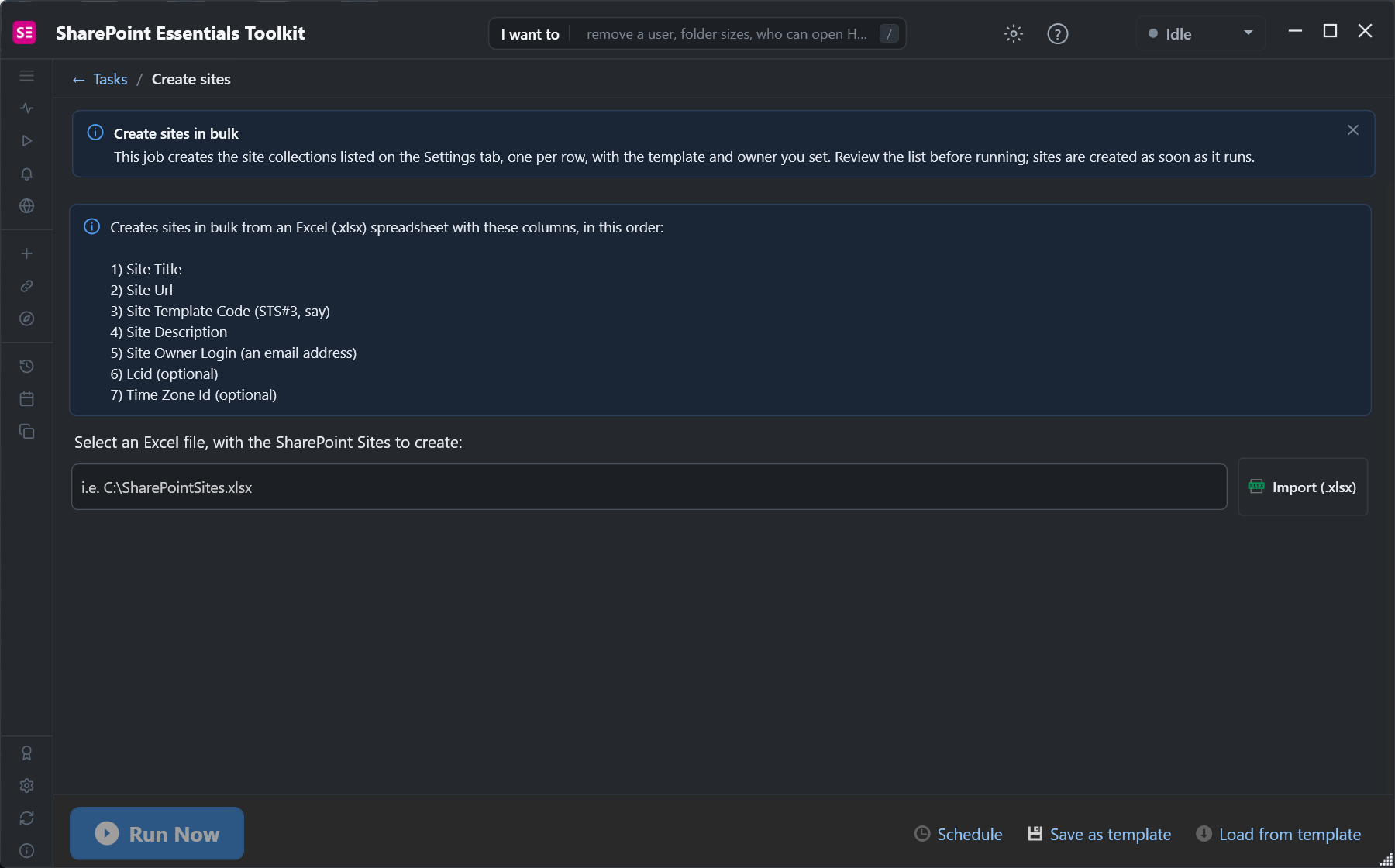
The toolkit's Create sites task takes an Excel file with one site per row: title, URL, template code, description, owner, and optionally language and time zone. Review the list, then run it:
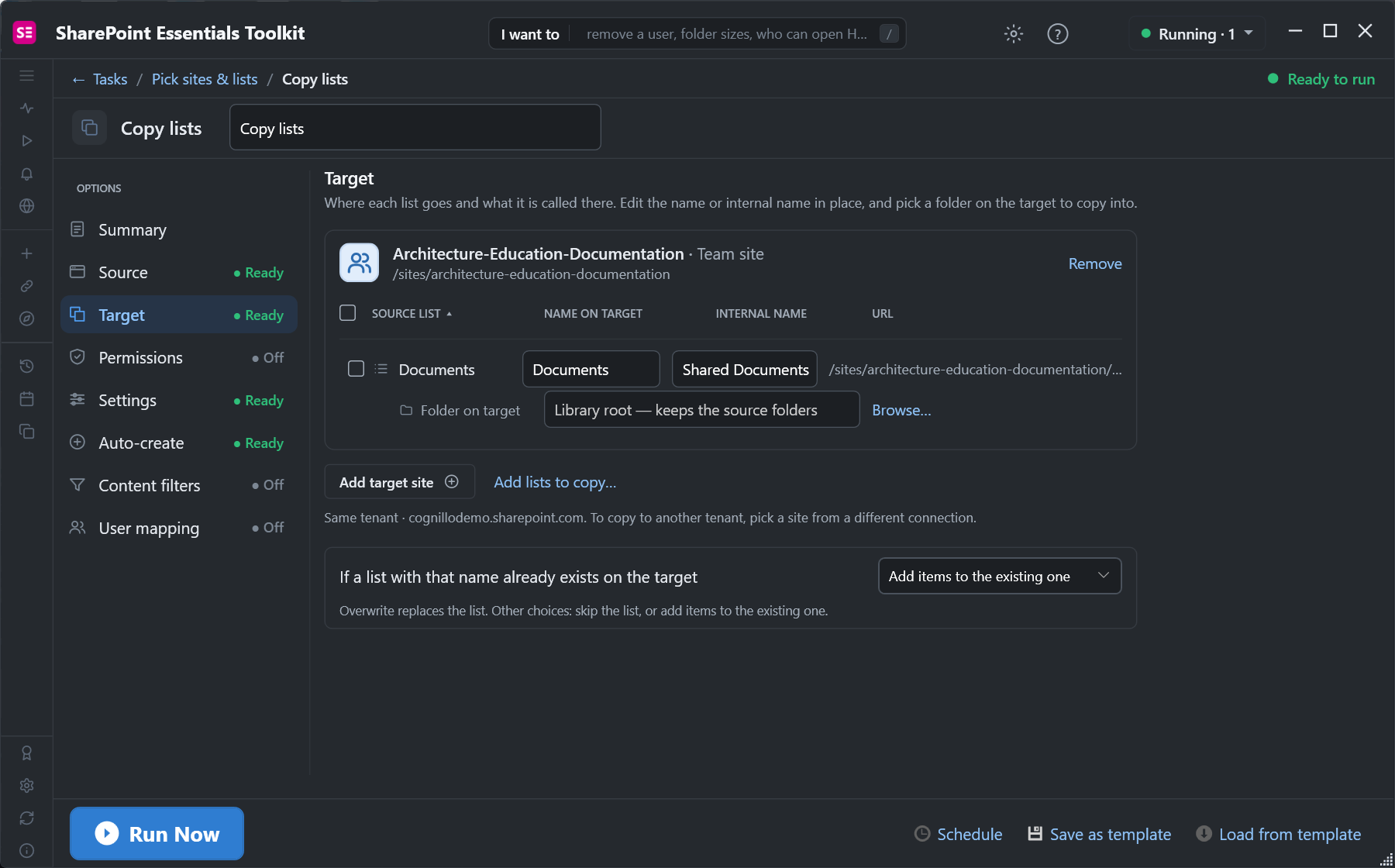
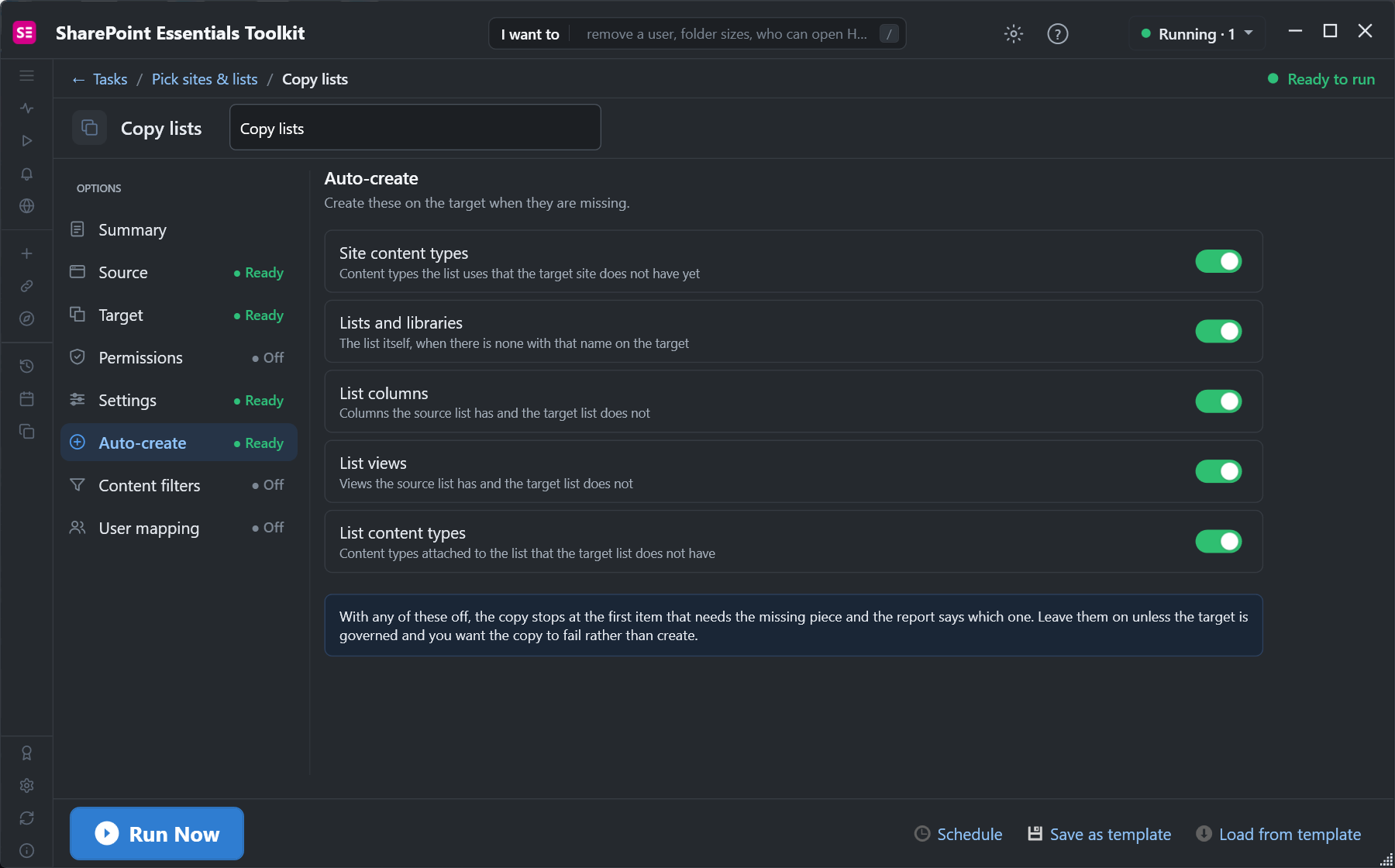
For libraries and columns, set one library up the way you want, then copy it to the other sites with Copy lists. Add as many target sites as you need; with Include content off, only the structure is copied, and Auto-create creates the library, columns, views and content types on each target:
Both tasks can be saved as templates and run again, so the next batch of sites gets the same setup.
Frequently asked questions
Can I bulk create SharePoint sites from a CSV?
Not in the admin center. With PowerShell, Import-Csv and call New-PnPSite or New-SPOSite per row; or use a tool that creates sites from an Excel or CSV file.
Why does creating a SharePoint site say the URL is already in use?
A site at that URL exists, or a deleted site still holds it. Check Get-PnPTenantDeletedSite (or the admin center's Deleted sites) and restore or permanently delete it.
What is the SharePoint template code for a modern team site?
STS#3 for a team site without a Microsoft 365 group, GROUP#0 for a group-connected team site, and SITEPAGEPUBLISHING#0 for a communication site.
How do I add the same column to many SharePoint libraries?
Loop over the sites and libraries with Add-PnPField, checking first whether the column exists, or create one site column and add it through a content type.
How do I create the same library on many SharePoint sites?
Script New-PnPList and Add-PnPField per site, apply a site template, or copy a configured library's structure to each site with a copy tool.
Create SharePoint sites and libraries in bulk, free
SharePoint Essentials Toolkit Community Edition is free. Create sites from Excel and copy a library's columns, views and content types to many sites, on up to 20 sites per Microsoft 365 tenant. Get your free Community Edition license key.