Connect-SPOService or Connect-PnPOnline? What Each Can Do, How Each Handles MFA, and the Import Error That Blocks Both
Use Connect-SPOService (SharePoint Online Management Shell) for tenant administration: sites, storage quotas, sharing settings, deleted sites. Use Connect-PnPOnline (PnP PowerShell) for what's inside sites: lists, items, files, permissions, and most tenant tasks too. Both handle MFA through an interactive sign-in; PnP needs your own app registration. If the SPO module fails with "Could not load type FileVersionBatchDeleteMode", an old SharePoint client library in the GAC is loaded first; remove the old SharePoint Client Components SDK.
Published:
Last updated: 2026-10-29
Which module does what
| SharePoint Online Management Shell | PnP PowerShell | |
|---|---|---|
| Connect | Connect-SPOService -Url https://contoso-admin.sharepoint.com | Connect-PnPOnline -Url <any site> -Interactive -ClientId <app> |
| Made by | Microsoft, supported | Open source community project |
| Scope | Tenant and site collection settings only | Site content (lists, items, files, pages, permissions) and most tenant settings |
| Needs | SharePoint Administrator role | Access to the site; admin role for tenant cmdlets |
| MFA | Interactive browser prompt, no setup | Interactive prompt with your own Entra ID app (how to register one) |
| Unattended | Limited | Certificate app-only, well supported |
| PowerShell 7 | Recent versions load in 7; older ones need Windows PowerShell 5.1 | 7.4 or later only (PnP 3.x) |
| Typical tasks | Get-SPOSite, Set-SPOSite storage and sharing, Remove-SPOSite, Restore-SPODeletedSite, Set-SPOTenant | Get-PnPListItem, Add-PnPFile, Set-PnPListItemPermission, Get-PnPTenantSite, Invoke-PnPSiteTemplate |
The short version: SPO for "the tenant has these sites, with these settings"; PnP for "this site has this content". Many admins have both.
MFA with each
# SPO: no -Credential, so the sign-in window opens and handles MFA
Connect-SPOService -Url https://contoso-admin.sharepoint.com

# PnP: interactive with your own app
Connect-PnPOnline -Url https://contoso-admin.sharepoint.com -Interactive -ClientId "<your-app-id>"
Connect-SPOService -Credential and Connect-PnPOnline -Credentials don't work for accounts that need MFA. If your sign-in window doesn't appear in SPO, add -ModernAuth $true -AuthenticationUrl https://login.microsoftonline.com/organizations; that's also what makes it work with conditional access policies that block legacy authentication.
"Could not load type 'FileVersionBatchDeleteMode'": the import fails
On our admin machine, the SharePoint Online Management Shell (16.0.26017.12000) wouldn't import, in either Windows PowerShell 5.1 or PowerShell 7.6.9:
Import-Module Microsoft.Online.SharePoint.PowerShell
Could not load type 'Microsoft.SharePoint.Client.FileVersionBatchDeleteMode' from assembly
'Microsoft.SharePoint.Client, Version=16.0.0.0, Culture=neutral, PublicKeyToken=71e9bce111e9429c'.
The module ships its own copy of the SharePoint client library (CSOM). But the machine also had the old SharePoint Client Components SDK (16.0.4351.1000) installed, which puts CSOM 16.0.4321 in the Global Assembly Cache. Both versions call themselves 16.0.0.0, so .NET loads the GAC copy first, and that older copy doesn't have the newer types the module needs.
Check whether you have it (read-only):
# Old SDK installed?
Get-ItemProperty HKLM:\Software\Microsoft\Windows\CurrentVersion\Uninstall\*, `
                 HKLM:\Software\WOW6432Node\Microsoft\Windows\CurrentVersion\Uninstall\* |
    Where-Object DisplayName -like "*SharePoint Client Components*" |
    Select-Object DisplayName, DisplayVersion

# Which CSOM is in the GAC?
Get-ChildItem "$env:windir\Microsoft.NET\assembly\GAC_MSIL\Microsoft.SharePoint.Client" -Recurse -Filter *.dll |
    ForEach-Object { "{0}  {1}" -f $_.VersionInfo.FileVersion, $_.FullName }
Fixes, in order of preference:
- Uninstall "SharePoint Client Components" from Apps and Features, if nothing on the machine still needs it. Old tools built against CSOM sometimes do; check first.
- Use a different machine or a clean VM for admin work if you can't remove it.
- Use PnP PowerShell for the task instead. PnP 3.x runs on PowerShell 7 (.NET 8), which doesn't use the GAC, so the old SDK doesn't affect it.
The same kind of clash happens inside one session: import SPO and then PnP (or the other way round) and the second can fail with "Could not load file or assembly 'Microsoft.SharePoint.Client'". Use a separate session for each module.
A script that works with either
This read-only script lists sites with their storage, using SPO if it loads and PnP if not:
$AdminUrl = "https://contoso-admin.sharepoint.com"
$ClientId = "<your-app-id>"     # only needed for PnP
try {
    Import-Module Microsoft.Online.SharePoint.PowerShell -ErrorAction Stop
    Connect-SPOService -Url $AdminUrl
    $sites = Get-SPOSite -Limit All | Select-Object Url, Template, StorageUsageCurrent, Owner
} catch {
    "SPO module unavailable ({0}); using PnP" -f $_.Exception.Message
    Connect-PnPOnline -Url $AdminUrl -Interactive -ClientId $ClientId
    $sites = Get-PnPTenantSite | Select-Object Url, Template, StorageUsageCurrent, Owner
}
$sites | Sort-Object StorageUsageCurrent -Descending | Select-Object -First 20 | Format-Table
For the full version with owners and CSV export, see export sites, owners and storage to CSV.
How SharePoint Essentials Toolkit relates
The toolkit doesn't use either module, so neither the GAC conflict nor PowerShell versions affect it. Its Explorer lists every site the connection can see, the same list Get-SPOSite -Limit All gives you, with template and created date, and a filter by type:
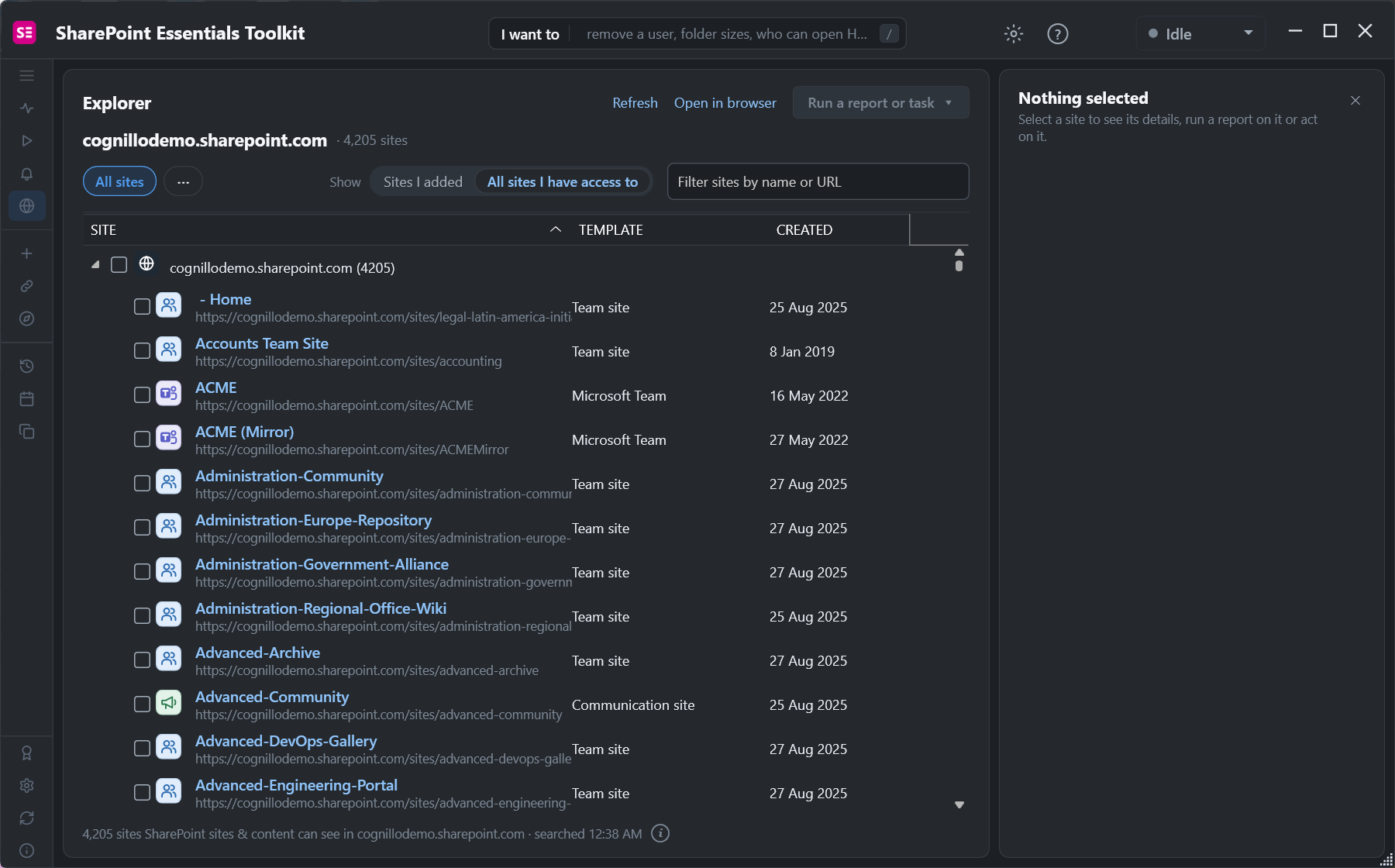
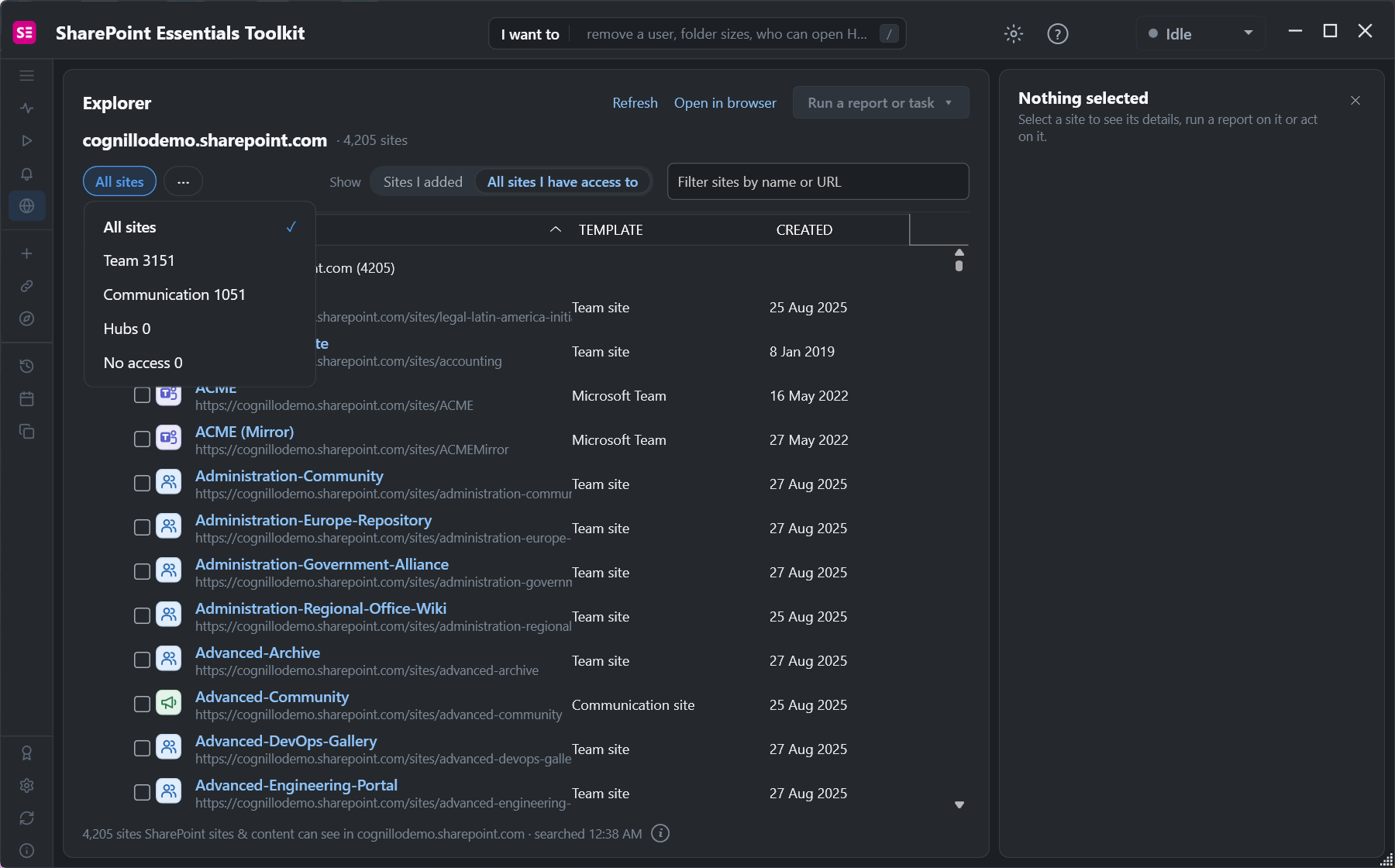
From there, Run a report or task covers the content side that PnP is used for: permissions, inventory, storage and copies.
Frequently asked questions
Should I use Connect-SPOService or Connect-PnPOnline?
Connect-SPOService for tenant administration such as site storage, sharing settings and deleted sites. Connect-PnPOnline for content inside sites, such as lists, files and permissions. PnP also covers most tenant tasks.
How do I use Connect-SPOService with MFA?
Don't pass -Credential. Run Connect-SPOService -Url https://tenant-admin.sharepoint.com and sign in through the window that opens. Add -ModernAuth $true -AuthenticationUrl https://login.microsoftonline.com/organizations if the prompt doesn't appear.
How do I fix "Could not load type FileVersionBatchDeleteMode"?
An older SharePoint client library in the Global Assembly Cache, usually from the SharePoint Client Components SDK, loads before the module's own copy. Uninstall that SDK if nothing needs it, or run the module on another machine.
Does the SharePoint Online Management Shell work in PowerShell 7?
Recent versions load in PowerShell 7. Older versions need Windows PowerShell 5.1 or Import-Module -UseWindowsPowerShell.
Can I use SPO and PnP in the same PowerShell session?
Avoid it. Both load the SharePoint client library, and the second module can fail to load because a different version is already in the session. Use a separate session for each.
See every SharePoint site without PowerShell, free
SharePoint Essentials Toolkit Community Edition is free. Browse every site in your tenant, then run permissions, inventory and storage reports on up to 20 sites per Microsoft 365 tenant. Get your free Community Edition license key.