Export Every SharePoint Site with Its Owners, Admins and Storage to CSV or Excel
Get-SPOSite -Limit All (or Get-PnPTenantSite) returns every site with storage and the primary owner, but Owner is empty for Microsoft 365 group sites and doesn't include other site collection admins. For a real owners report, add the group owners and call Get-SPOUser per site for admins, then Export-Csv. The admin center's Active sites page exports a simpler CSV. The free SharePoint Essentials Toolkit exports sites, admins, storage, sharing and lists to Excel or CSV without code.
Published:
Last updated: 2026-10-29
Option 1: Export from the SharePoint admin center
- SharePoint admin center, Sites, Active sites.
- Pick a view (All sites, Largest sites, Least active sites), add columns with Customize columns.
- Export downloads a CSV of the current view.
Good enough for a quick list. Its limits: one primary admin per site (not all site collection admins), no subsites, no list-level detail, storage only as of the last daily update, and it can't be scheduled.
Option 2: Export with PowerShell
This script exports every site with its storage, quota, template, last activity, sharing setting, all site collection admins and, for group-connected sites, the group owners. It's read-only. It uses the SharePoint Online Management Shell for the tenant data; run it as a SharePoint Administrator. If the module won't load, see the import error fix.
$AdminUrl = "https://contoso-admin.sharepoint.com"
$OutFile  = ".\sharepoint-sites-{0:yyyyMMdd}.csv" -f (Get-Date)
$GetAdmins = $true          # one extra call per site; turn off for a fast first pass

Connect-SPOService -Url $AdminUrl
$sites = Get-SPOSite -Limit All -IncludePersonalSite:$false |
    Where-Object { $_.Template -notlike "REDIRECTSITE*" }
"{0} sites" -f $sites.Count

$i = 0
$rows = foreach ($s in $sites) {
    $i++; Write-Progress -Activity "Sites" -Status $s.Url -PercentComplete ($i / $sites.Count * 100)
    $admins = ""
    if ($GetAdmins) {
        try {
            $admins = (Get-SPOUser -Site $s.Url -Limit All -ErrorAction Stop |
                Where-Object IsSiteAdmin | ForEach-Object { $_.LoginName -replace '^i:0#\.f\|membership\|', '' }) -join "; "
        } catch { $admins = "ERROR: $($_.Exception.Message)" }
    }
    [pscustomobject]@{
        Url             = $s.Url
        Title           = $s.Title
        Template        = $s.Template
        StorageUsedGB   = [math]::Round($s.StorageUsageCurrent / 1024, 2)
        StorageQuotaGB  = [math]::Round($s.StorageQuota / 1024, 2)
        LastContentModified = $s.LastContentModifiedDate
        Sharing         = $s.SharingCapability
        PrimaryOwner    = $s.Owner
        GroupId         = $s.GroupId
        SiteAdmins      = $admins
        LockState       = $s.LockState
        SensitivityLabel = $s.SensitivityLabel
    }
}
$rows | Export-Csv $OutFile -NoTypeInformation -Encoding UTF8
"Saved $OutFile"
Things that trip people up:
- Owner is empty or a GUID for group sites. For Microsoft 365 group sites, the owners are the group's owners. Get them with
Get-PnPMicrosoft365GroupOwner -Identity $s.GroupIdor Microsoft Graph, and join onGroupId. StorageUsageCurrentis in MB and updates about once a day; it includes the recycle bins and version history.Get-SPOUserneeds you to be able to read the site. Without access you get "Access is denied" per site; the script records it instead of stopping.- Large tenants throttle. Thousands of
Get-SPOUsercalls can get 429 responses. Run admins as a second pass, or see handling throttling. - Subsites aren't returned.
Get-SPOSitelists site collections. For subsites, connect to each site with PnP and useGet-PnPSubWeb -Recurse.
Open the CSV in Excel with Data, From Text/CSV so UTF-8 names and long URLs import correctly.
Option 3: Export sites, admins and storage with SharePoint Essentials Toolkit
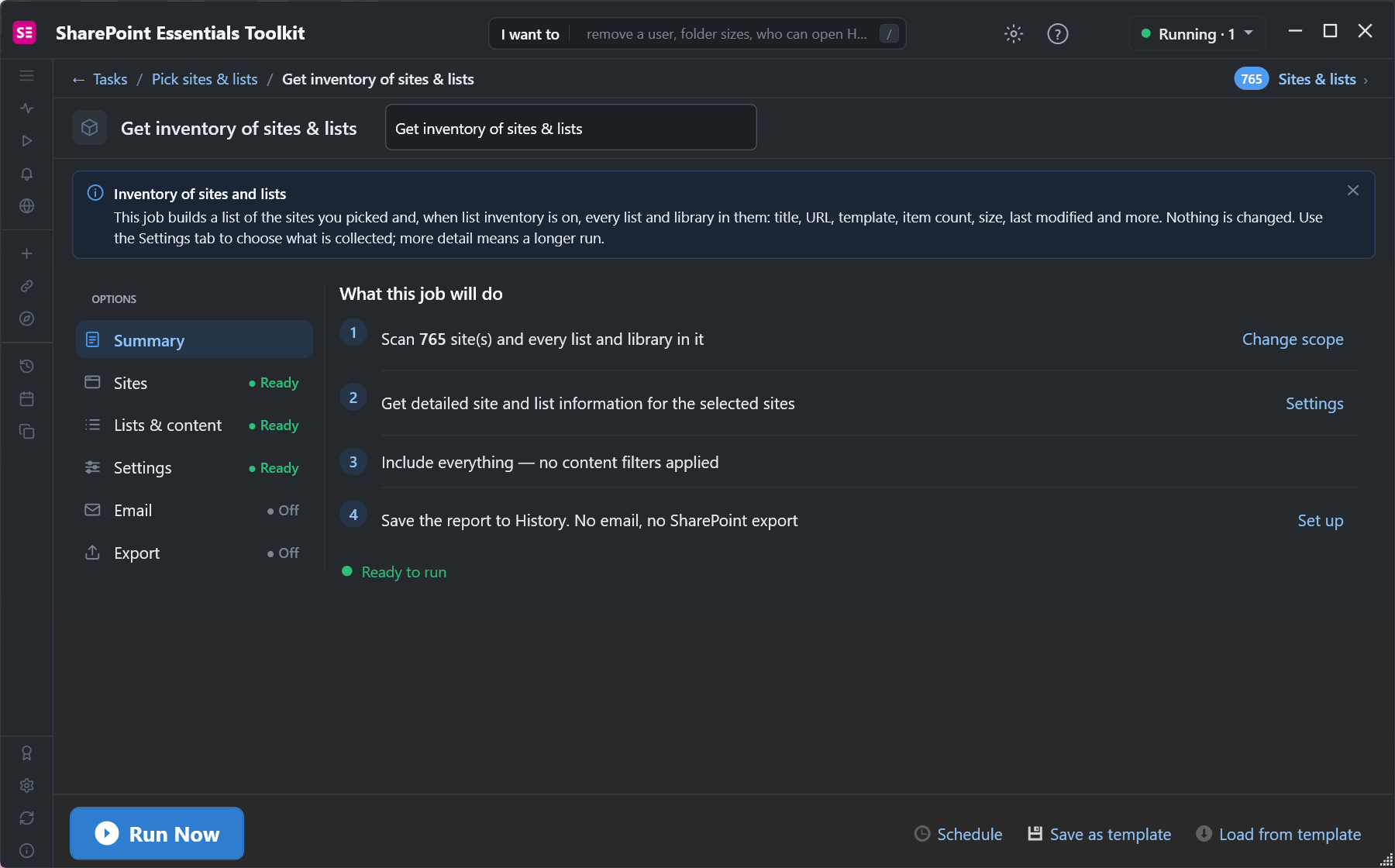
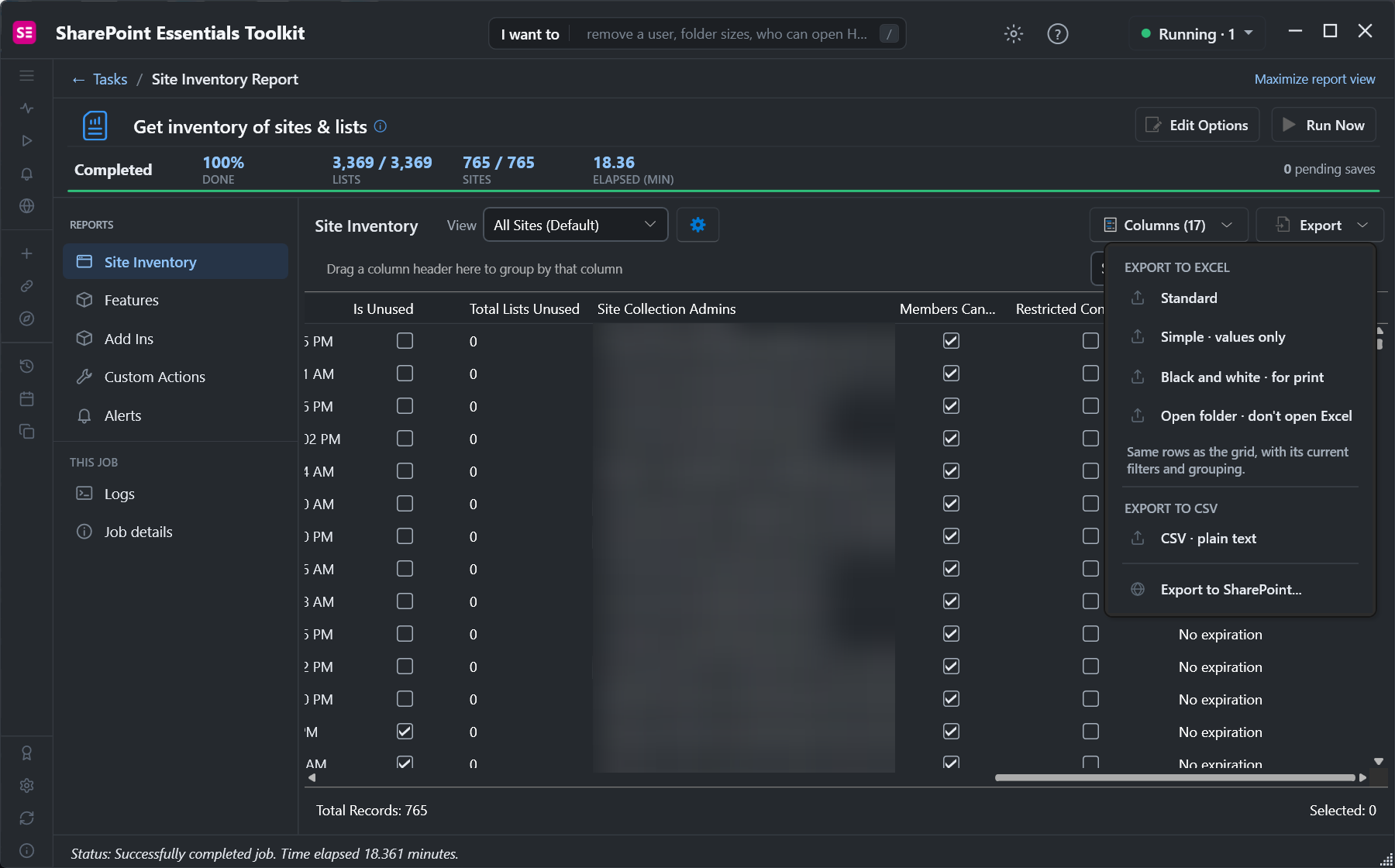
The toolkit's Inventory > Get inventory of sites & lists task covers subsites and lists too, which PowerShell needs separate passes for. We ran it on 765 sites and subsites in our demo tenant:
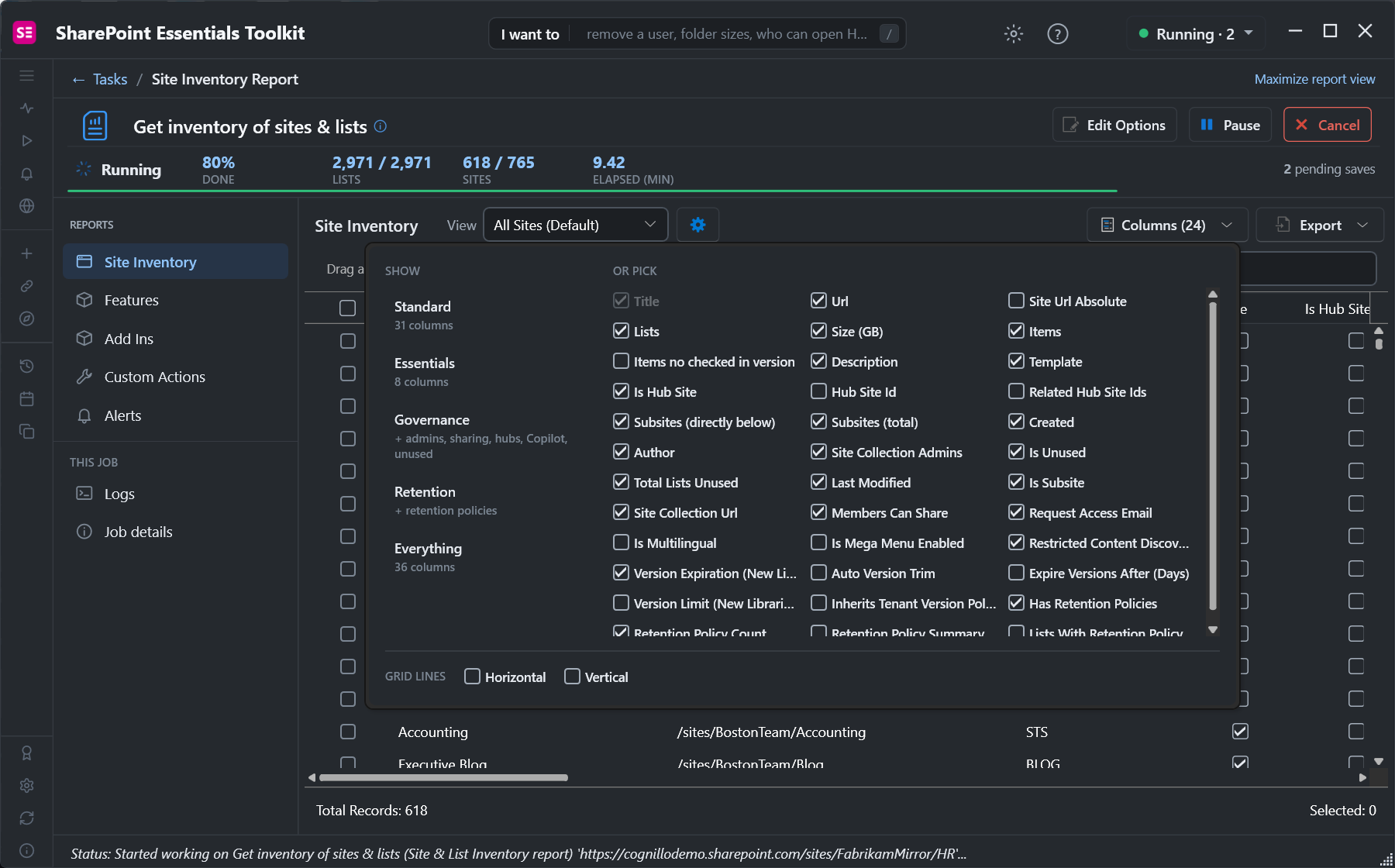
Pick the columns you need. The Governance preset adds site collection admins, sharing, hubs and unused-site flags:
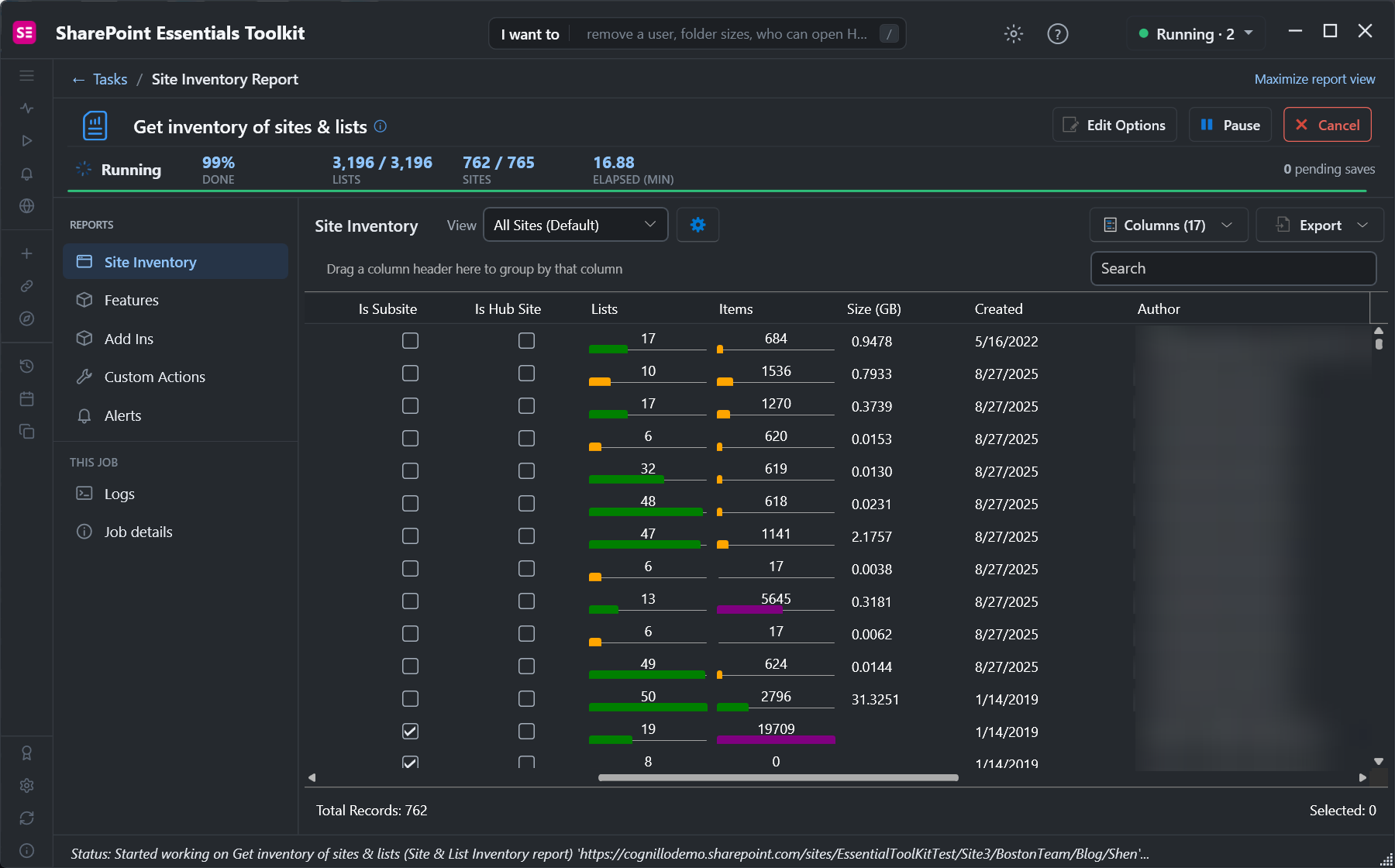
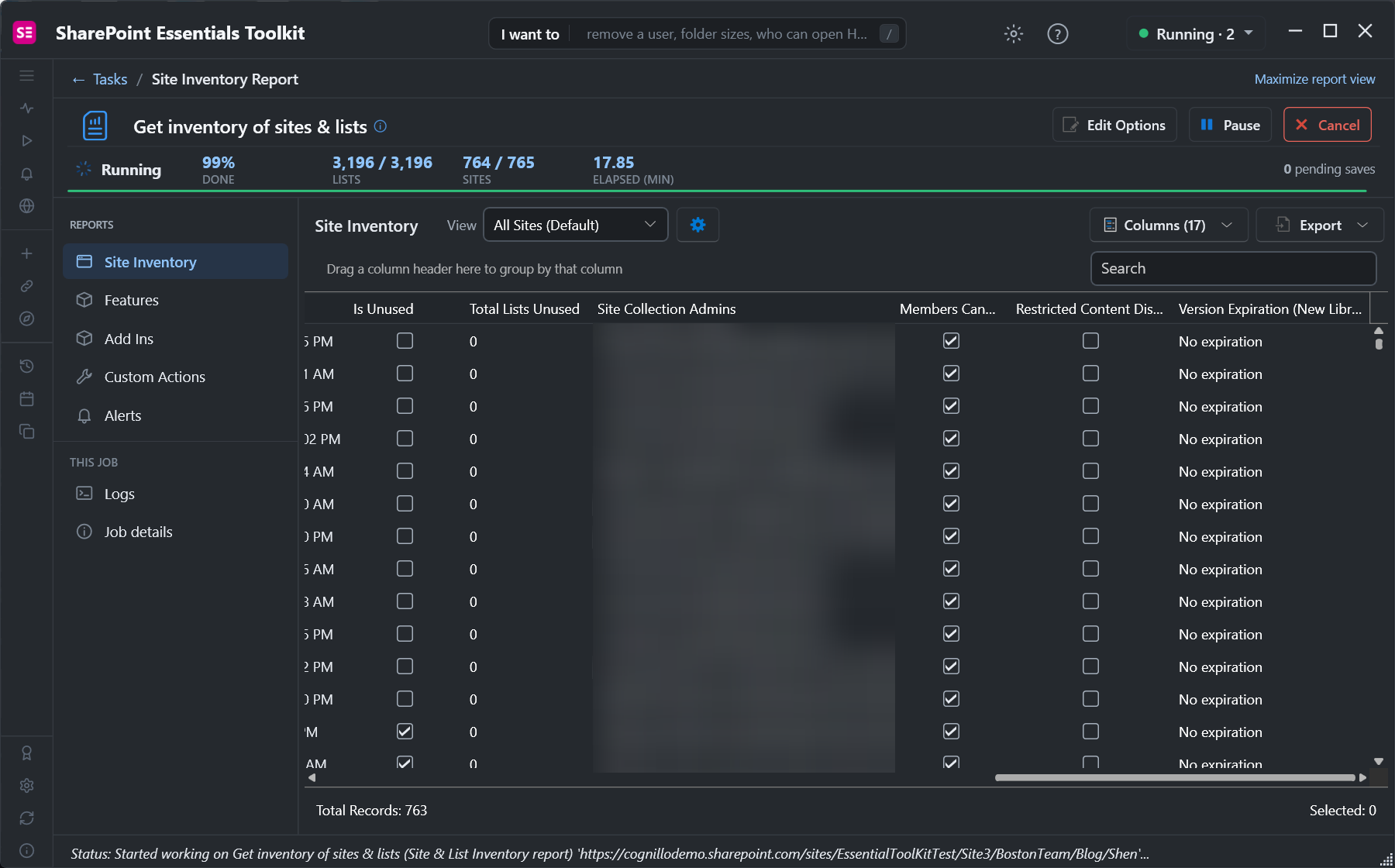
The whole run, 765 sites and 3,369 lists, took 18 minutes, including waiting out SharePoint throttling. Export gives you Excel (standard, values only, or black and white for print), CSV, or a SharePoint list:
Schedule the job to get the same export every week or month, and the List Inventory report from the same run gives you every list's item count, size and settings.
Frequently asked questions
How do I export all SharePoint sites to CSV?
Run Get-SPOSite -Limit All | Export-Csv sites.csv -NoTypeInformation after Connect-SPOService, or use Get-PnPTenantSite with PnP PowerShell. The SharePoint admin center's Active sites page also has an Export button.
Why is the Owner column empty for some SharePoint sites?
Microsoft 365 group-connected sites are owned by the group. Their Owner property is empty or the group ID; get the group owners with Get-PnPMicrosoft365GroupOwner or Microsoft Graph.
How do I get all site collection administrators for every site?
Call Get-SPOUser -Site <url> -Limit All for each site and keep the users where IsSiteAdmin is true. Get-SPOSite only returns the primary owner.
What unit is StorageUsageCurrent in?
Megabytes. Divide by 1024 for GB. It updates about once a day and includes recycle bins and version history.
Does Get-SPOSite include subsites?
No, it returns site collections only. Use Get-PnPSubWeb -Recurse on each site, or an inventory tool that includes subsites.
Export every SharePoint site with owners and storage, free
SharePoint Essentials Toolkit Community Edition is free. Export sites, subsites, admins, storage, sharing and list details to Excel or CSV, on up to 20 sites per Microsoft 365 tenant. Get your free Community Edition license key.