Included with SharePoint Essentials Toolkit. See editions and pricing
SharePoint Essentials Toolkit · Site content and inventory
SharePoint Site Content and Inventory Reports
Inventory every SharePoint site, subsite, list, library, file, page and user, with the settings, sizes and counts you need for documentation, audits, storage cleanup and migration planning. Search content across sites, find large files and version bloat, spot what nobody uses, and act on items straight from the report. Export to Excel with no row caps, free on up to 20 sites.
Why you need a SharePoint inventory
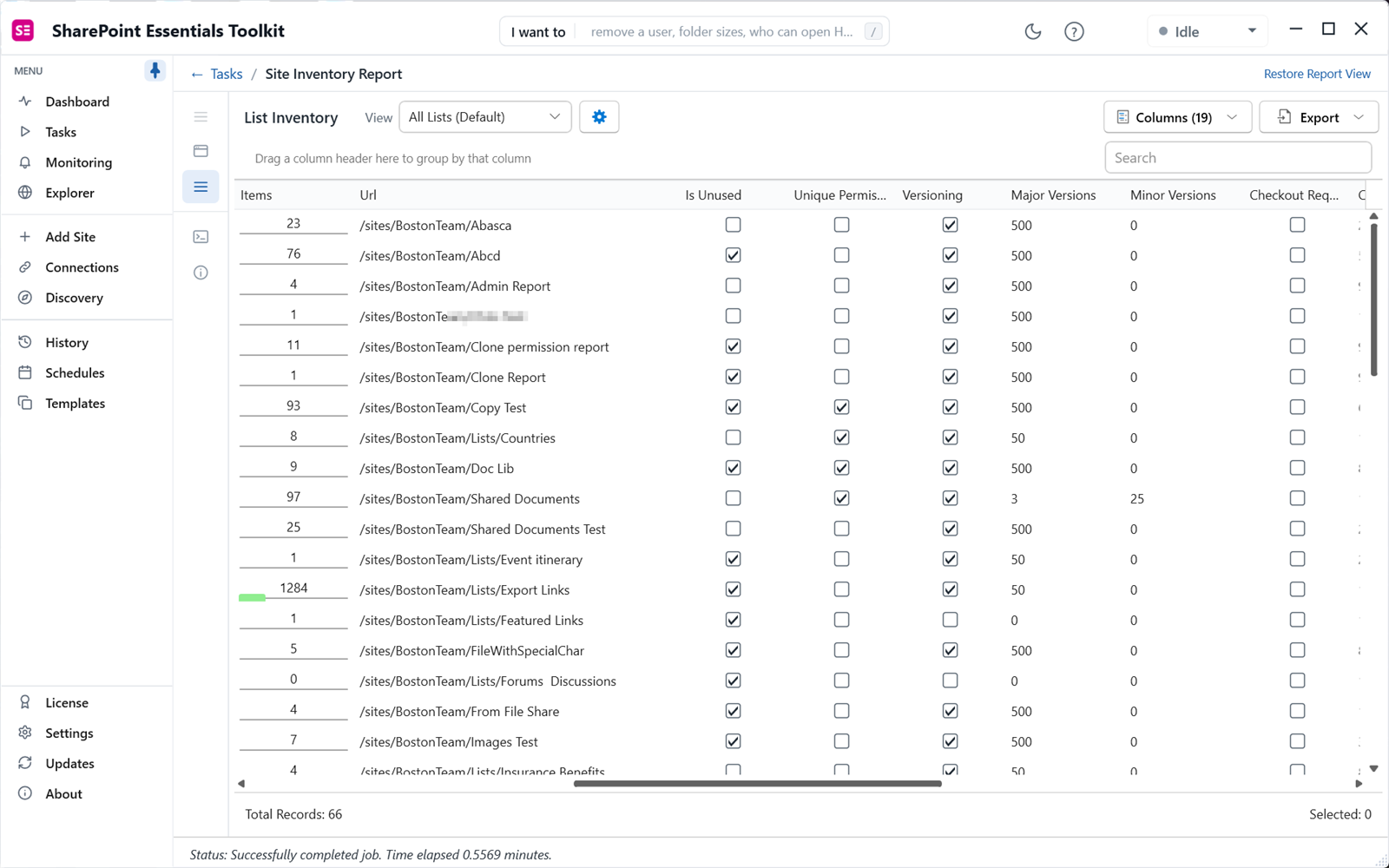
You can't govern, clean up or migrate what you can't see. The SharePoint admin center exports site collections and their storage, and stops there. Site contents shows one site at a time. PowerShell scripts usually stop at sites and lists. A real inventory answers the questions that come up every week:
- Which sites, subsites and libraries exist, who owns them, and when were they last used?
- Where is our storage going, and how much of it is old versions?
- Which lists have custom settings, content types or versioning that a migration has to handle?
- Which files contain a project name, an old server address or a phrase legal asked about?
Inventory reports
Site inventory
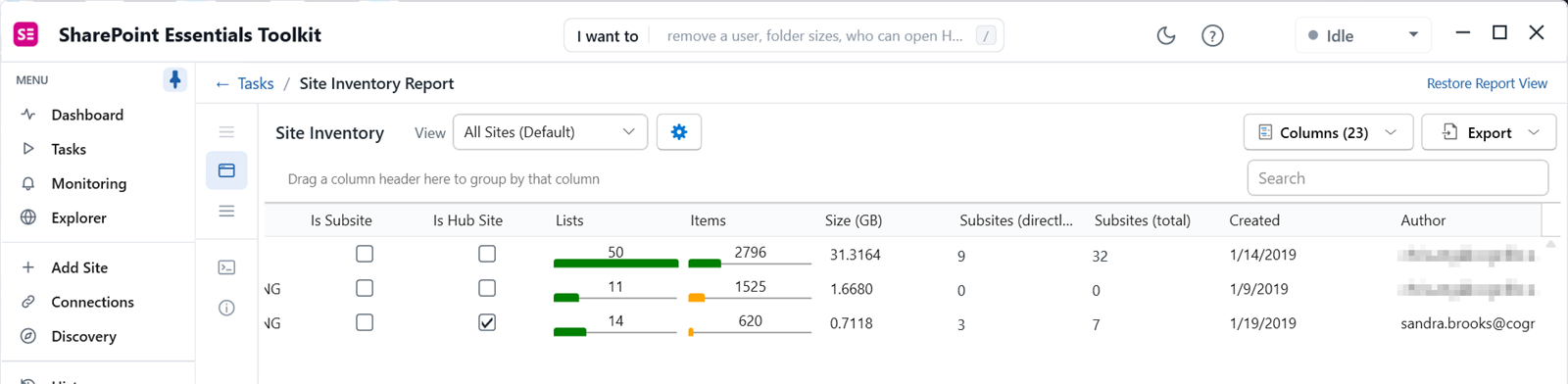
Every site and subsite with owners, template, storage, last activity, features, alerts, add-ins and custom actions. Edit site settings or run actions such as changing the owner or clearing the recycle bin from the report.
List inventory
Every list and library with item counts, size, versioning, content approval, checkout and other settings, and last modified date. Edit list settings from the report.
Item, file, folder and page inventory
Every item with its path, size, version count, author, dates, check-out status, sensitivity label and sharing columns, plus any extra columns you choose.
Content type inventory
Which content types are used where, so you can standardize, clean up or plan a migration's content type mapping.
User inventory
Users and groups on each site, with Entra ID properties such as department, job title and account status.
Labels and metadata inventory
Sensitivity and retention labels and metadata on items, files and pages, to find what's unlabeled or tagged inconsistently.
Storage, usage and cleanup
Storage report
Site storage and recycle bin size, list and folder sizes, the largest files, and how much space version history takes.
Storage growth monitor
Schedule the storage report and compare run over run to see which sites grow fastest, with email alerts at a threshold.
Site and document analytics
Visits and unique users per site, and activity on documents and pages, to find sites and libraries nobody uses.
Bulk item actions
From an inventory or search report: check in files, recycle, trim version history, apply sensitivity labels, download as ZIP, or send to Microsoft 365 Archive.
Content search across sites
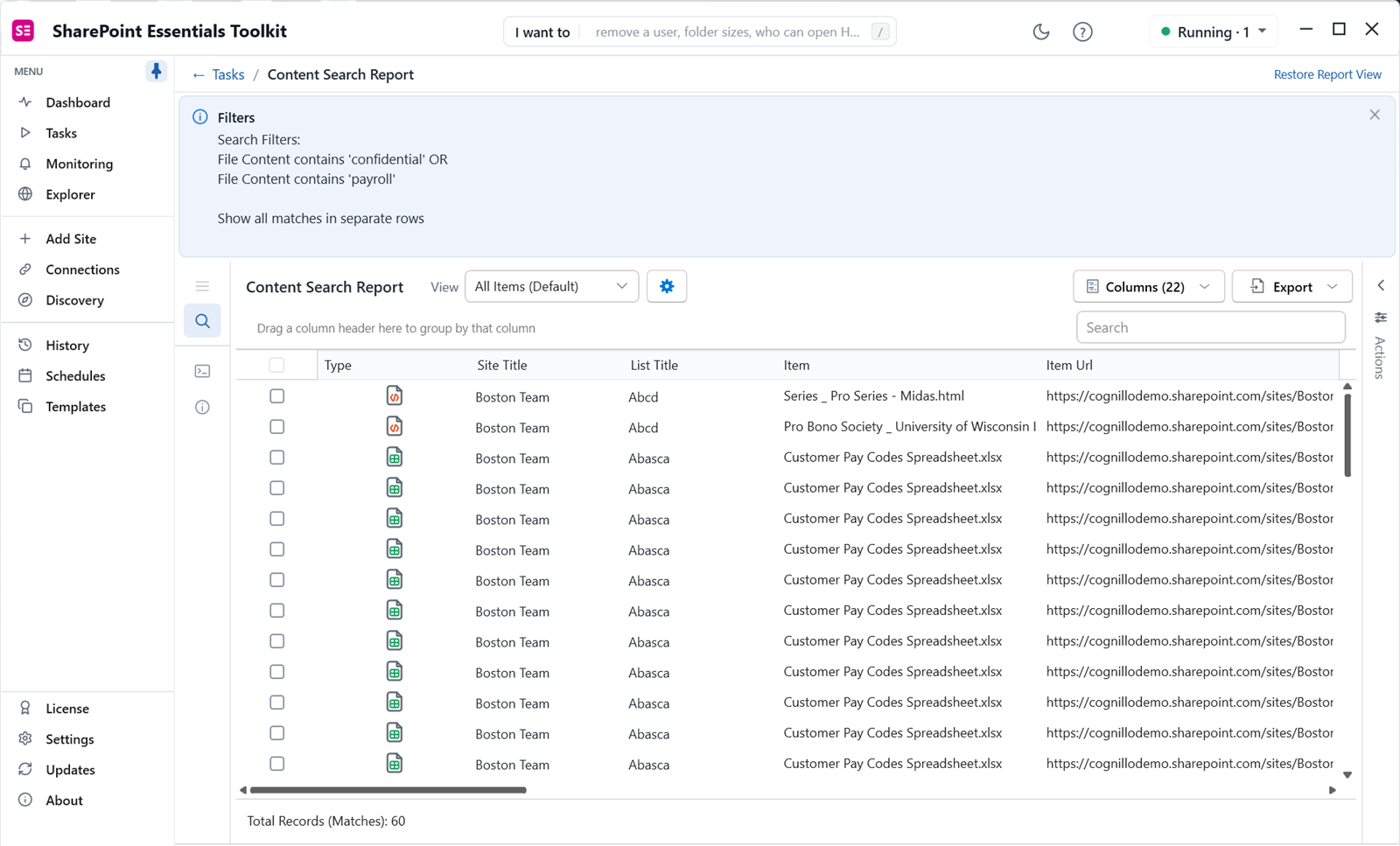
Find text anywhere on your sites, not just what the search index returns:
- Search inside file contents: Word, Excel, PowerPoint, PDF and more, down to the matching cell in a spreadsheet.
- Search pages and web parts, and columns and metadata, with wildcard terms.
- Checked out files report: files checked out to people, including people who have left.
- Find and replace text in files, pages, web parts and columns, previewing each change first.
Explorer: browse and act
Explorer lets you browse sites, lists, folders and files with item counts and storage at a glance. Select anything to run a report or task scoped to it, edit titles and descriptions, see memberships and permissions, or copy and move lists, folders and files. Every change is recorded in History.
Common uses
- Migration scoping: know the size, item counts, custom settings and content types before you quote or plan a move.
- Storage cleanup: find the largest files and libraries, trim old versions and archive unused content.
- Documentation and audits: a dated Excel record of every site, list and setting.
- Copilot readiness: find stale content and unlabeled files to archive or label before Copilot surfaces them.
- Offboarding: find files checked out to, or authored by, someone who's leaving.
Editions
| Capability | Community (free) | Professional | Enterprise |
|---|---|---|---|
| Site, list, item, content type, user and label inventories; storage; analytics; content search | Yes, full depth | Yes | Yes |
| Export to Excel, CSV and SharePoint, email delivery, extra columns, filters | Yes | Yes | Yes |
| Bulk item actions from reports | Up to 10 changes per Apply | Up to 10 changes per Apply | Unlimited |
| Find and replace text | Lists with fewer than 100 items | Lists with fewer than 100 items | Unlimited |
| Bulk edit, batch edit, bulk create lists and content | No | No | Yes |
| Sites | 20 per Microsoft 365 tenant | More sites; see pricing and the full comparison | |
Frequently asked questions
How do I export a list of all SharePoint sites to Excel?
The SharePoint admin center exports site collections to CSV. For subsites, lists, libraries and their settings and counts, run a site and list inventory in SharePoint Essentials Toolkit and export it to Excel, CSV or a SharePoint list.
How do I find what is using storage in SharePoint?
Run the storage report. It shows site storage and recycle bin size, list and folder sizes, the largest files and how much space version history takes. From the item report you can trim version history or send files to Microsoft 365 Archive in bulk.
Can I search content across all SharePoint sites?
Yes. Content search looks inside files, pages, web parts and columns across the sites you pick, including wildcard terms, and reports each match with its location. It reads content directly rather than relying on the search index, so it also finds text in content that isn't indexed.
Is there a row limit on the inventory reports?
No. Every read-only inventory report runs at full depth in every edition, including the free Community Edition, with no caps on rows, items or users. Community Edition is limited to 20 site collections per Microsoft 365 tenant.
Does the inventory work on SharePoint on-premises?
Yes. The inventory and content reports run on SharePoint Online and SharePoint Server on-premises with the same steps, which is useful for scoping a migration and comparing source and target.
Guides and related features
Export a full SharePoint inventory free
SharePoint Essentials Toolkit Community Edition runs every inventory and content report at full depth on up to 20 sites per Microsoft 365 tenant. No row caps, no trial period.
Get your free Community Edition license key Talk to us about Enterprise