SharePoint Hub Site Navigation and Mega Menus: How to Set Them Up and What Limits Them
Site navigation and hub navigation are set in different places. Site navigation: Settings, Change the look, Navigation, where Mega menu and Cascading are only offered when the orientation is Horizontal. Hub navigation: on the hub site itself, in the hub navigation bar's Edit link, and its menu style is set the same way. Links are edited in Edit navigation, with sub links via "Make sub link" and optional audience targeting. Navigation links are plain URLs, so they break when pages or libraries move.
Published:
Last updated: 2026-11-06
Site navigation: orientation and menu style
On a communication site, or a team site with horizontal navigation, open Settings, Change the look, Navigation:
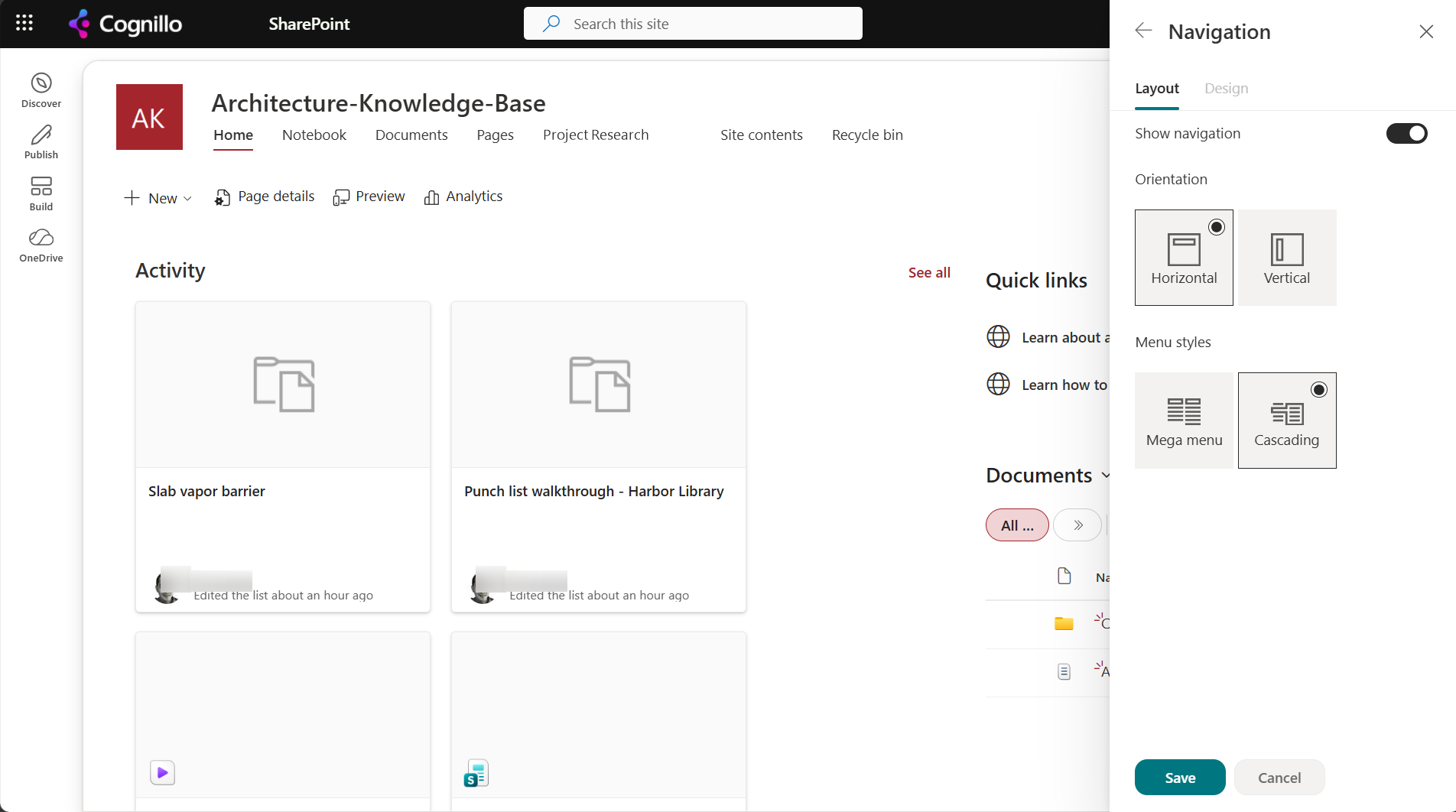
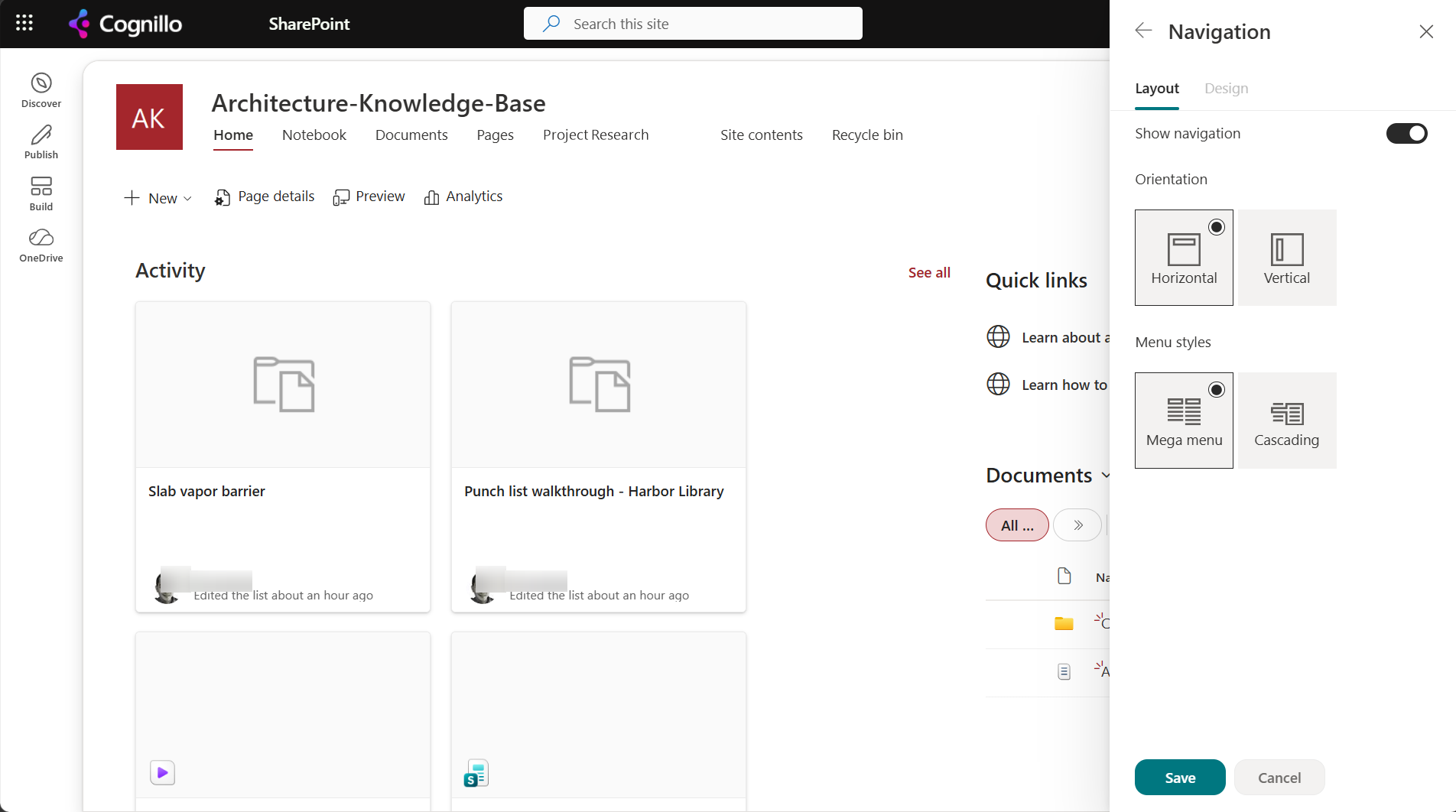
- Vertical (the team site default) is the left Quick Launch. No menu style is offered.
- Horizontal, Cascading shows sub links as fly-outs, one level at a time.
- Horizontal, Mega menu shows all sub links of a top-level item in one wide panel with columns. It needs two or three levels of links to look right.
If the mega menu option is missing, the site is vertical. Change the orientation first.
Edit the links
Hover over the navigation and choose Edit:
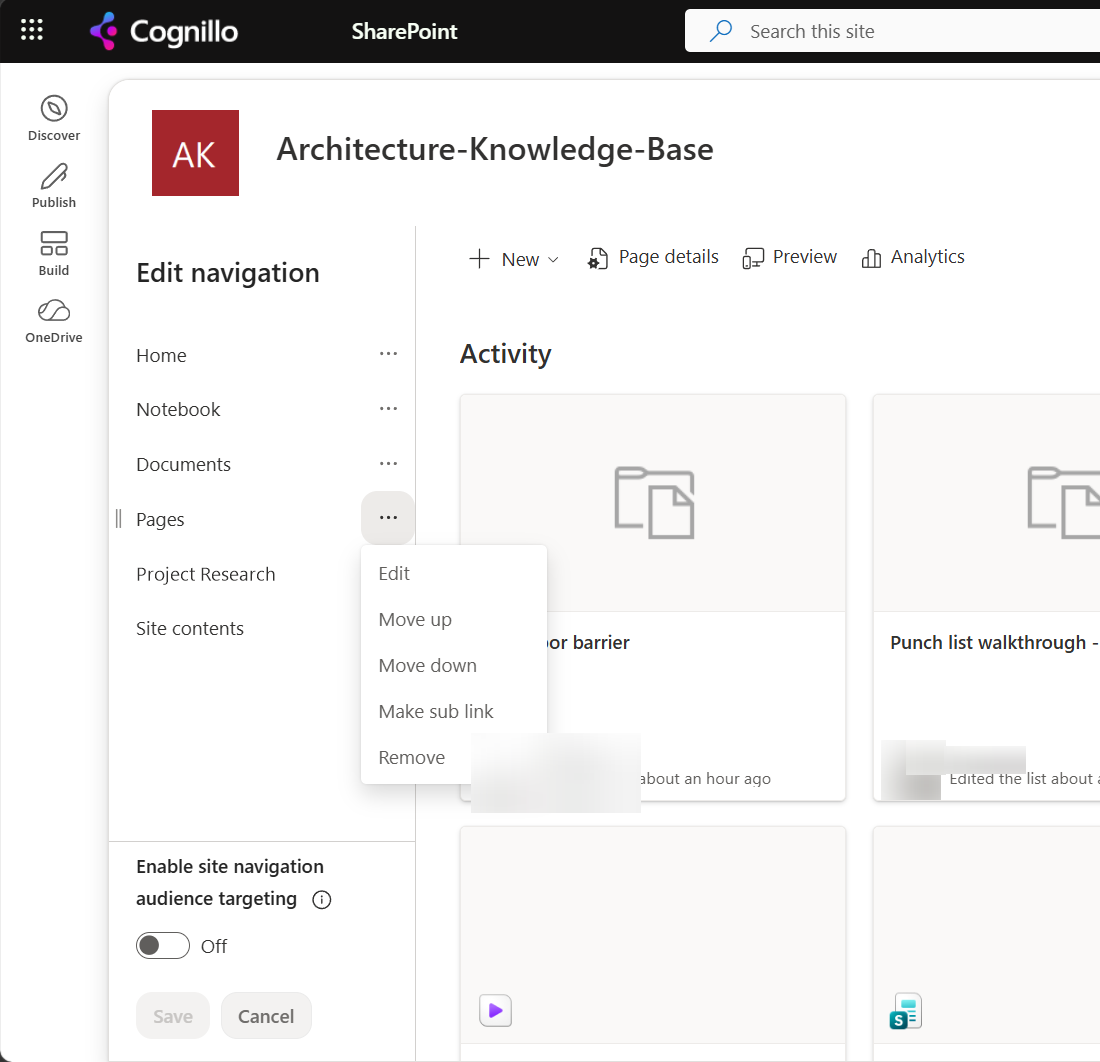
- Make sub link indents a link under the one above. For a mega menu, top-level items become column headers and their sub links are the entries.
- Label entries (a link without an address) work as headings.
- Enable site navigation audience targeting lets each link have audiences, up to 10 groups per link. It hides links from other people, but doesn't secure the page behind it.
Hub navigation
A hub site adds a second bar above each associated site's own navigation:
- Edit it on the hub site, with the Edit link at the end of the hub bar. Associated sites can't change it.
- Its menu style (mega menu or cascading) is set from the hub site's Change the look, Navigation.
- The hub bar only appears on sites associated with the hub. If it's missing, check the association in Site information, or in the SharePoint admin center under Active sites.
- The hub bar respects audience targeting if it's on for the hub navigation.
- Our demo site isn't a hub, so this part is from Microsoft's documented settings rather than a test.
Global navigation in the SharePoint app bar is a third level, set from the home site.
Navigation links break when things move
Navigation stores plain URLs. When a page is renamed or a library's URL changes, the navigation link isn't updated and returns 404. See "Page not found" after a rename and renaming a library URL.
Export and check navigation with PowerShell
This read-only script lists the top navigation (horizontal) or Quick Launch (vertical) with each link's URL and its sub links, and checks each URL. It needs PnP PowerShell 2.x and your own Entra ID app registration.
$ClientId = "<your-app-id>"
$SiteUrl  = "https://contoso.sharepoint.com/sites/Projects"
$Location = "TopNavigationBar"     # or QuickLaunch

Connect-PnPOnline -Url $SiteUrl -Interactive -ClientId $ClientId
function Show($nodes, $depth) {
    foreach ($n in $nodes) {
        $status = ""
        if ($n.Url -like "*linkless.header*") { $status = "label" }
        elseif ($n.Url -like "/*") {
            try { Invoke-PnPSPRestMethod -Url "_api/web/GetFileByServerRelativeUrl('$($n.Url)')?`$select=Name" | Out-Null; $status = "ok" }
            catch { $status = "check" }
        }
        "{0}{1}  {2}  {3}" -f ("  " * $depth), $n.Title, $n.Url, $status
        $kids = Get-PnPNavigationNode -Id $n.Id
        if ($kids.Children) { Show $kids.Children ($depth + 1) }
    }
}
Show (Get-PnPNavigationNode -Location $Location) 0
"check" means the URL isn't a file on this site: a folder, a list view, another site, or a broken link. Open those.
Find and fix broken navigation links with SharePoint Essentials Toolkit
The toolkit's Links area checks navigation along with pages, web parts and documents:
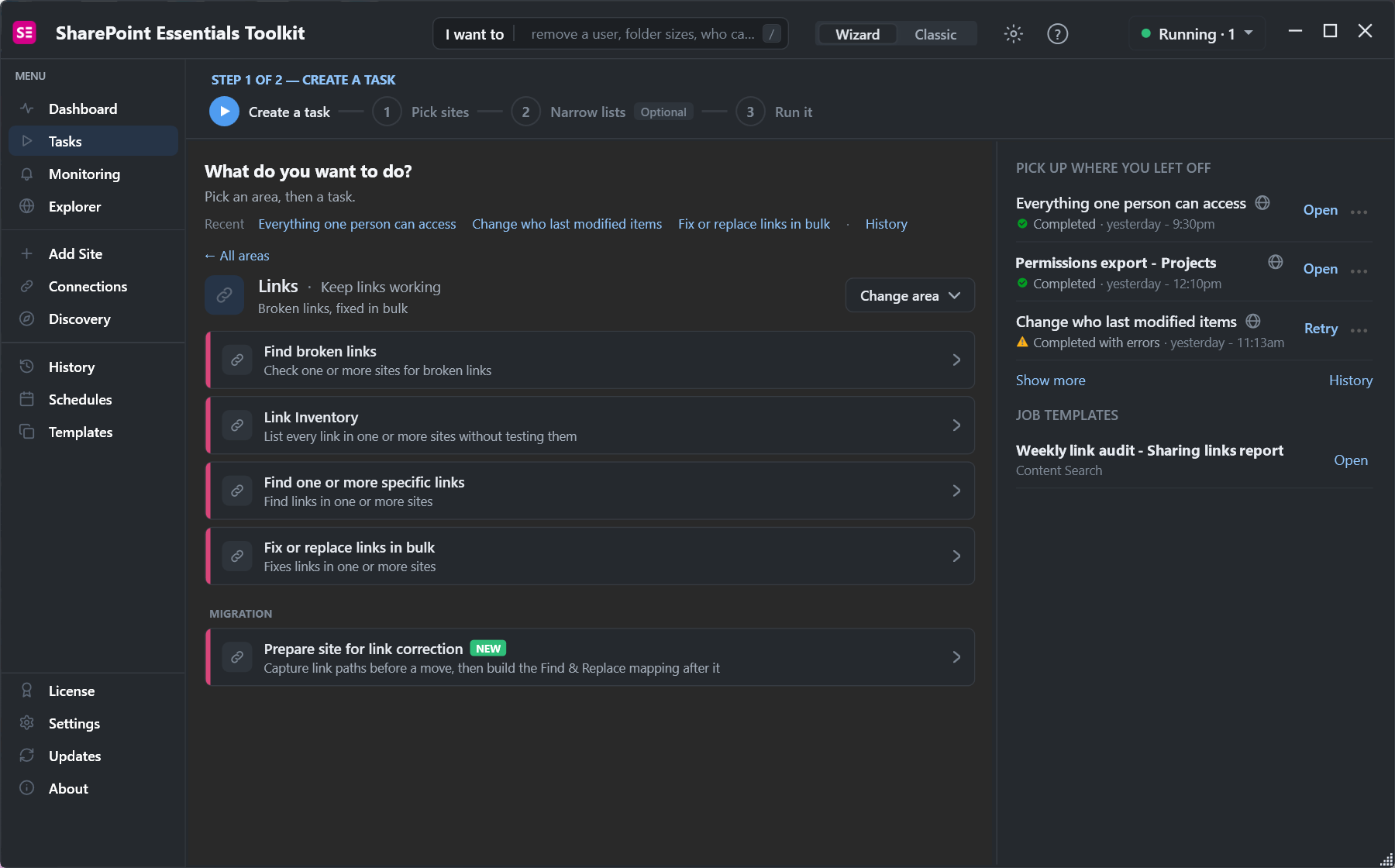
- Find broken links tests every link, including navigation, on the sites you pick.
- Link Inventory lists every link without testing it: useful for documenting a mega menu before a redesign.
- Fix or replace links in bulk rewrites an old path to a new one everywhere it appears, with a preview first.
Frequently asked questions
Why is the SharePoint mega menu option missing?
Mega menu and Cascading are only offered with Horizontal navigation. Switch the orientation in Change the look, Navigation.
Where do I edit hub navigation?
On the hub site, with the Edit link at the end of the hub navigation bar. Associated sites can't change it.
How do I make sub links in SharePoint navigation?
In Edit navigation, open a link's menu and choose Make sub link. It goes under the link above it.
Does navigation audience targeting secure pages?
No. It only hides links from people outside the audience. Use permissions to restrict the pages themselves.
Why do navigation links break?
They store plain URLs. Renaming a page or changing a library URL leaves the old link in navigation, which then returns 404.
Find broken navigation links across sites, free
SharePoint Essentials Toolkit Community Edition is free. Check every link in navigation, pages and documents, and fix old paths in bulk, on up to 20 sites per Microsoft 365 tenant. Get your free Community Edition license key.