SharePoint Search Not Returning Results? Check These Settings, Then Reindex the Site or List
SharePoint search only shows what is indexed and what you have permission to see. When results are missing, check four things: the site's "Allow this site to appear in search results", the list's "Allow items from this list to appear in search results", the item's permissions, and time, since new content takes minutes to hours. Reindex only after a change search can't detect, such as a managed property mapping or permissions: Site settings, Search and Offline Availability, Reindex site, or the list's Advanced settings, Reindex List.
Published:
Last updated: 2026-11-06
Check these first
| Check | Where | Effect |
|---|---|---|
| Site in search | Site settings, Search and Offline Availability, "Allow this site to appear in search results?" | No hides the whole site and its subsites. |
| List in search | List settings, Advanced settings, "Allow items from this list to appear in search results?" | No hides the list. |
| Permissions | Manage access on the item | Search trims results to what the person can open. An admin and a member see different results. |
| Time | Search for the item later | New items took 1 to 2 hours to appear in our test. |
| Drafts | Versioning settings | With content approval or minor versions, people without access to drafts don't find unpublished items. |
| File type and size | The file itself | Very large files are only partly indexed, and some formats aren't indexed at all. |
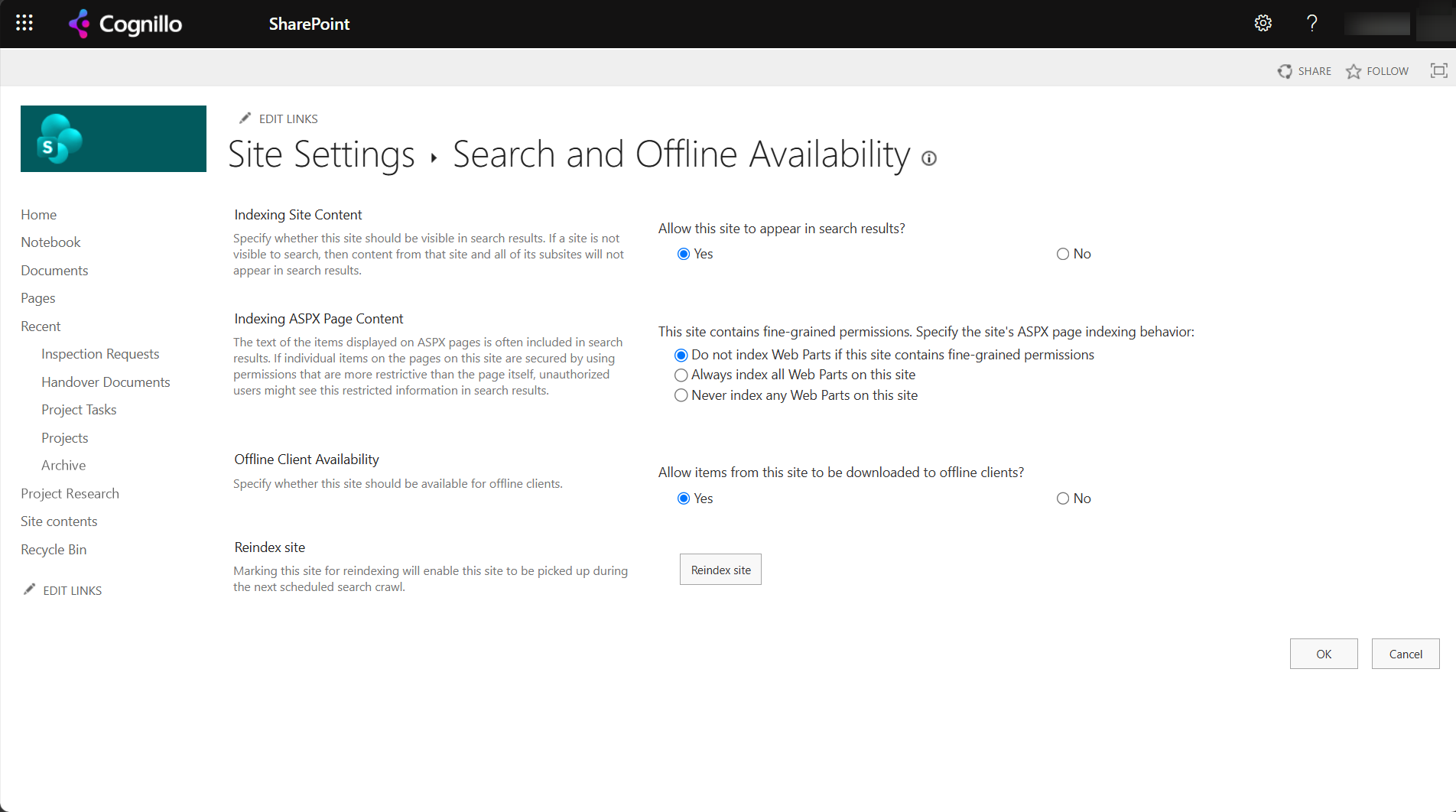
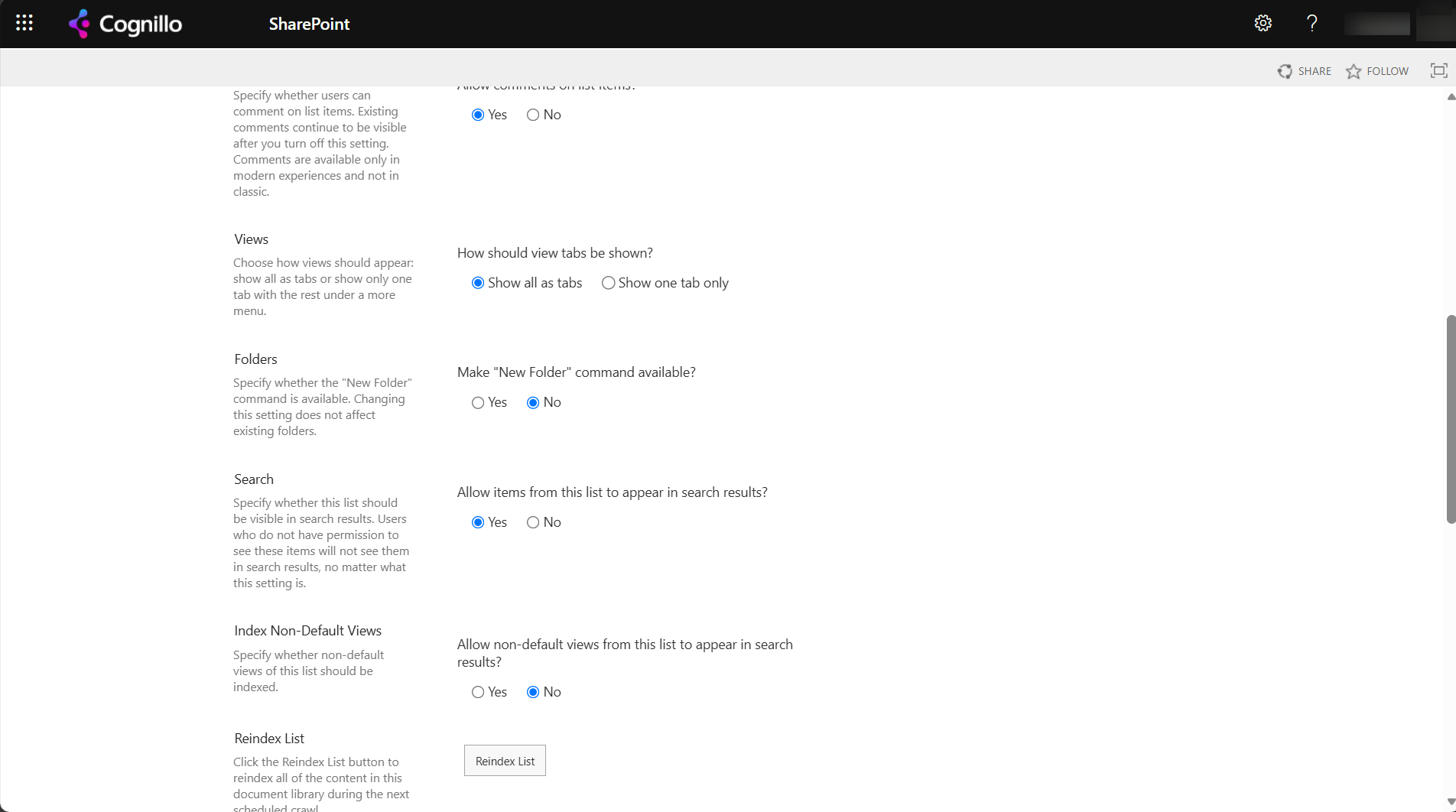
The Indexing ASPX Page Content setting matters on sites with fine-grained permissions: by default, web parts on pages aren't indexed there, so page text can be missing from search.
Reindex a site
Reindexing makes the crawler process everything in the site again on its next crawl. It doesn't make search faster. The dialog now asks you to confirm and to say why:
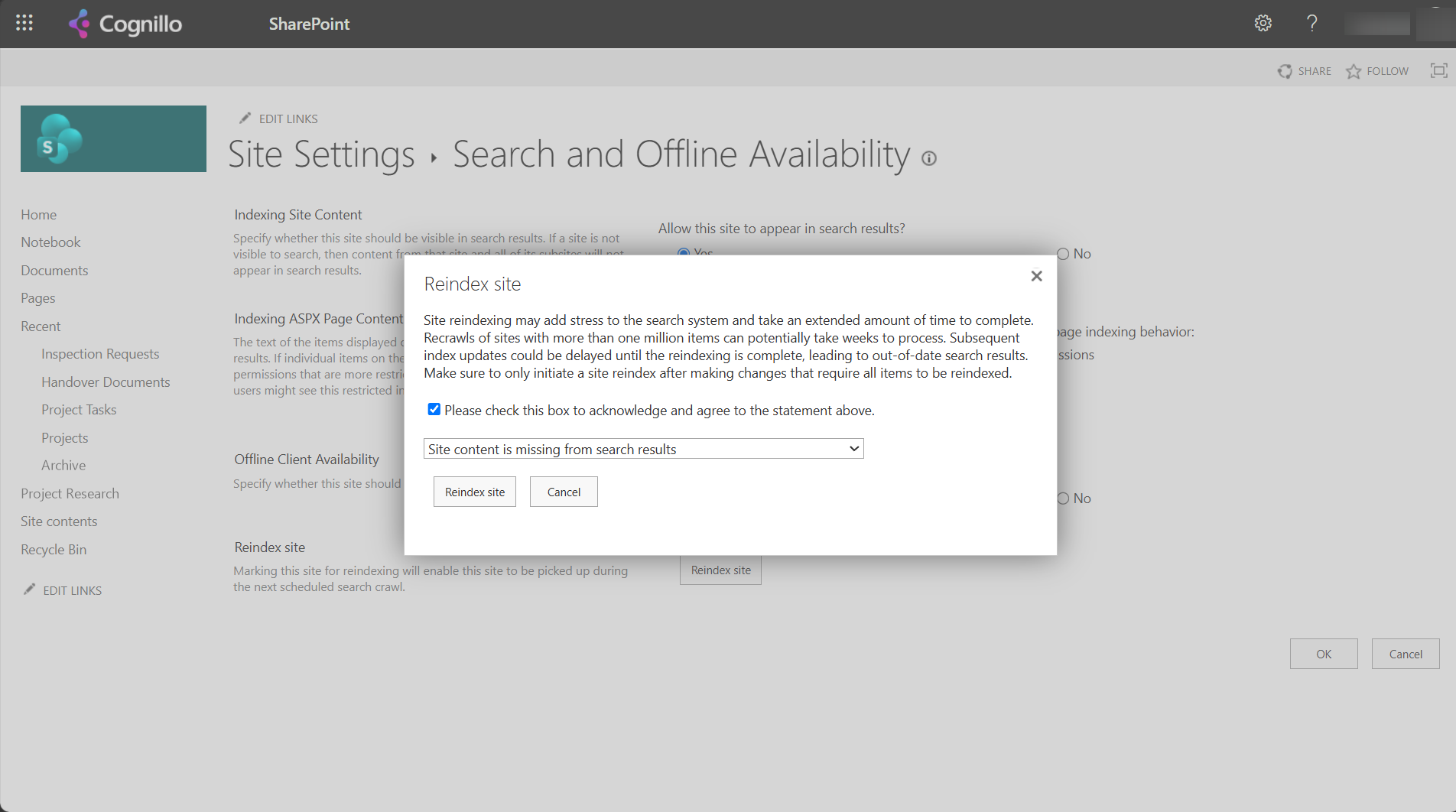
- The warning: recrawls of sites with more than a million items can take weeks, and index updates to that site can be delayed until it finishes.
- The reasons offered: a schema change, content missing from search results, inaccurate or out-of-date results, permissions not reflected, and other.
- After the second reindex, the site's
vti_searchversionproperty went from 1 to 2. That's how SharePoint marks a site for a full recrawl.
Reindex when you changed a managed property mapping, changed permissions that search shows wrong, or fixed a setting that hid content. Reindex the list instead of the site when only one list is affected: it's smaller and finishes sooner.
When reindex won't help
- The content is new. Wait a few hours.
- The person doesn't have access. Check access first; search is right.
- The site or list is set to No for search. Reindexing doesn't override it.
- The site is excluded by Restricted Content Discovery or Restricted SharePoint Search, which affect Copilot and organization-wide search. See Copilot oversharing and Restricted search.
Check search settings with PowerShell
This read-only PnP PowerShell script shows whether a site and each list are in search, and the site's search version. It needs PnP PowerShell 2.x and your own Entra ID app registration.
$ClientId = "<your-app-id>"
$SiteUrl  = "https://contoso.sharepoint.com/sites/Projects"

Connect-PnPOnline -Url $SiteUrl -Interactive -ClientId $ClientId
$web = Get-PnPWeb -Includes NoCrawl, AllProperties
"Site NoCrawl: {0}  vti_searchversion: {1}" -f $web.NoCrawl, $web.AllProperties["vti_searchversion"]

Get-PnPList -Includes NoCrawl | Where-Object { -not $_.Hidden } |
    Select-Object Title, ItemCount, NoCrawl | Sort-Object NoCrawl -Descending | Format-Table -AutoSize

# Reindex one list on the next crawl (uncomment to run):
# Request-PnPReIndexList -Identity "Inspection Requests"
NoCrawl = True means the site or list is hidden from search. Request-PnPReIndexWeb does the same as Reindex site.
Find content without the search index with SharePoint Essentials Toolkit
When you need to know where a word or value is right now, without waiting for search, the toolkit's Search area reads the lists, pages and files directly:
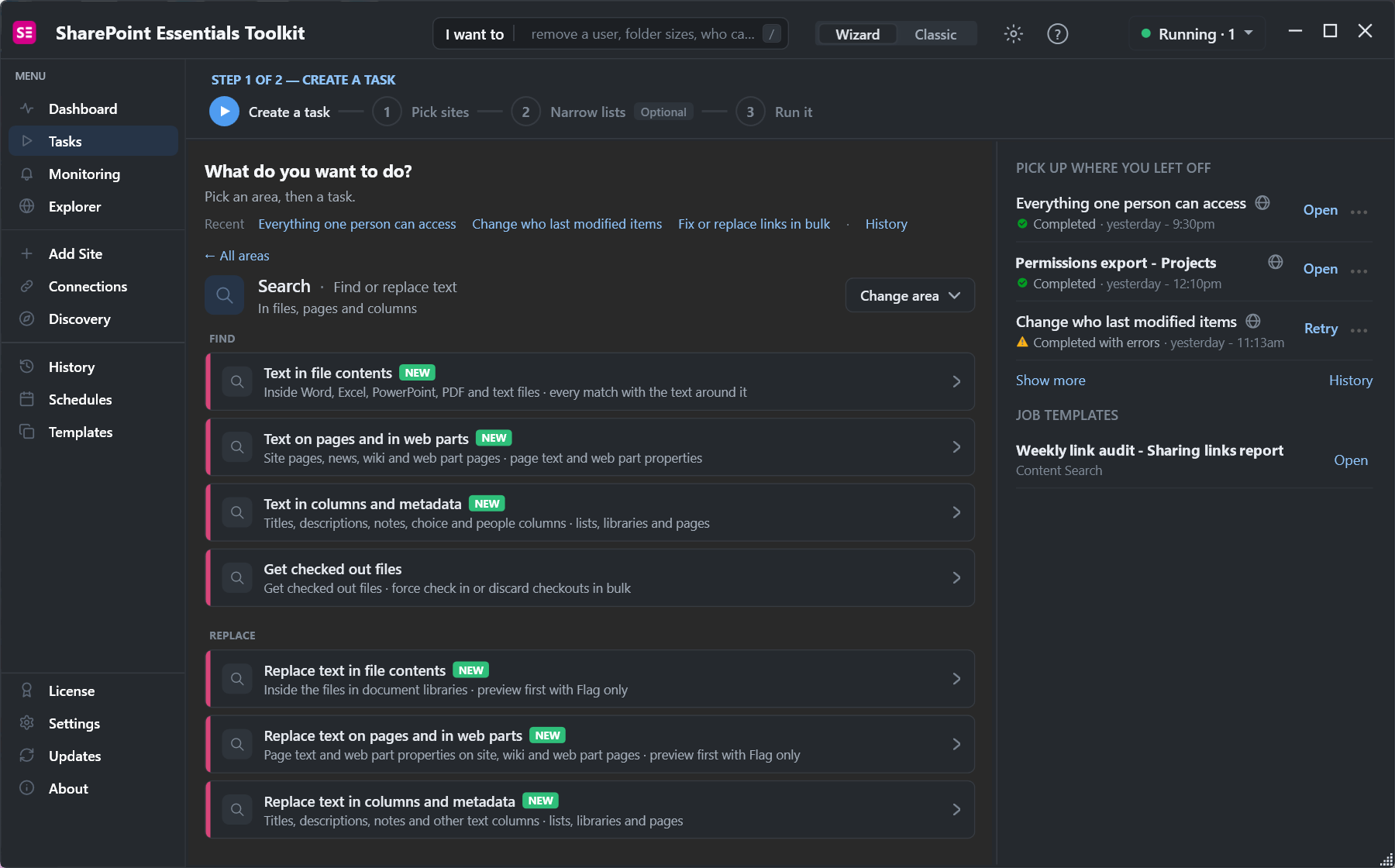
- Text in file contents opens Word, Excel, PowerPoint, PDF and text files and lists every match with the text around it.
- Text in columns and metadata covers titles, descriptions, choice and people columns.
- Get checked out files finds files that were never checked in, which other people can't see in search either.
Because it doesn't use the index, it finds content in sites and lists set to No for search, and content added a minute ago.
Frequently asked questions
Why doesn't SharePoint search find my file?
It may not be indexed yet, the site or list may be excluded from search, you may lack permission, or it may be an unpublished draft. Check those before reindexing.
How long does SharePoint search take to show new files?
Usually minutes to a few hours. In our test a new list item appeared in search 1 to 2 hours after it was created.
How do I reindex a SharePoint site?
Site settings, Search and Offline Availability, Reindex site. Tick the acknowledgement, pick a reason, and confirm. The next crawl processes the whole site.
Should I reindex a site or a list?
Reindex only the list when only that list is affected. Large site reindexes can take weeks and delay other index updates for the site.
Does reindexing speed up search?
No. It makes the crawler process everything again. Use it after a schema or permission change search didn't pick up.
Find content across sites without waiting for search, free
SharePoint Essentials Toolkit Community Edition is free. Search file contents, pages and columns directly across sites and lists, on up to 20 sites per Microsoft 365 tenant. Get your free Community Edition license key.