Free SharePoint Permission Reports: No PowerShell Required
Published:
Last updated: 2026-10-29
Get Free SharePoint Permission Reports in Minutes
Managing SharePoint permissions can be one of the most time-consuming tasks for IT administrators. Traditional approaches rely on complex PowerShell scripts that are difficult to maintain and often miss critical details like sharing links and Microsoft Teams access. The SharePoint Essentials Toolkit Community Edition eliminates this pain entirely — and it's completely free.
In this guide, we'll walk you through how to generate comprehensive SharePoint permission reports using a free tool that takes less than 10 minutes to set up.
What You Get in the Free Community Edition
The Community Edition of the SharePoint Essentials Toolkit includes more than just permission reports. Here's what's included at no cost:
SharePoint Permission Reports — See who has access to your sites, lists, and libraries
Copy SharePoint Lists and Libraries — Migrate content between sites effortlessly
Site Navigation Broken Link Reports — Identify and fix broken links across your sites
SharePoint Site and List Inventory Reports — Get a complete inventory of your environment
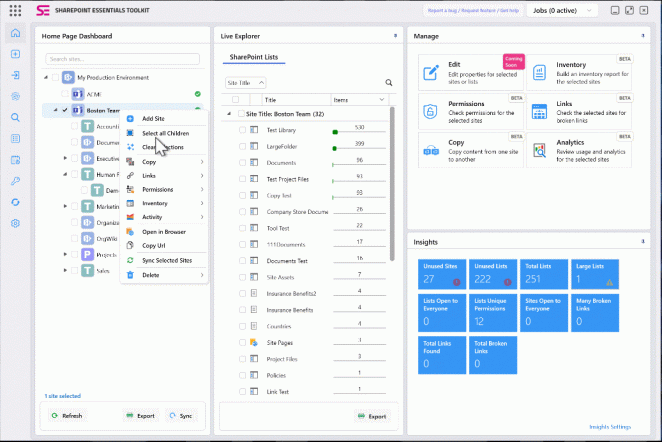
SharePoint Insights Dashboard — View unused sites, large lists, and security exposure at a glance
How to Get Started
Getting your free SharePoint permissions reporting tool is straightforward:
Visit the SharePoint Essentials Toolkit page and click "Download Community Edition (FREE)"
Sign up with a valid organization email address — no marketing spam, your data stays private
Download and install the toolkit (the installer handles all prerequisites automatically)
Step-by-Step: Generating a Permission Report
Once you have the toolkit installed and your free license key activated, follow these steps to generate your first SharePoint permission report:
Launch the tool and click Add New Connection
Enter your SharePoint connection details to create a connection profile
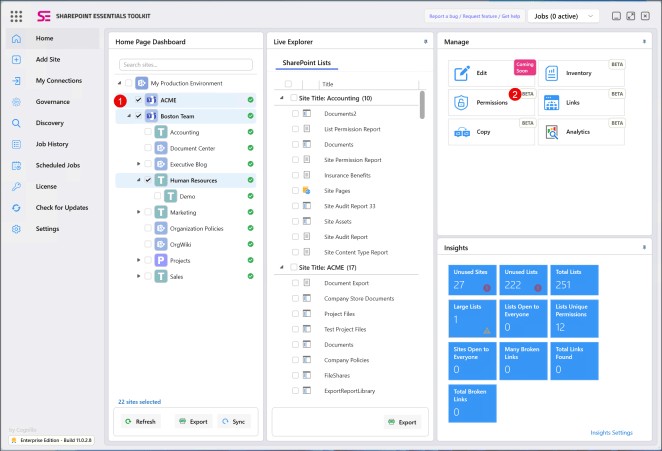
Search for your SharePoint sites from the Home Page Dashboard
Select one or more sites, then click the Permissions button → Permissions Report
Choose your report options and click Run Now
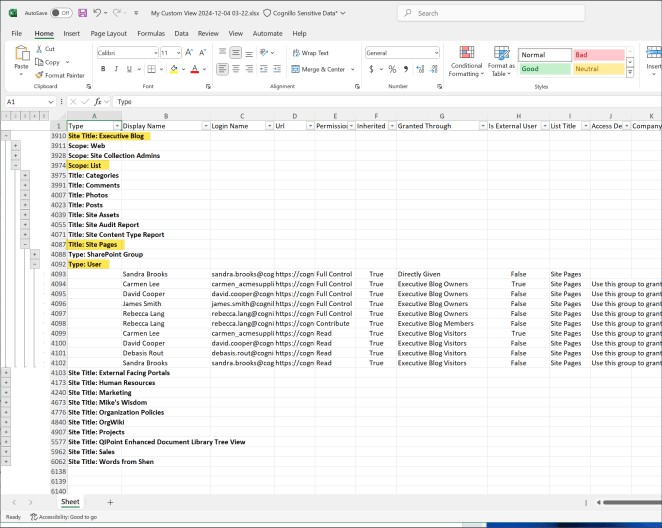
Export to Excel with one click when the report completes
What the Permission Report Reveals
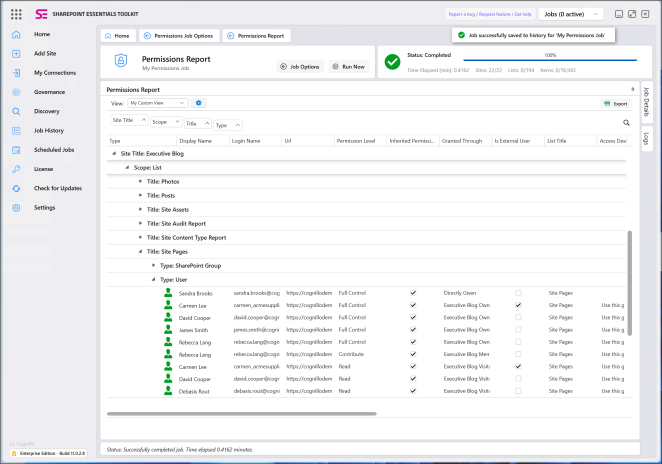
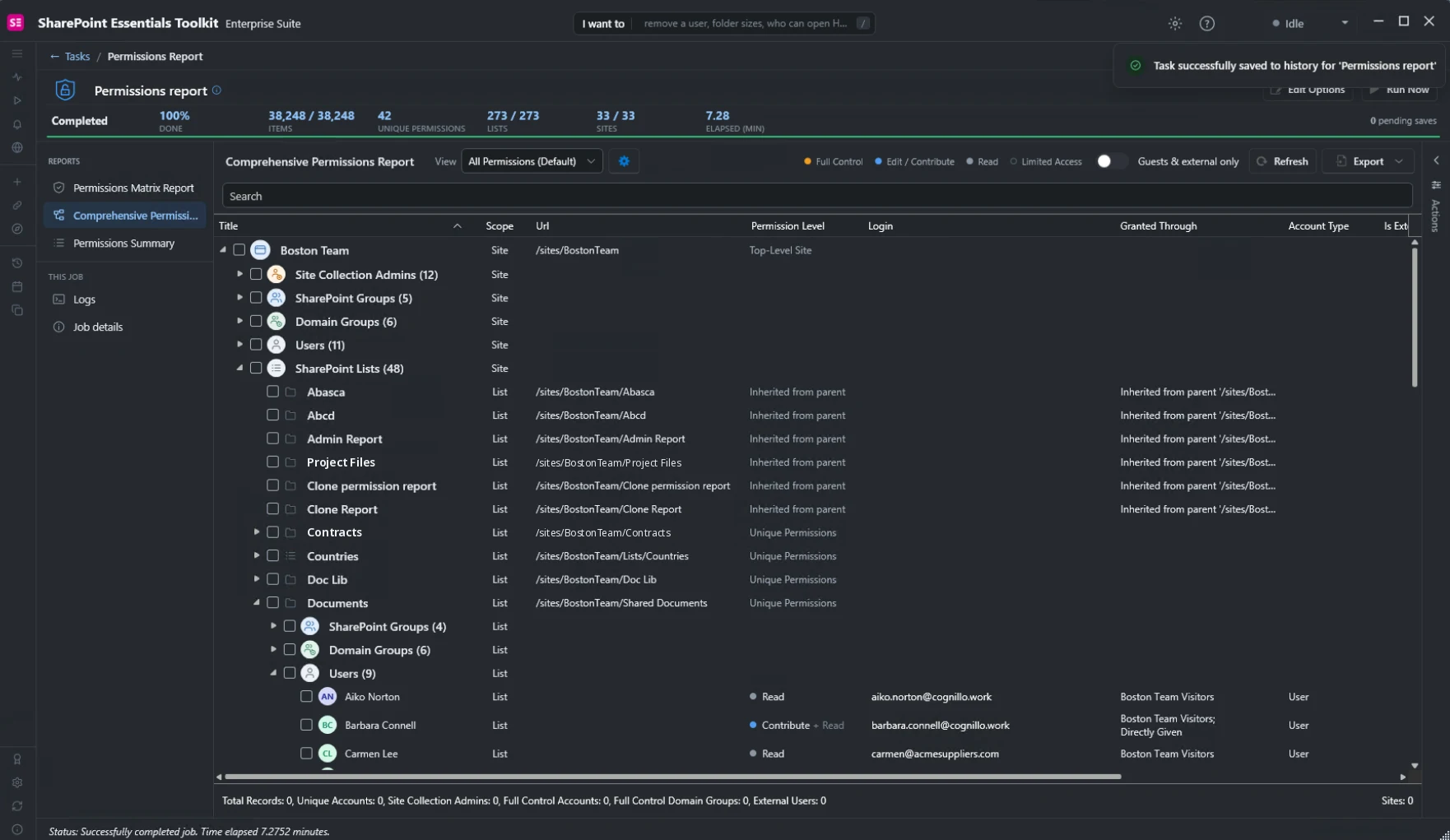
The SharePoint permission report provides detailed visibility into your environment's security posture, including:
User access by site, list, and library — Full Control, Contribute, Read, and custom permission levels
Inherited vs. directly assigned permissions — Understand where unique permissions have been set
Microsoft Teams access — See permissions granted through Teams channels
Sharing links — Identify content shared via links that may be overly permissive
External users — Quickly spot guest or external user access across your tenant
Granted through — Trace exactly how each user received their permissions (SharePoint Groups, direct assignment, etc.)
Export to Excel
Every report can be exported to Excel with a single click, making it easy to share with stakeholders, auditors, or security teams.
Community vs. Professional vs. Enterprise
The Community Edition gives you powerful capabilities at no cost. For organizations needing more advanced features, see the comparison here.
Prerequisites
The SharePoint Essentials Toolkit requires Microsoft .NET Core to be installed. Don't worry — the installer will automatically install it for you if it's missing.
Get Started Today
Stop struggling with PowerShell scripts and manual permission audits. Download the free SharePoint Essentials Toolkit Community Edition and generate your first permission report in minutes.