Power Automate "When an Item Is Created or Modified" Not Firing, or Firing Twice: Causes and Fixes
The SharePoint "When an item is created or modified" trigger is a polling trigger: it checks the list every few minutes and starts one run per changed item, using the item as it is at that moment. It doesn't fire when the flow is off, its connection is broken, the list was deleted or recreated, or a trigger condition is false. It fires twice when two flows watch the list, when the flow or another process saves the item again, or when a file is uploaded and then its properties are filled in. Trigger conditions and a check on who made the change fix most cases.
Published:
Last updated: 2026-11-06
How the SharePoint trigger actually works
"When an item is created or modified" doesn't get a push from SharePoint. It asks the list for changes since its last check, on an interval set by your plan, and starts a run for each item that changed. Three things follow from that:
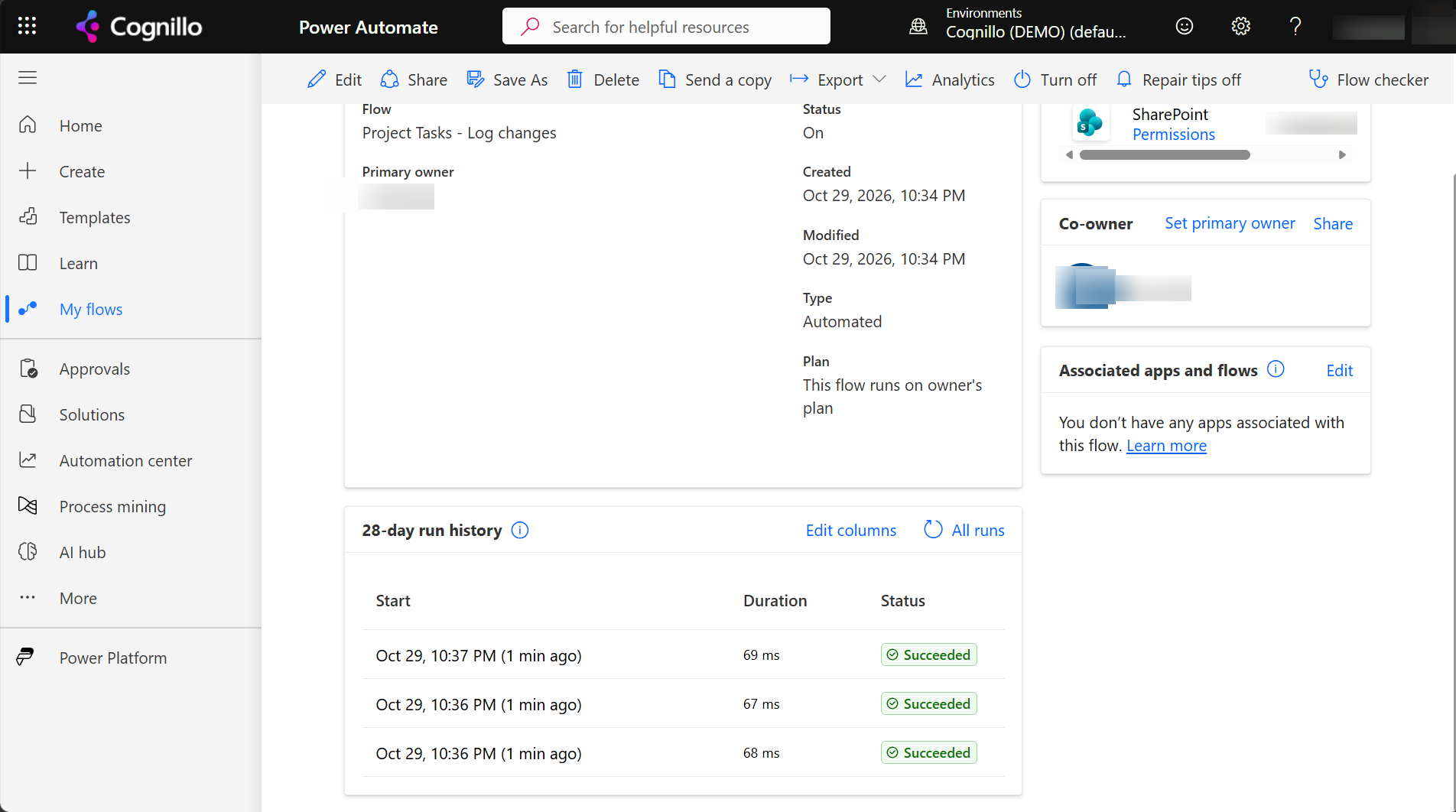
- There is a delay. A change can take a minute or several before the run starts. Testing by saving and immediately refreshing run history makes a working flow look broken.
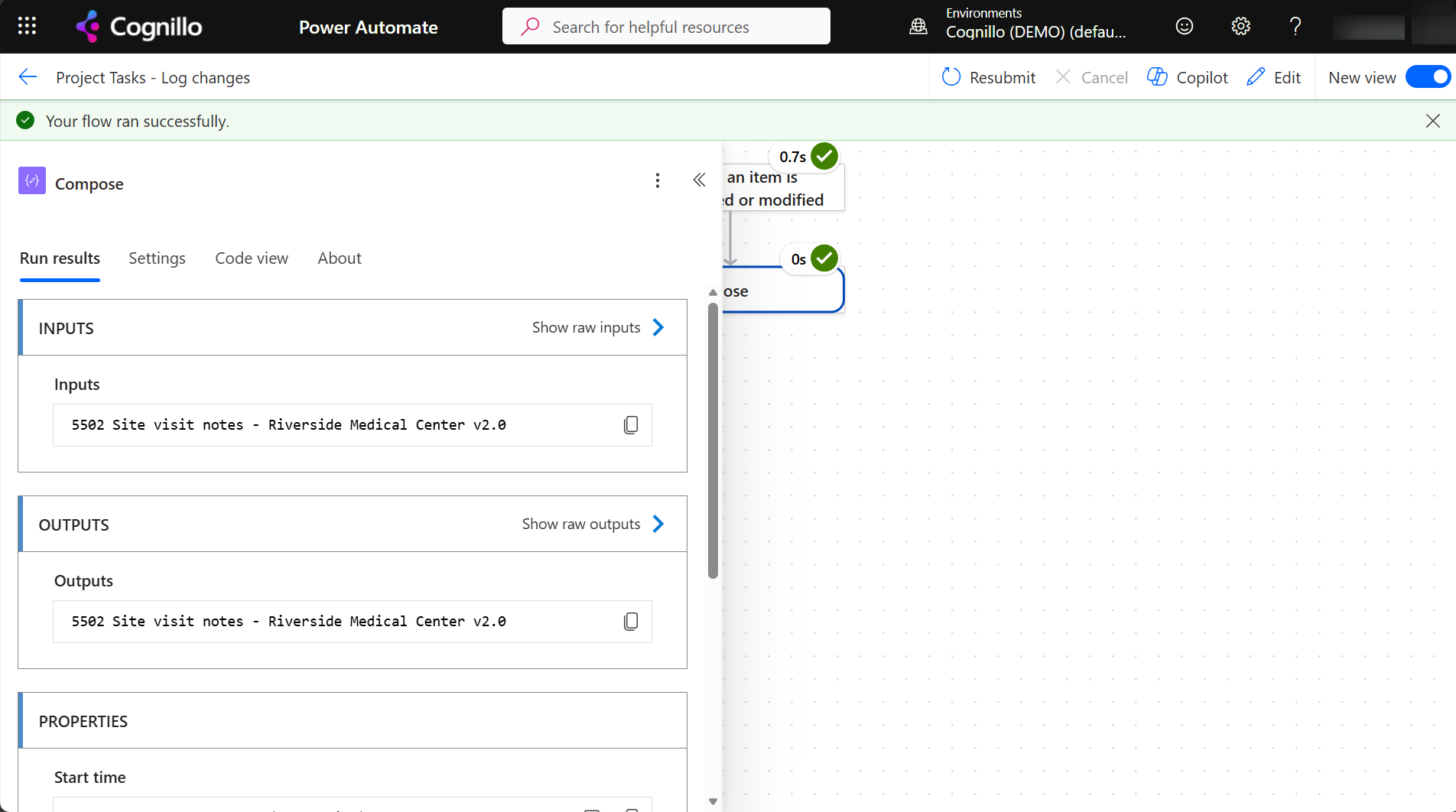
- Each run sees the item as it is when the trigger checks, not as it was at each save. In our test, the run for item 5502 already showed version 2.0.
- Every save counts. A save by a person, another flow, a script or the flow itself all look the same to the trigger.
The trigger doesn't fire
| Cause | How to tell | Fix |
|---|---|---|
| The flow is off | Status is Off on the flow's details page. Running it says "This flow is currently turned off". | Turn it on. Flows can also be turned off automatically after a long time with no runs, depending on the plan. |
| The list was deleted, recreated or moved | The trigger's List Name shows a GUID, and the designer shows "List not found" (404). | Pick the list again and save. See "There is a problem with the flow's trigger". |
| The connection is broken or the owner left | A warning on the connection, or failed runs that say the connection is invalid. | Fix or replace the connection. See when the flow owner leaves. |
| A trigger condition is false | No run at all for that change: a false condition doesn't create a failed run. | Check the expression on the trigger's Settings tab, including the column's internal name. |
| The account in the connection can't see the item | Changes in a folder or item with unique permissions never start a run. | Give the connection's account access, or use a service account. |
| Wrong trigger | "When an item is created" ignores edits. In libraries, "When a file is created in a folder" ignores property changes. | Use "When an item or a file is modified" or "When an item is created or modified". |
The trigger fires twice
- Upload, then properties. Uploading a file creates it; filling in required columns saves it again. If both saves fall into different checks, you get two runs. Add a trigger condition that needs the required column to have a value.
- The flow saves the item. Update item, Update file properties, or an approval writing its status back are all edits, so the trigger fires again. That is the infinite loop in its mildest form.
- Two flows, or an old copy. A flow saved with "Save As", a template copy, or a co-owner's own version can watch the same list. Search My flows and Shared with me for the list name.
- Other processes. Document ID assignment, retention labels, sync clients and scripts save items too.
Trigger settings that matter
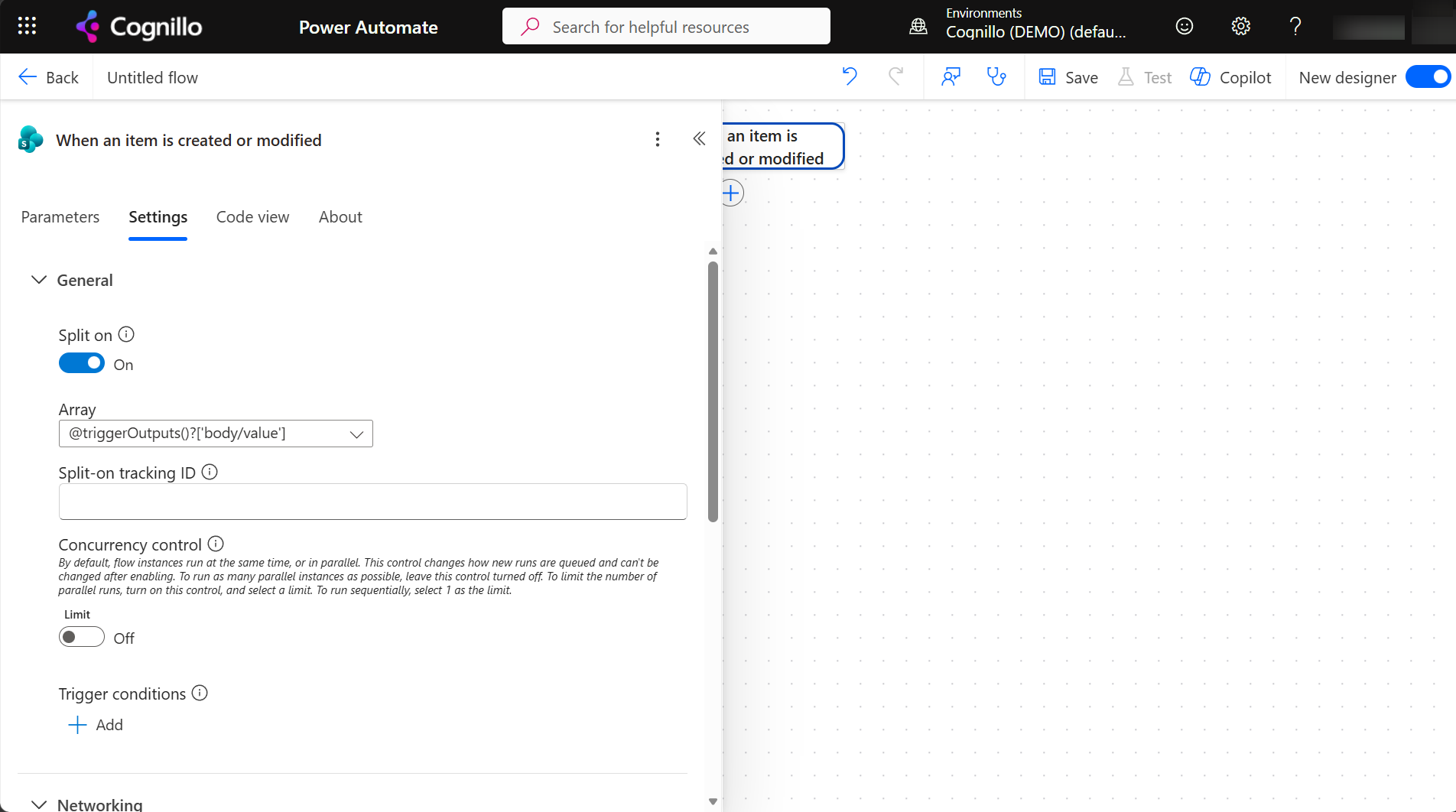
- Split on (on by default) gives one run per item. Leave it on; with it off, one run gets an array of items.
- Concurrency control off means runs for several items can overlap. Set the limit to 1 if runs update the same thing, such as a counter or a shared file.
- Trigger conditions decide whether a run starts at all. Every condition must be true. Examples:
@equals(triggerOutputs()?['body/Status/Value'], 'Approved')
@not(empty(triggerOutputs()?['body/DrawingNumber']))
@not(equals(triggerOutputs()?['body/Editor/Email'], 'svc-flows@contoso.com'))
The third one ignores saves made by the flow's own service account, which stops both double runs and loops. Columns use internal names: a column created as "Status" and renamed later can be InspectionStatus or Status0.
Check what changed with PowerShell
When a run looks wrong, the version history tells you who saved the item and when. This read-only PnP PowerShell script lists the versions of one item. It needs PnP PowerShell 2.x and your own Entra ID app registration.
$ClientId = "<your-app-id>"
$SiteUrl  = "https://contoso.sharepoint.com/sites/Projects"
$List     = "Project Tasks"
$ItemId   = 5502

Connect-PnPOnline -Url $SiteUrl -Interactive -ClientId $ClientId
$item = Get-PnPListItem -List $List -Id $ItemId
Get-PnPProperty -ClientObject $item -Property Versions | Out-Null
$item.Versions | ForEach-Object {
    [pscustomobject]@{
        Version  = $_.VersionLabel
        Created  = $_.Created
        By       = $_.CreatedBy.Email
    }
} | Format-Table -AutoSize
Two versions a few seconds apart, one by a person and one by a service account, means something else is saving the item.
Find the lists and items behind your flows with SharePoint Essentials Toolkit
The toolkit doesn't manage flows, but it shows the SharePoint side quickly. The Inventory area lists every list with its URL and item count, and every item with its version count and who modified it last, across as many sites as you pick:
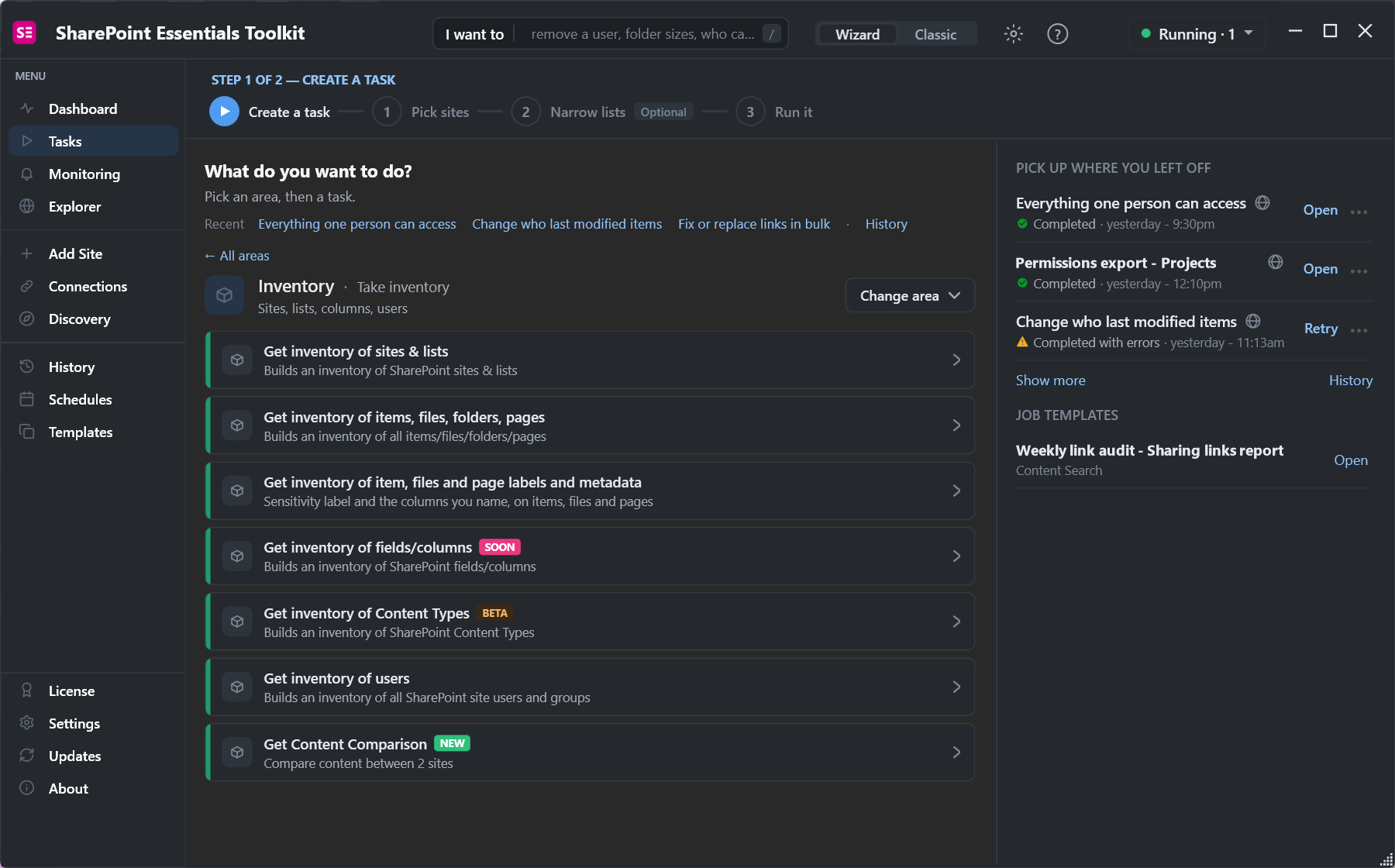
Items with far more versions than their neighbors are usually being saved by a flow. Export the report to Excel and filter on Modified By to see which account it is.
Frequently asked questions
Why does my Power Automate SharePoint trigger take minutes to run?
The SharePoint trigger polls the list on an interval set by your plan, so a run can start a minute or several after the change.
Why does my flow run twice for one SharePoint item?
Usually the item was saved twice: a file upload followed by a properties save, the flow or an approval updating the item, or a second flow watching the same list.
Does a false trigger condition show a failed run?
No. When a trigger condition is false, no run starts, so nothing appears in run history for that change.
Does the trigger fire once for every save?
Not always. Each run reads the item when the trigger checks, so several saves between checks can produce one run that shows the latest version.
How do I stop a flow from reacting to its own updates?
Add a trigger condition that ignores saves by the flow's account, for example comparing triggerOutputs()?['body/Editor/Email'] with the service account's address.
See what changed on your lists, free
SharePoint Essentials Toolkit Community Edition is free. Inventory lists and items with version counts and Modified By, across sites, on up to 20 sites per Microsoft 365 tenant. Get your free Community Edition license key.