"There Is a Problem with the Flow's Trigger" in Power Automate: SharePoint Causes and Fixes
"There is a problem with the flow's trigger" means Power Automate can't check the trigger: the list or library it watches was deleted, recreated or moved, the connection's account lost access or its sign-in expired, or the site URL changed. Open the flow in the designer: the trigger shows the exact error, such as "GetTable failed with status code NotFound". Pick the site and list again, or fix the connection, then save. Don't rely on the banner: in our test, the flow still showed On with no warning 44 minutes after its list was deleted.
Published:
Last updated: 2026-11-06
What we tested
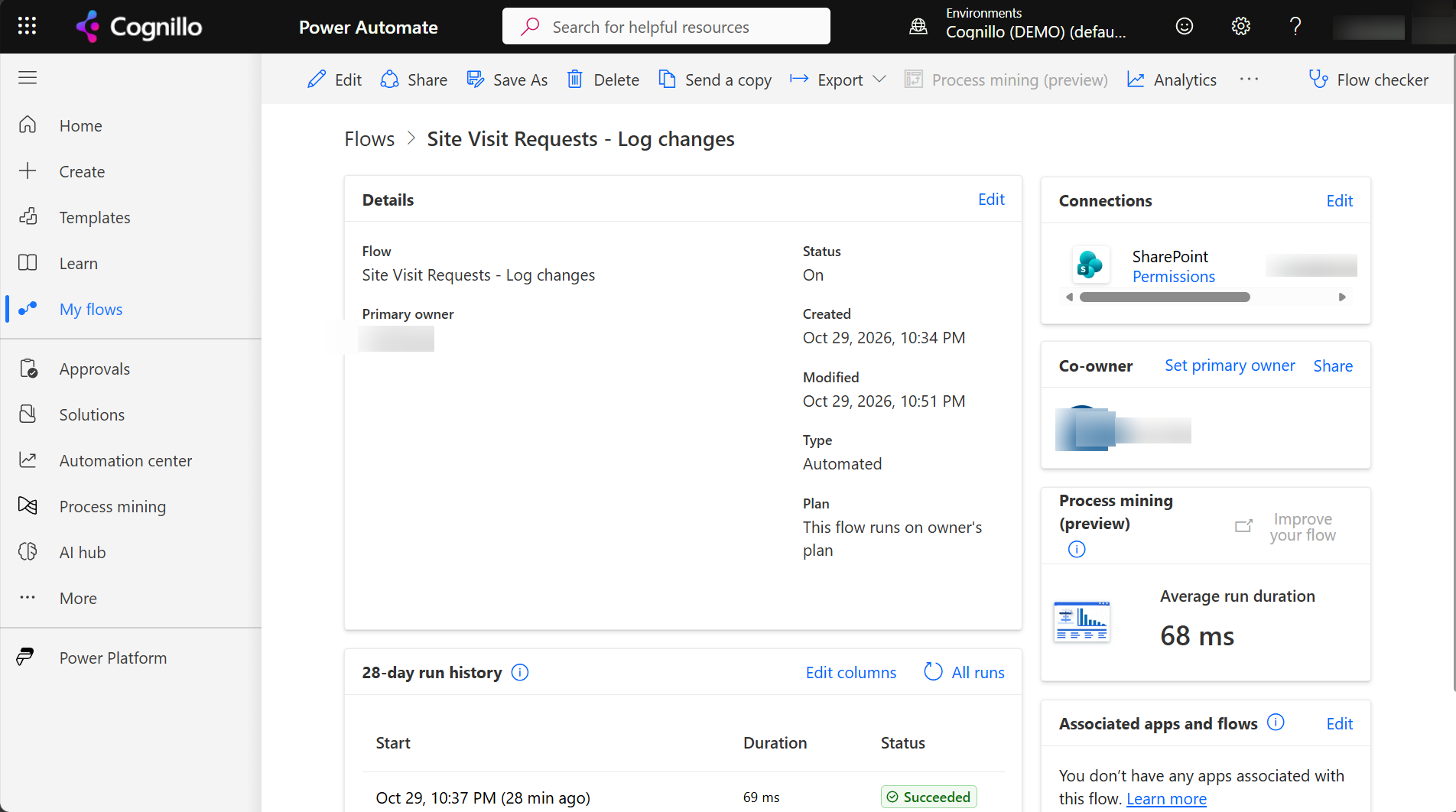
An automated flow, Site Visit Requests - Log changes, watched a list with "When an item is created or modified". We sent the list to the recycle bin and checked the flow.
- 44 minutes later, the details page still said Status: On. There was no banner, and the last run was the successful one from before the delete.
- The trigger stopped starting runs, and nothing said so.
- Opening the trigger in the designer showed the real problem.
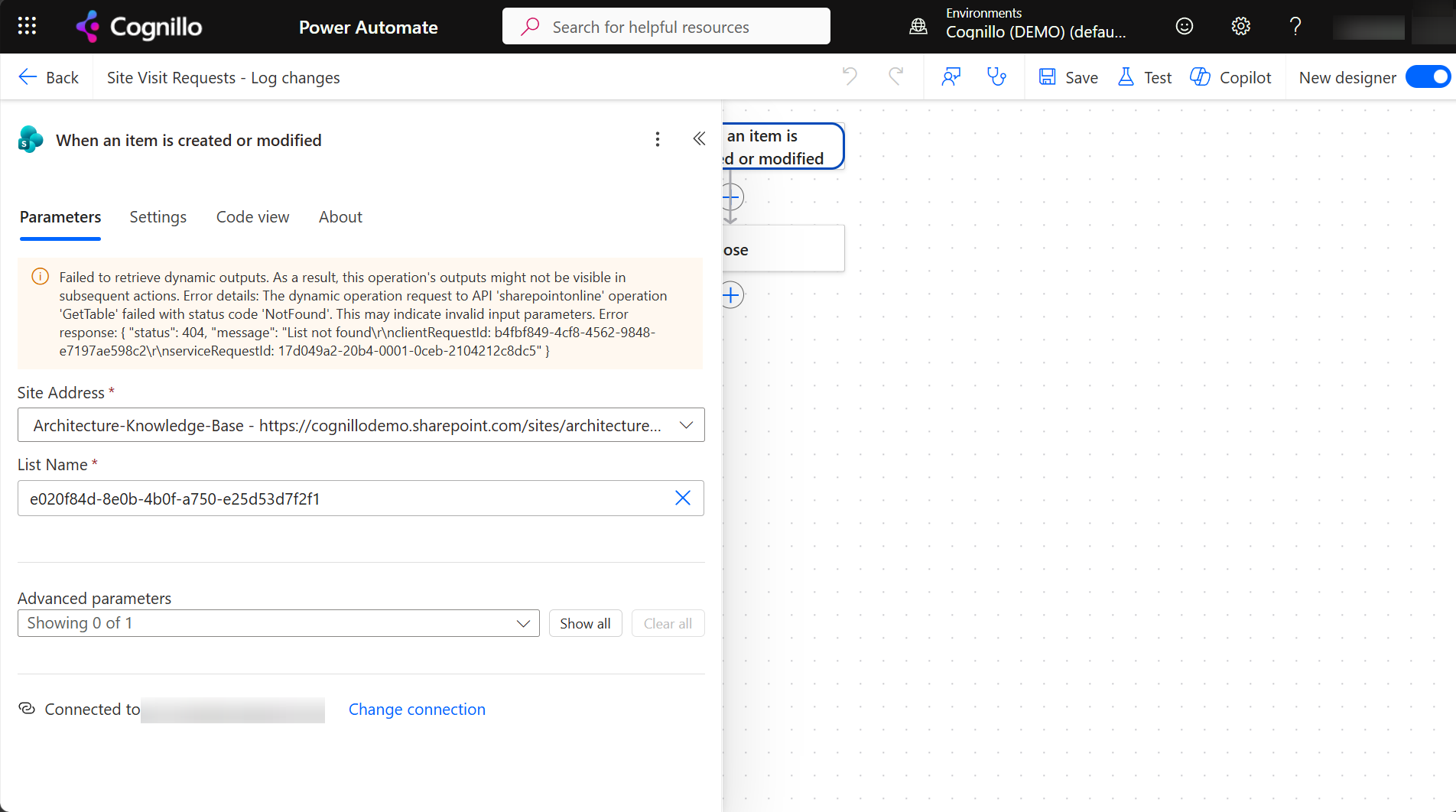
The trigger stores the list's ID, not its name. That's why renaming a list doesn't break a flow, but deleting and recreating it with the same name does.
Causes and fixes
| Cause | What you see | Fix |
|---|---|---|
| List or library deleted, or deleted and recreated | List Name shows a GUID; GetTable 404 "List not found" | Restore the list from the recycle bin, or pick the new list in the trigger and in every action that used the old one. |
| Site URL changed or site deleted | Site Address shows the old URL and can't load lists | Pick the site again, or enter the new URL as a custom value. |
| Connection expired or password changed | A warning on the connection; "Fix connection" on the details page | Sign in again on the connection, or switch to another one. |
| Owner left or lost access | 401 or 403 on the trigger, or the connection is invalid | Change the connection to an account that has access. See when the flow owner leaves. |
| Bad trigger condition | The flow saves but never runs, or the flow checker warns | Test the expression in a Compose action against a real item first. |
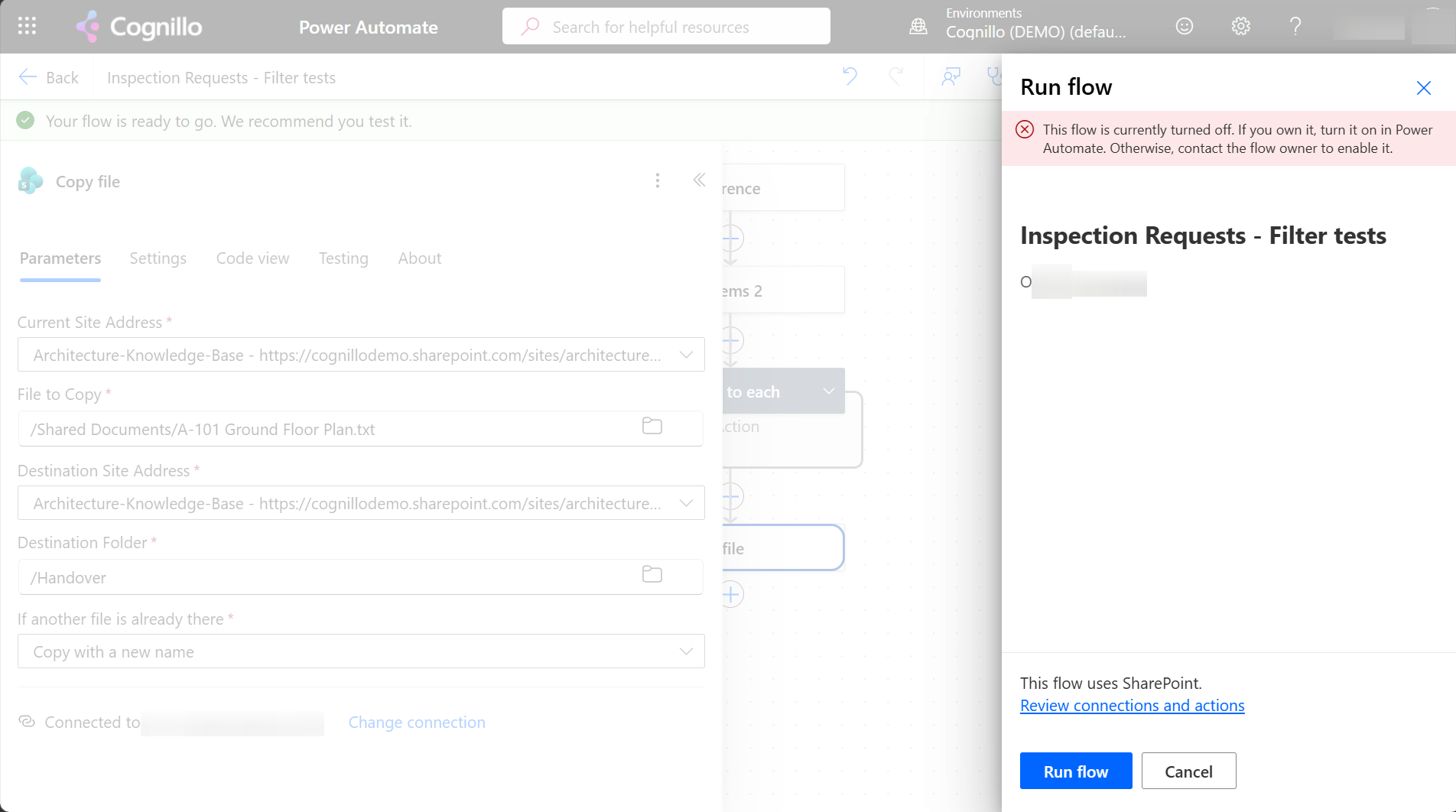
| Flow turned off | "This flow is currently turned off" when you run it | Turn it on from the details page. |
Fix it in the designer
- Open the flow and click Edit.
- Select the trigger. If there's a warning, read the status code: 404 is a missing list or site, 401 or 403 is access, and a connection message is sign-in.
- Pick Site Address and List Name again from the drop-downs. Don't paste a GUID.
- Check every SharePoint action that used the old list: Get items, Update item, Get item. Dynamic content from the trigger may need to be added again.
- Save, then run Flow checker. It should show no errors.
- Change an item and confirm a run starts.
Find flows with trigger problems with PowerShell
Admins can list every flow in an environment with its state. The Microsoft.PowerApps.Administration.PowerShell module is read-only here:
Install-Module Microsoft.PowerApps.Administration.PowerShell -Scope CurrentUser
Add-PowerAppsAccount
$EnvironmentName = "Default-<tenant-id>"

Get-AdminFlow -EnvironmentName $EnvironmentName |
    Select-Object DisplayName, Enabled, CreatedTime, LastModifiedTime,
        @{ n = 'Owner'; e = { $_.CreatedBy.userId } } |
    Sort-Object LastModifiedTime |
    Format-Table -AutoSize
Disabled flows and flows that haven't been modified in a long time are the place to start. Open each one and check the trigger.
Check the lists before you delete or recreate them with SharePoint Essentials Toolkit
Most of these trigger problems start with a list that was deleted, recreated or moved. Before you change lists on a site, run Get inventory of sites & lists in the toolkit's Inventory area. It records every list with its title, URL and item count, so you can compare before and after and see exactly which lists changed:
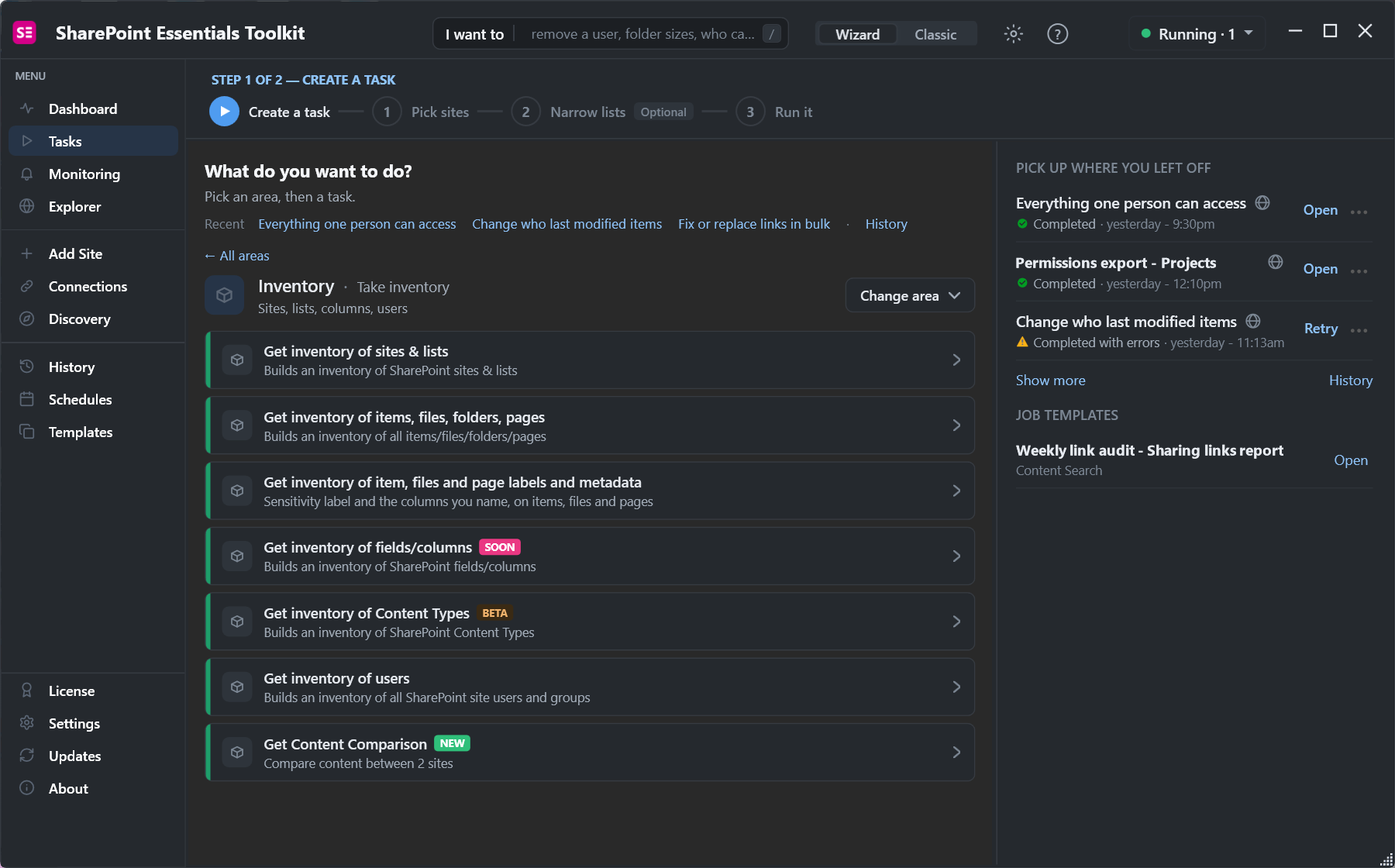
Get Content Comparison compares two sites, which helps after a copy or migration when flows have to be pointed at the new lists.
Trigger not firing, or firing twice? See why a SharePoint trigger doesn't fire or fires twice.
Frequently asked questions
What does "There is a problem with the flow's trigger" mean?
Power Automate can't check the trigger, usually because the list was deleted or recreated, the site moved, or the connection's account lost access or needs to sign in again.
Why does my flow say On but never run?
The trigger may be failing without a banner. In our test, a flow whose list was deleted still said On 44 minutes later. Open the trigger in the designer to see the error.
Does renaming a SharePoint list break a flow?
No. The trigger stores the list's ID, so a rename keeps working. Deleting and recreating the list with the same name breaks it.
What does GetTable NotFound mean in Power Automate?
The SharePoint connector couldn't find the list: it was deleted, or the account in the connection can't see it. Pick the list again or fix access.
How do I fix a broken SharePoint connection in a flow?
Edit the flow, select an action that uses the connection, choose Change connection, and sign in or pick another connection. Then save and test.
Know your lists before you change them, free
SharePoint Essentials Toolkit Community Edition is free. Inventory every list with its URL and item count, and compare sites after a move, on up to 20 sites per Microsoft 365 tenant. Get your free Community Edition license key.