SharePoint Lookup Columns: The 12 Lookup Column Threshold, Cross-Site Lookups, and What to Use Instead
SharePoint Online refuses any single query, including a view, that joins more than 12 lookup-type columns. Person, lookup and managed metadata columns all count, and so do Created By and Modified By. Fewer columns per view fixes it. Lookups only work within one site collection: a site column lookup on the root site can be used in its subsites, but not across site collections. To copy lists that use lookups between sites with the lookups intact, use the free SharePoint Essentials Toolkit.
Published:
Last updated: 2026-10-29
The lookup column threshold
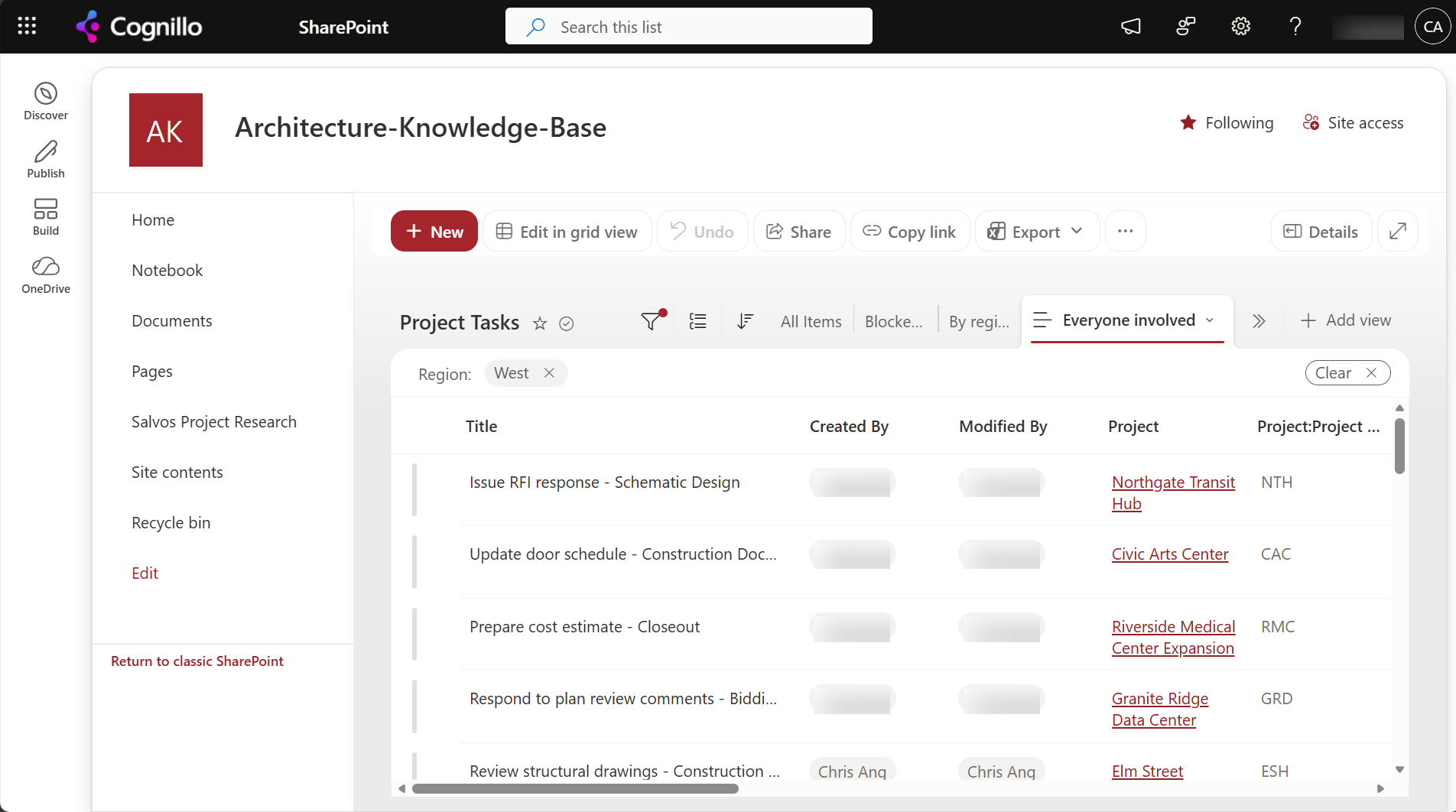
Every person, lookup and managed metadata column in a query is a join to another table. SharePoint Online limits one query to 12 of those joins. We added person columns to our Project Tasks list, which already had a Project lookup, and queried with more and more of them:
| Lookup-type columns in one query | Result |
|---|---|
| 11 (Created By, Modified By, Project and 8 person columns) | Works |
| 12 | Works |
| 13 | Fails |
| 14 | Fails |
At 13, SharePoint returned SPQueryThrottledException: "The query cannot be completed because the number of lookup columns it contains exceeds the lookup column threshold." Views show the same message.
What counts and what doesn't:
- Count: lookup, person or group, managed metadata, Created By, Modified By, and workflow status columns.
- Don't count: text, number, choice, date, yes/no, calculated columns, and the extra fields a lookup brings with it (Project:Project Code below).
- The limit is per query, not per list. A list can have 30 person columns as long as no view, form or query uses more than 12 at once.
- Forms count too. The default edit form loads every column in the content type, so a list with more than 12 lookup-type columns can show the error in the form even when views are fine. Split columns across content types or customize the form.
Option 1: Fix it with built-in settings
- Trim the view. Edit the view and untick person and lookup columns until 12 or fewer are left. Remember Created By and Modified By.
- Make several views. A "People" view and a "Schedule" view each under 12 beat one view with everything.
- Replace lookups that only label things. A lookup used to pick from a fixed list of values can usually be a choice column, which doesn't count.
- Use a single "Team" person column with multiple values instead of one person column per role, if you don't need to filter by role.
The threshold is fixed in SharePoint Online. In SharePoint Server, it's a web application setting (default 12) that farm administrators can change.
Lookups to lists on other sites
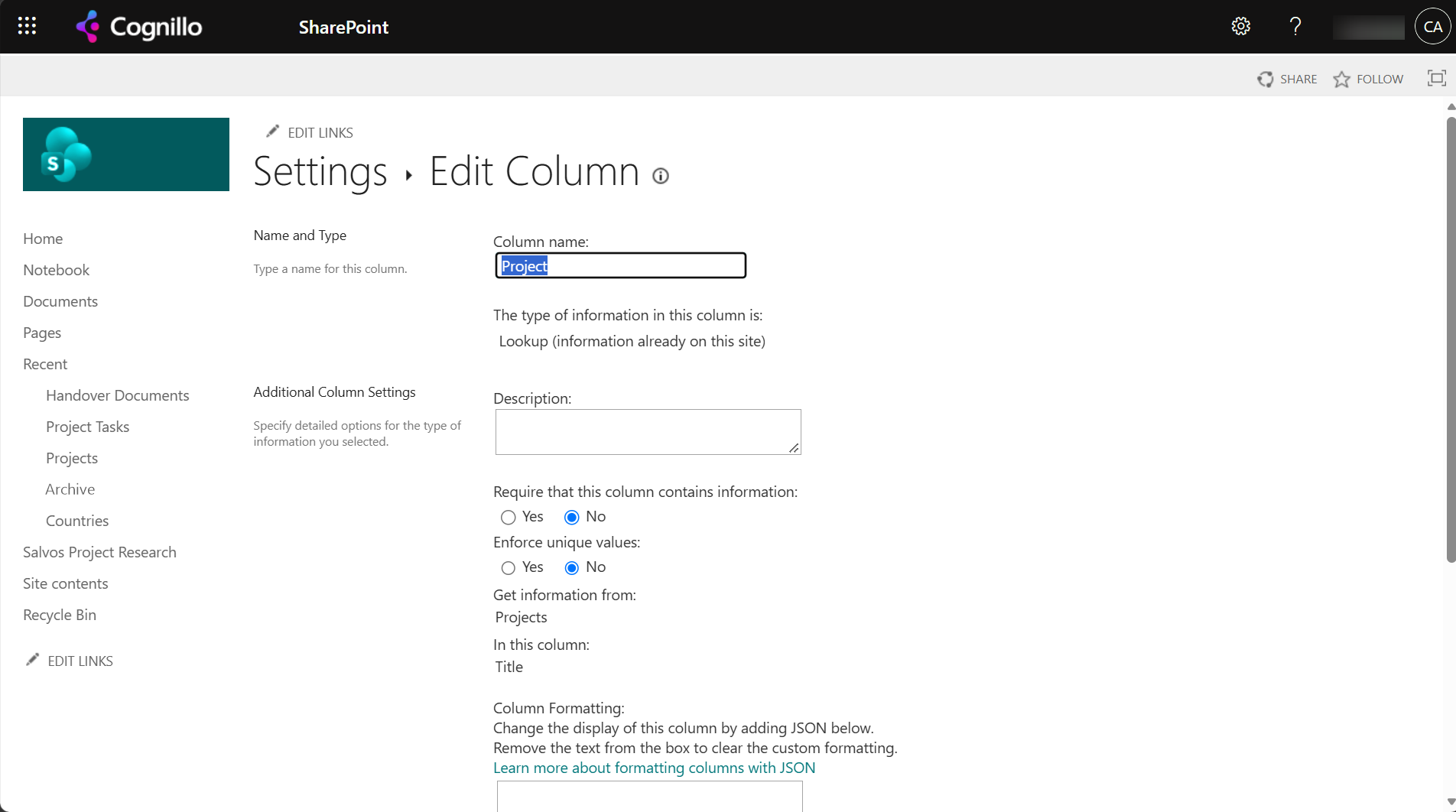
A lookup column stores the ID of an item in a list on the same site. The column settings page only offers lists on the current site:
| Where the source list is | Can you look it up? | How |
|---|---|---|
| Same site | Yes | List column of type Lookup |
| Parent site, same site collection | Yes | Create a site column of type Lookup on the parent site; subsites can add it to their lists |
| Another site collection (any modern team or communication site) | No | Use one of the alternatives below |
Most modern tenants use one site collection per site, so for them a cross-site lookup isn't possible. The alternatives:
- Managed metadata. A term set is available on every site, and the values stay in sync. Best for shared lists of departments, clients or projects that change slowly.
- A copy of the source list on each site, kept in sync with a flow. Lookups then point at the local copy.
- A hyperlink or text column holding the other item's URL or key, with JSON formatting to make it a link.
- Power Apps forms that read the other site's list directly, if users mainly need to pick a value.
Moving or copying a list that has lookups to another site needs the source list on the target too, and the lookup must be re-pointed at it, or the values are lost. See Option 3.
Option 2: Count lookup columns and add a parent-site lookup with PowerShell
This PnP PowerShell script lists the lookup-type columns on each list on a site, and the views that use more than 12. It's read-only, apart from the last step, which adds a lookup column pointing at a list on a parent site in the same site collection, and only when you set $WhatIf = $false. It needs PnP PowerShell 2.x and your own Entra ID app registration.
$ClientId = "<your-app-id>"
$SiteUrl  = "https://contoso.sharepoint.com/sites/Projects"
$WhatIf   = $true
$lookupTypes = "Lookup", "LookupMulti", "User", "UserMulti", "TaxonomyFieldType", "TaxonomyFieldTypeMulti"

Connect-PnPOnline -Url $SiteUrl -Interactive -ClientId $ClientId
foreach ($list in Get-PnPList | Where-Object { -not $_.Hidden }) {
    $fields  = Get-PnPField -List $list | Where-Object { $_.TypeAsString -in $lookupTypes -and -not $_.Hidden }
    $byName  = @{}; $fields | ForEach-Object { $byName[$_.InternalName] = $_ }
    foreach ($view in Get-PnPView -List $list -Includes ViewFields) {
        $n = @($view.ViewFields | Where-Object { $byName.ContainsKey($_) }).Count
        if ($n -gt 12) { "{0} / {1}: {2} lookup-type columns" -f $list.Title, $view.Title, $n }
    }
    if ($fields.Count -gt 12) { "{0}: {1} lookup-type columns on the list (check forms)" -f $list.Title, $fields.Count }
}

# Lookup to a list on the parent site (same site collection only)
$ParentUrl  = "https://contoso.sharepoint.com/sites/Projects"
$SubsiteUrl = "https://contoso.sharepoint.com/sites/Projects/Design"
$SourceList = "Projects"
$TargetList = "Drawings"
$parent = Connect-PnPOnline -Url $ParentUrl -Interactive -ClientId $ClientId -ReturnConnection
$src    = Get-PnPList -Identity $SourceList -Connection $parent
$webId  = (Get-PnPWeb -Connection $parent).Id
$xml = "<Field Type='Lookup' DisplayName='Project' Name='ProjectLookup' List='{$($src.Id)}' WebId='$webId' ShowField='Title' />"
if ($WhatIf) { "WhatIf: would add to '$TargetList' on $SubsiteUrl`n$xml" }
else {
    Connect-PnPOnline -Url $SubsiteUrl -Interactive -ClientId $ClientId
    Add-PnPFieldFromXml -List $TargetList -FieldXml $xml
}
The WebId attribute is what lets a lookup point at another site in the same site collection. It doesn't work across site collections.
Option 3: Copy lists with their lookups using SharePoint Essentials Toolkit
When you copy lists between sites, a lookup column only keeps its values if the list it points at is copied first and the column is re-pointed at the copy. The toolkit's Copy & move tasks do both: they order the lists by their lookup dependencies, create the missing columns, and rewrite each lookup column to reference the target list.
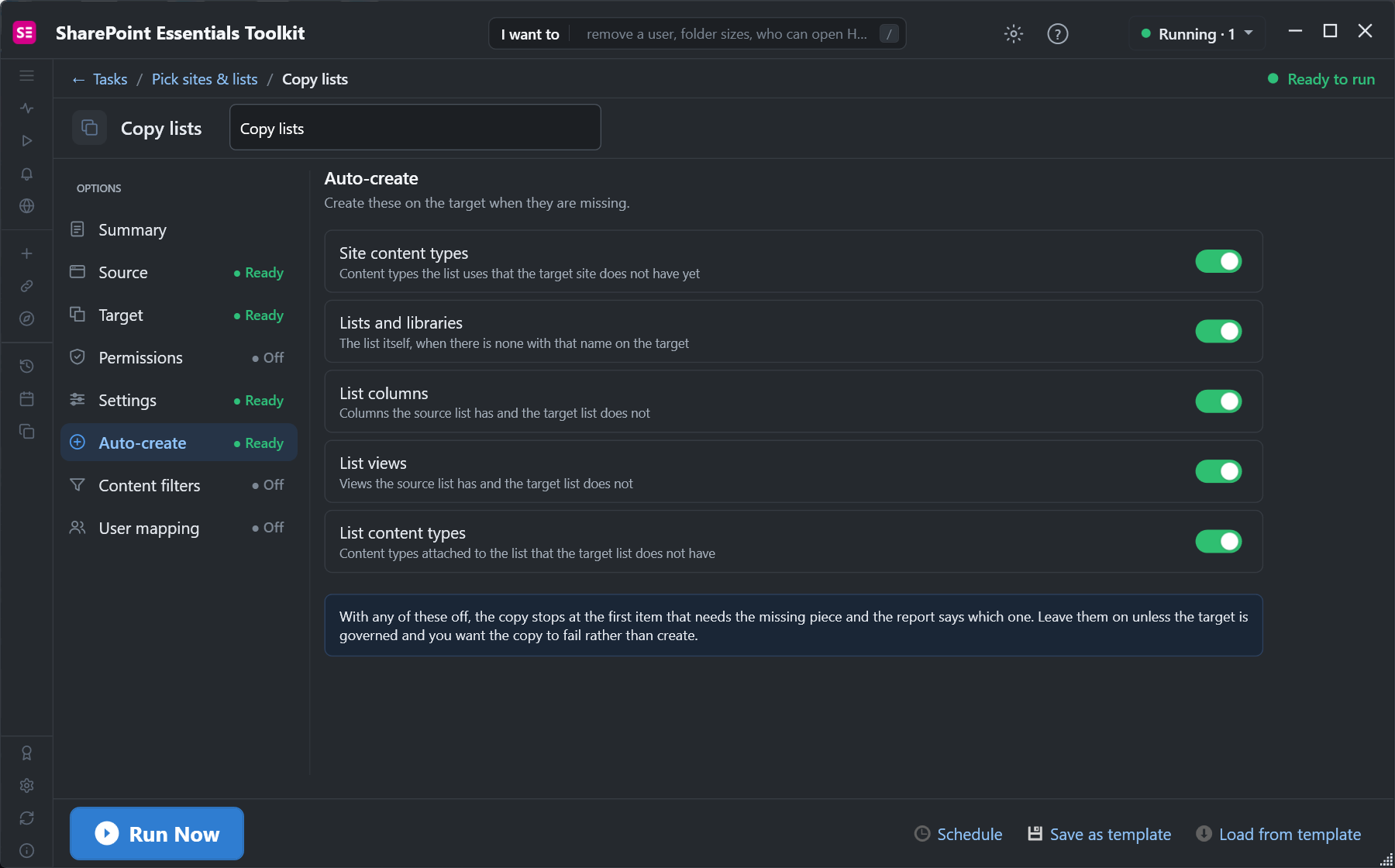
Pick the lookup's source list and the list that uses it in the same copy job, and the lookups arrive intact on the target. The high-fidelity engine also keeps the item IDs, so lookup values that store IDs point at the right items.
Frequently asked questions
What is the lookup column threshold in SharePoint Online?
12 lookup-type columns per query. Person, lookup, managed metadata, Created By and Modified By columns all count. At 13, SharePoint returns "The query cannot be completed because the number of lookup columns it contains exceeds the lookup column threshold."
Can I increase the lookup column threshold in SharePoint Online?
No. It's fixed at 12 in SharePoint Online. Reduce the lookup-type columns in the view or form, or split them across several views.
Can a SharePoint lookup column reference a list on another site?
Only on a parent site in the same site collection, using a site column. Lookups across site collections aren't supported; use managed metadata, a synced copy of the list, or Power Apps instead.
Do person columns count toward the SharePoint lookup limit?
Yes. Every person or group column is a lookup to the site's user list, including Created By and Modified By.
What happens to lookup columns when I copy a list to another site?
The column still points at the source list's ID, which doesn't exist on the target, so the values are lost. Copy the source list too and re-point the column, or use a tool that does both.
Copy SharePoint lists with their lookups, free
SharePoint Essentials Toolkit Community Edition is free. Copy lists between sites with their lookup columns re-pointed, item IDs kept and missing columns created, on up to 20 sites per Microsoft 365 tenant. Get your free Community Edition license key.