SharePoint Document IDs, Auto-Numbering and Unique IDs: Which ID to Use, and Why Calculated [ID] Numbers Break
SharePoint has three IDs: the item ID (a number, unique per list), the unique ID (a GUID, unique everywhere), and the Document ID (a readable code from the Document ID service, unique per site collection, with a permanent link). Document IDs are assigned by a background job, so they can take a while to appear. Don't build auto-numbers from [ID] in a calculated column: it shows 0 once items are recalculated. Use a Document ID, a flow, or a number column filled on create.
Published:
Last updated: 2026-10-29
The three IDs on every file
| ID | Example | Unique within | Survives a move? | Use it for |
|---|---|---|---|---|
Item ID (ID) | 9 | One list; never reused | No, a new list gives a new ID | Lookups, list URLs (DispForm.aspx?ID=9) |
Unique ID (UniqueId) | a GUID | Everywhere | Within a site collection | Code, APIs, sharing links |
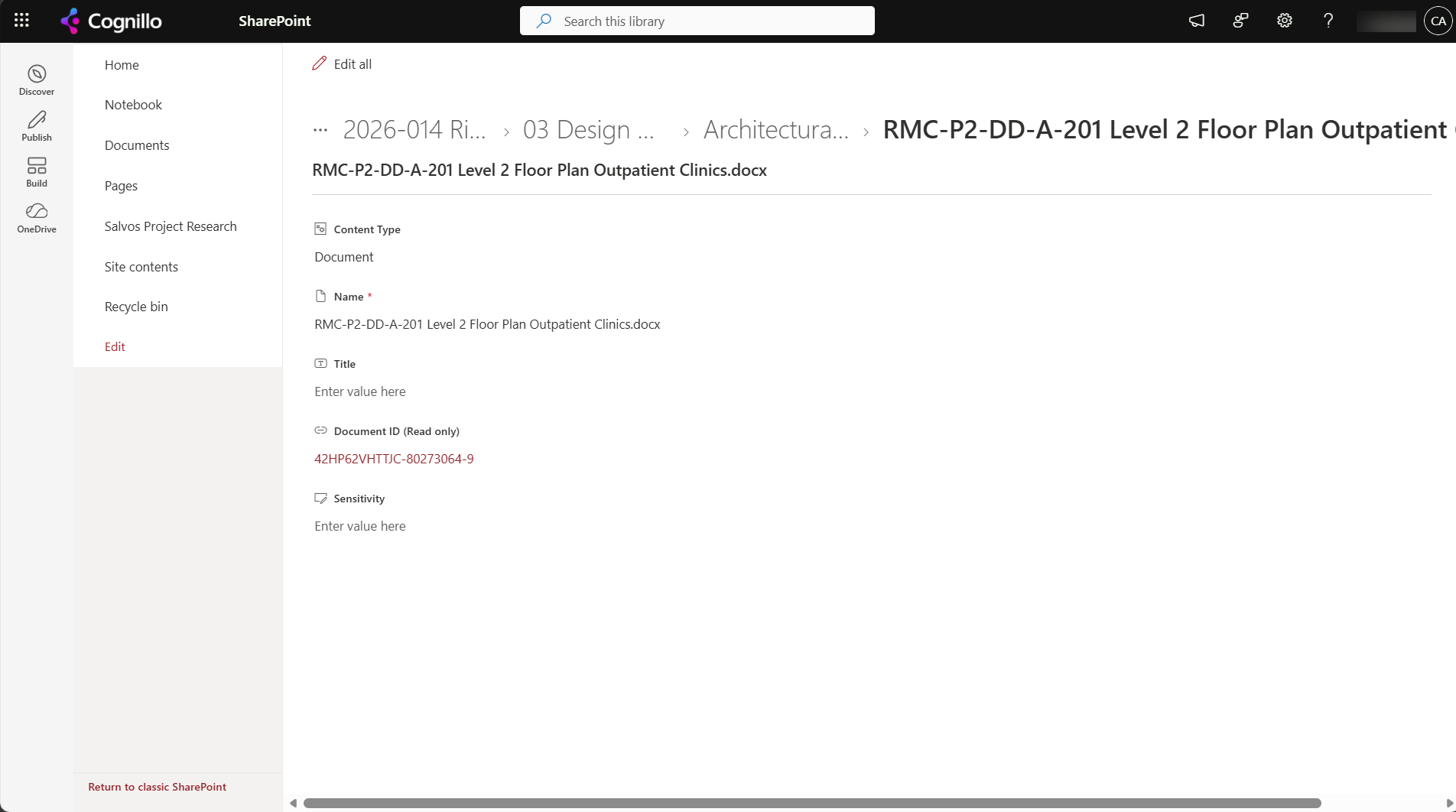
Document ID (_dlc_DocId) | 42HP62VHTTJC-80273064-9 | The site collection | Within a site collection | People: references on drawings, contracts, emails; permanent links |
The Document ID is the only one designed for people. Its link, /_layouts/15/DocIdRedir.aspx?ID=42HP62VHTTJC-80273064-9, finds the file wherever it moves within the site collection, which path links don't (see what breaks when a URL changes).
Turning on Document IDs
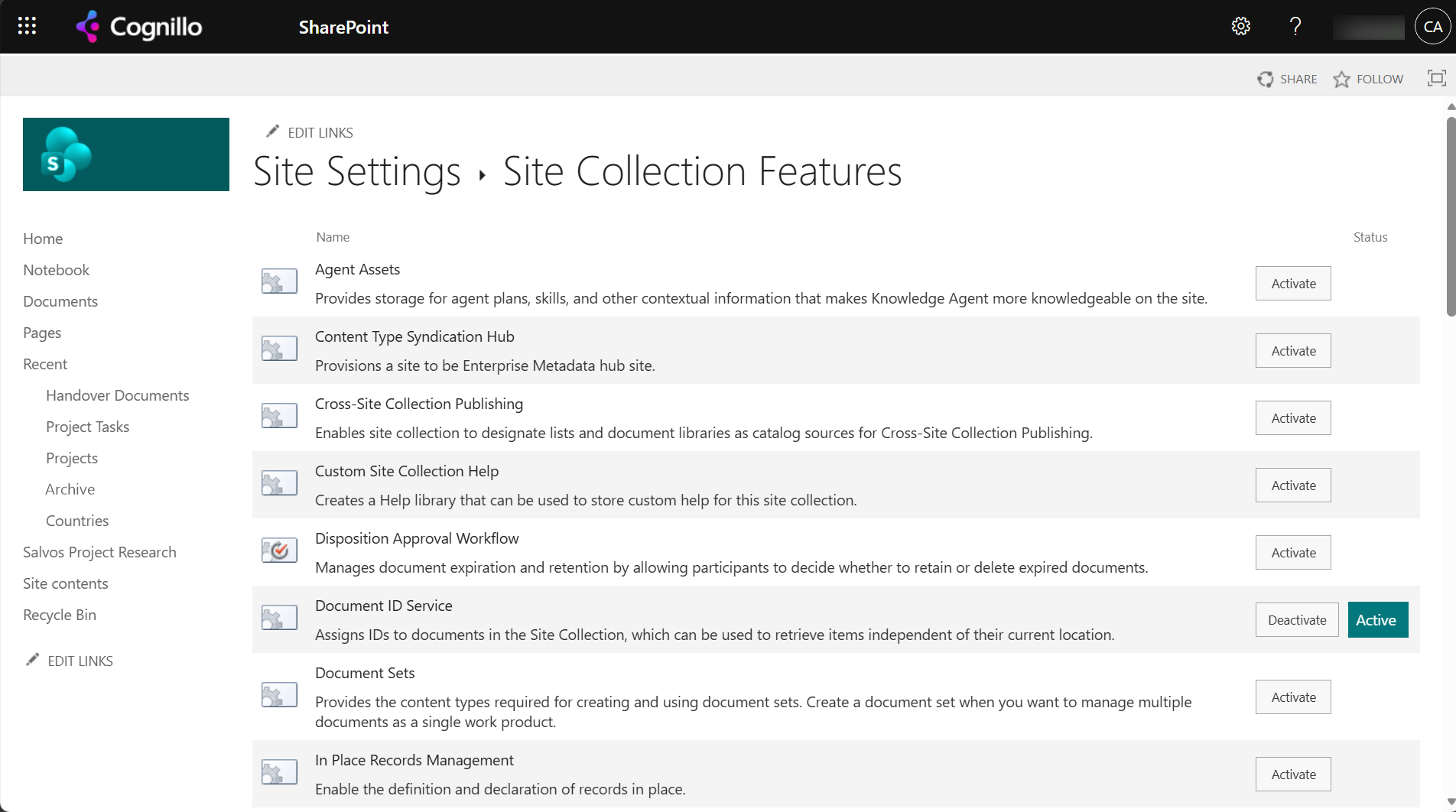
- Site settings, Site collection features, activate Document ID Service. You need to be a site collection admin.
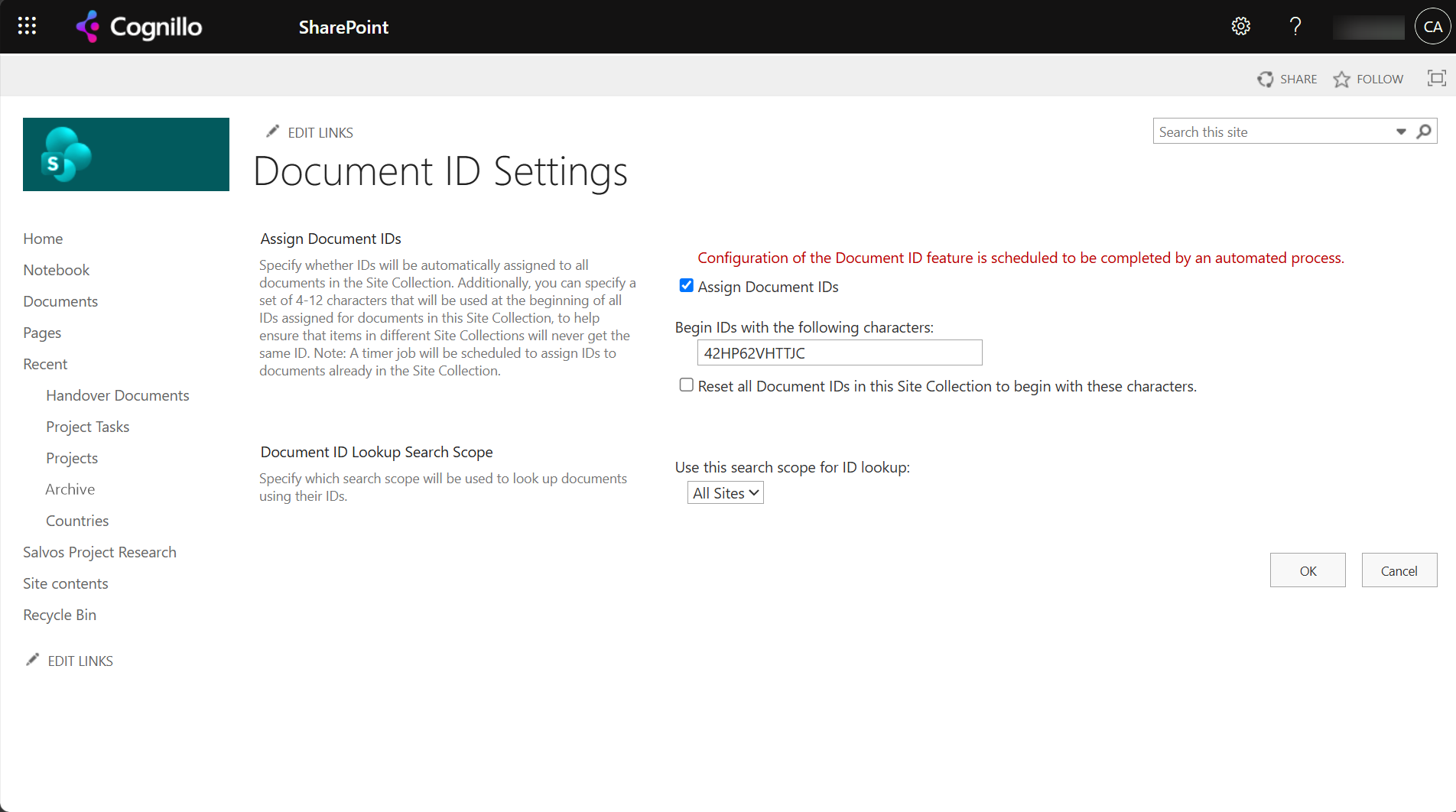
- Site settings, Document ID settings: set the prefix (4 to 12 characters) and keep "Assign Document IDs" ticked.
Then the file shows a read-only Document ID property with the link:
Why a Document ID is missing
When we checked the library after turning the service on, two of the three files had IDs; the third, and every folder, had none yet. A library created afterwards didn't even have the Document ID column at first ("The field or property '_dlc_DocId' does not exist"). Reasons, in order of likelihood:
- The background job hasn't run yet. Files that existed before activation are processed by a timer job. In SharePoint Online that can take hours to a day on a large site collection.
- It's a folder. Folders don't get Document IDs.
- The library was created after activation and the column hasn't been provisioned yet. It arrives with the same background job.
- The file was copied in. A copy is a new document with a new ID; the source's ID is not kept (see copying between sites).
New uploads get an ID as they're added. For existing files, waiting for the job is the fix; editing a file usually assigns its ID sooner.
Don't auto-number with a calculated [ID] column
The obvious way to get "T-00001" style numbers is a calculated column: ="T-"&TEXT([ID],"00000"). We added it to our 5,501 item task list. Right after adding it, item 25 showed T-00025. Once SharePoint recalculated the items, every item showed T-00000:
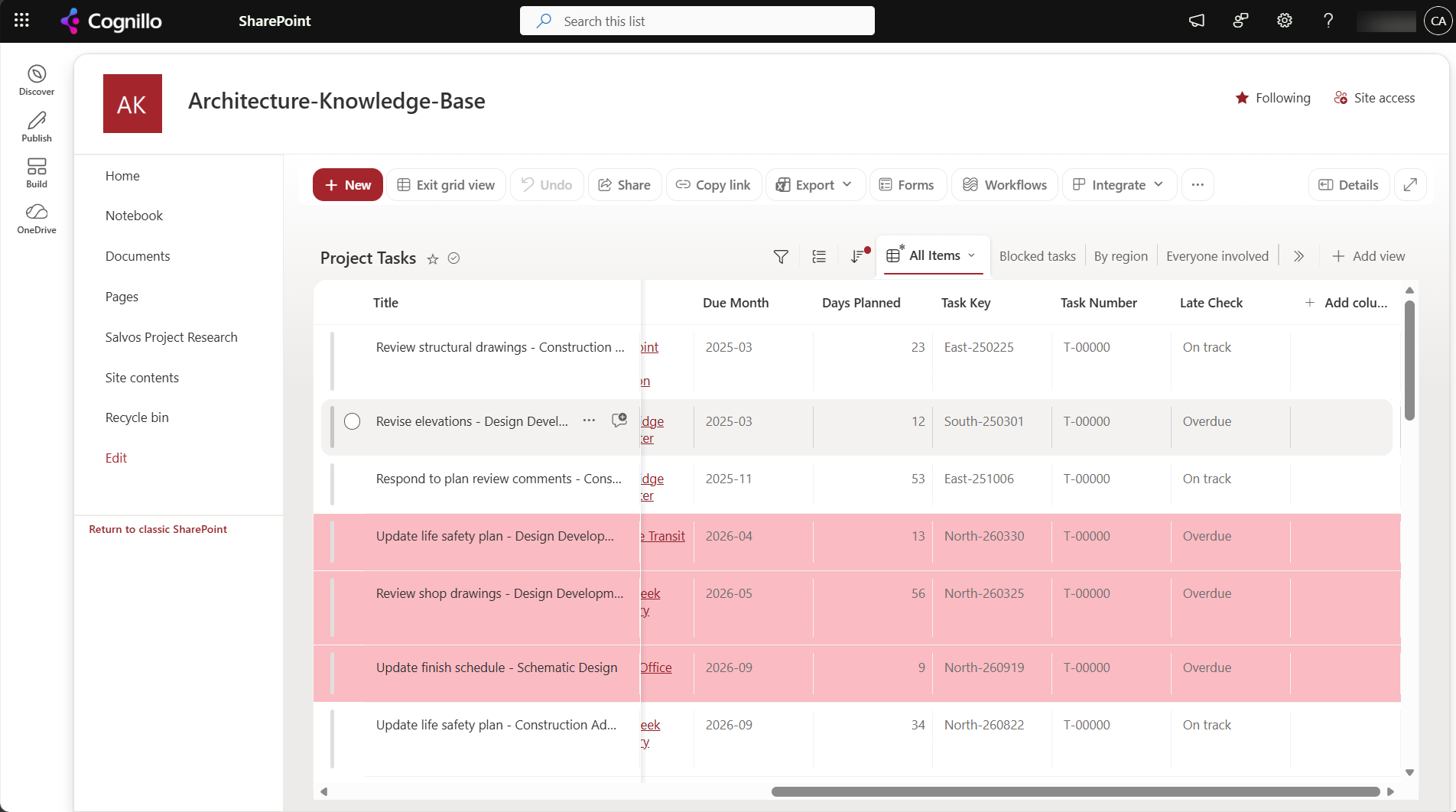
[ID] doesn't exist yet when a new item's formula is first calculated, and it isn't reliable in recalculations either. Use one of these instead:
- Document ID for files, if a site-collection-wide code is enough.
- A number or text column filled by Power Automate on create: "When an item is created", then "Update item" with
concat('T-', formatNumber(triggerOutputs()?['body/ID'], '00000')). - The ID column itself in views, with JSON formatting to display it with a prefix.
Option 1: Check Document IDs across sites with PowerShell
This PnP PowerShell script reports, for each site, whether the Document ID service is active and how many files in each library don't have an ID yet. It only activates the feature where it's off when you set $WhatIf = $false. It needs PnP PowerShell 2.x, site collection admin rights and your own Entra ID app registration.
$ClientId  = "<your-app-id>"
$Sites     = Import-Csv .\sites.csv                       # one column: Url
$DocIdFeat = "b50e3104-6812-424f-a011-cc90e6327318"       # Document ID Service, site collection scope
$WhatIf    = $true

foreach ($s in $Sites) {
    Connect-PnPOnline -Url $s.Url -Interactive -ClientId $ClientId
    $on = [bool](Get-PnPFeature -Scope Site -Identity $DocIdFeat)
    "{0}: Document ID service {1}" -f $s.Url, $(if ($on) { "active" } else { "OFF" })
    if (-not $on) {
        if (-not $WhatIf) { Enable-PnPFeature -Scope Site -Identity $DocIdFeat }
        continue
    }
    foreach ($lib in Get-PnPList | Where-Object { $_.BaseTemplate -eq 101 -and -not $_.Hidden }) {
        if (-not (Get-PnPField -List $lib -Identity "_dlc_DocId" -ErrorAction SilentlyContinue)) {
            "  {0}: no Document ID column yet" -f $lib.Title; continue
        }
        $files   = Get-PnPListItem -List $lib -PageSize 2000 -Fields "_dlc_DocId", "FSObjType" | Where-Object { $_["FSObjType"] -eq 0 }
        $missing = @($files | Where-Object { -not $_["_dlc_DocId"] }).Count
        "  {0}: {1} files, {2} without an ID" -f $lib.Title, $files.Count, $missing
    }
}
Option 2: Check the feature on every site with SharePoint Essentials Toolkit
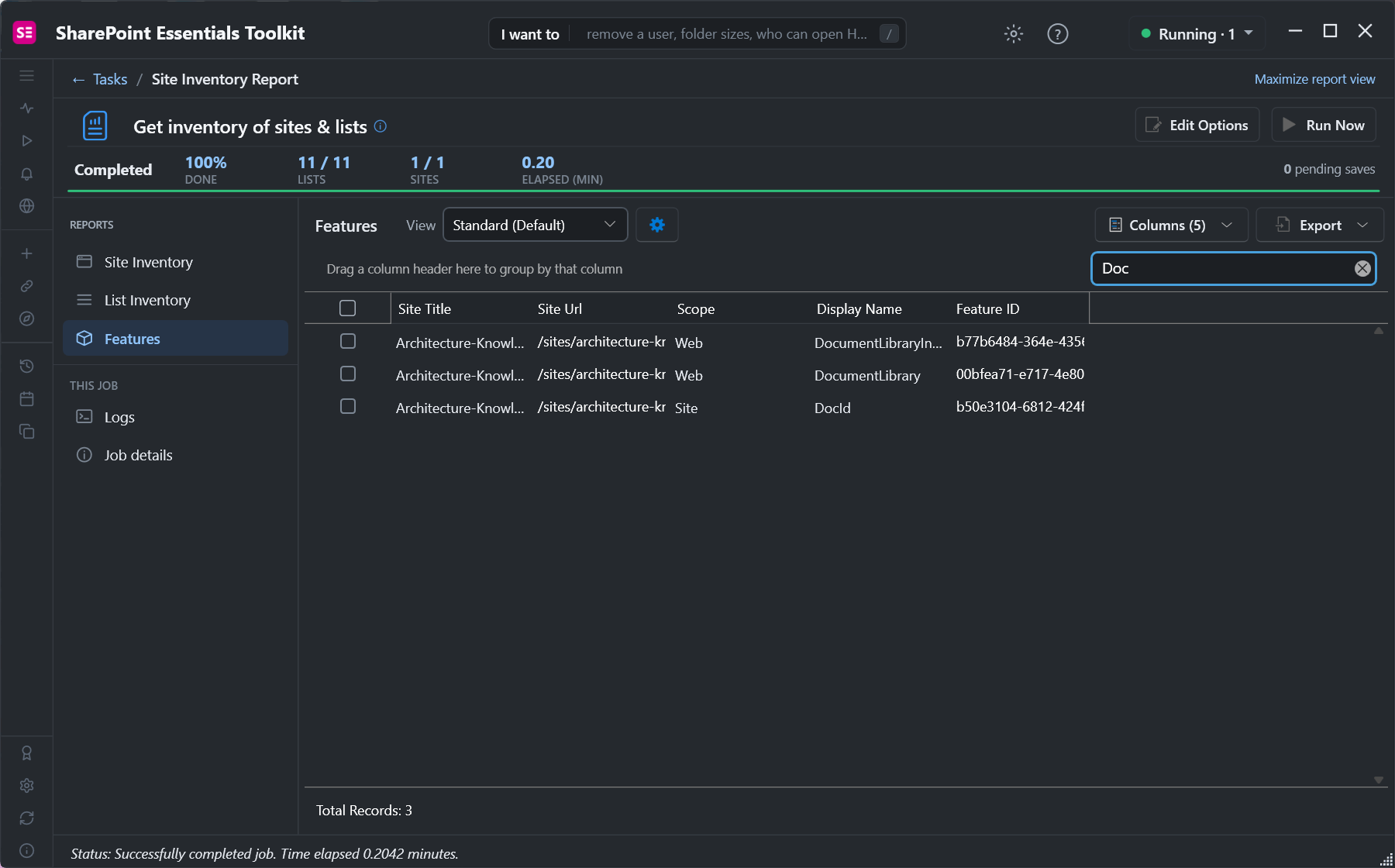
The toolkit's Get inventory of sites & lists task includes a Features report: every feature active on every site and site collection you pick. Search it for "DocId" to see where the Document ID service is on:
When you copy libraries between sites with the toolkit's Copy lists task, item IDs are kept, so DispForm.aspx?ID= links and lookups that store IDs still point at the right items on the target.
Frequently asked questions
Why is the SharePoint Document ID not showing on my files?
Files that existed before you turned on the service are processed by a background job, which can take hours. Folders never get one. Editing or uploading a file assigns an ID straight away.
Does the SharePoint Document ID change when a file is moved?
Not within the same site collection, and the DocIdRedir.aspx link keeps finding it. A copy, or a move to another site collection, gets a new ID.
Why does my SharePoint calculated column using [ID] show 0?
The ID doesn't exist when a new item's formula is first calculated, and it isn't reliable in recalculations. In our test every item showed T-00000. Use a flow or a Document ID instead.
Can I change the SharePoint Document ID prefix?
Yes, in Document ID settings. Tick "Reset all Document IDs in this Site Collection" to apply it to existing files; that changes every ID, so old references stop matching.
What is the difference between ID and UniqueId in SharePoint?
ID is a number unique within one list. UniqueId is a GUID unique everywhere. Neither is meant for people; the Document ID is.
Check SharePoint features on every site, free
SharePoint Essentials Toolkit Community Edition is free. Inventory sites, lists and active features like the Document ID service, and copy libraries with item IDs kept, on up to 20 sites per Microsoft 365 tenant. Get your free Community Edition license key.