Power Automate Get Items Filter Query (OData): Lookup, Person, Choice and Date Filters That Work
Get items' Filter Query is an OData filter on internal column names: Title eq 'Northgate' for text, Project/Title eq 'Northgate Transit Hub' for a lookup, Inspector/EMail eq 'james.smith@contoso.com' for a person, InspectionStatus eq 'Scheduled' for a choice, and InspectionDate ge '2026-10-31' for a date. Put text and dates in single quotes. Use the internal name, not the display name, or you get "Column 'Status' does not exist". Build "today" with convertFromUtc, because utcNow() is a day ahead in the evening in the Americas.
Published:
Last updated: 2026-11-06
The test
A scheduled flow ran four Get items actions against Inspection Requests, which has a Project lookup, an Inspector person column, an InspectionDate date column and a choice column shown as "Status":
| Filter Query | Result |
|---|---|
Project/Title eq 'Northgate Transit Hub' (Order By InspectionDate asc) | Items 3 and 6, in date order |
Inspector/EMail eq 'james.smith@cognillo.work' | Items 3, 6, 9 and 12 |
InspectionDate ge '…tomorrow…' and InspectionDate lt '…day after…' | Worked, but "tomorrow" was a day late (see below) |
Status eq 'Scheduled' | BadRequest: Column 'Status' does not exist |
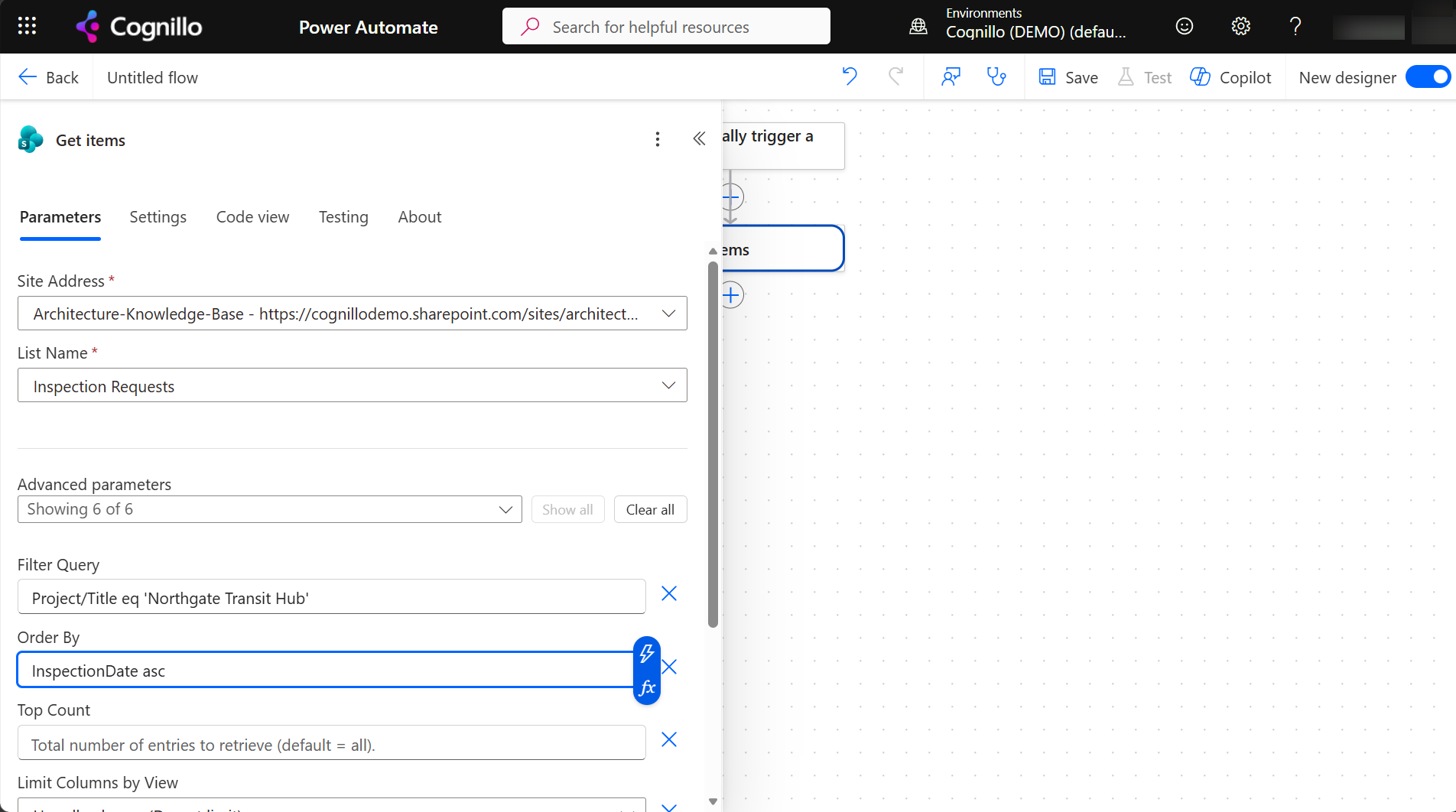
Filter syntax by column type
| Column type | Example | Notes |
|---|---|---|
| Text | Title eq 'Footing rebar' | Also startswith(Title,'Foot'). Double a quote inside a value: 'O''Brien'. |
| Number | Budget gt 10000 | No quotes. |
| Choice | InspectionStatus eq 'Scheduled' | Internal name, value in quotes. No /Value. |
| Yes/No | Processed eq 1 | 1 or 0. |
| Lookup | Project/Title eq 'Northgate Transit Hub' or Project/Id eq 4 | Any field of the target list that you could show in a view. |
| Person | Inspector/EMail eq 'james.smith@contoso.com' | EMail with a capital M; Title for the display name. |
| Date | InspectionDate ge '2026-10-31' | ISO date in quotes; add a time (T00:00:00Z) for date-and-time columns. |
| Empty | DueDate eq null | Works for most column types. |
Combine with and, or and parentheses. Operators are eq, ne, gt, ge, lt, le. contains isn't supported on SharePoint lists; use substringof('rebar',Title) for text, or filter afterwards with a Filter array action.
"Column 'Status' does not exist"
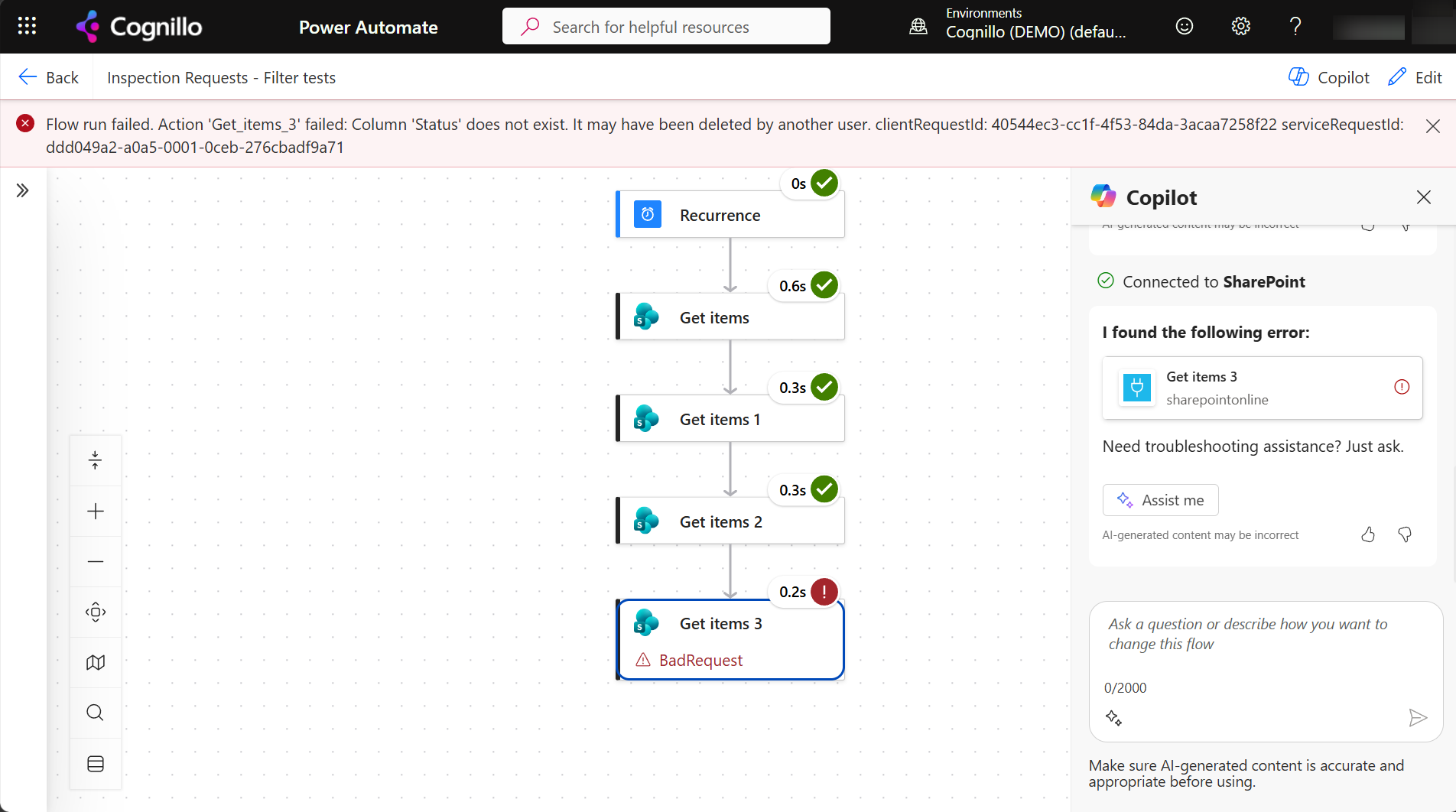
The filter needs the internal name, which is fixed when the column is created. A column created as "Inspection Status" and renamed "Status" is InspectionStatus; spaces become _x0020_. To find it, open the column in List settings and read Field= in the URL, or look at the raw outputs of a Get items without a filter.
The date filter that was a day off
The reminder filter was built from utcNow():
InspectionDate ge '@{formatDateTime(addDays(utcNow(),1),'yyyy-MM-dd')}' and InspectionDate lt '@{formatDateTime(addDays(utcNow(),2),'yyyy-MM-dd')}'
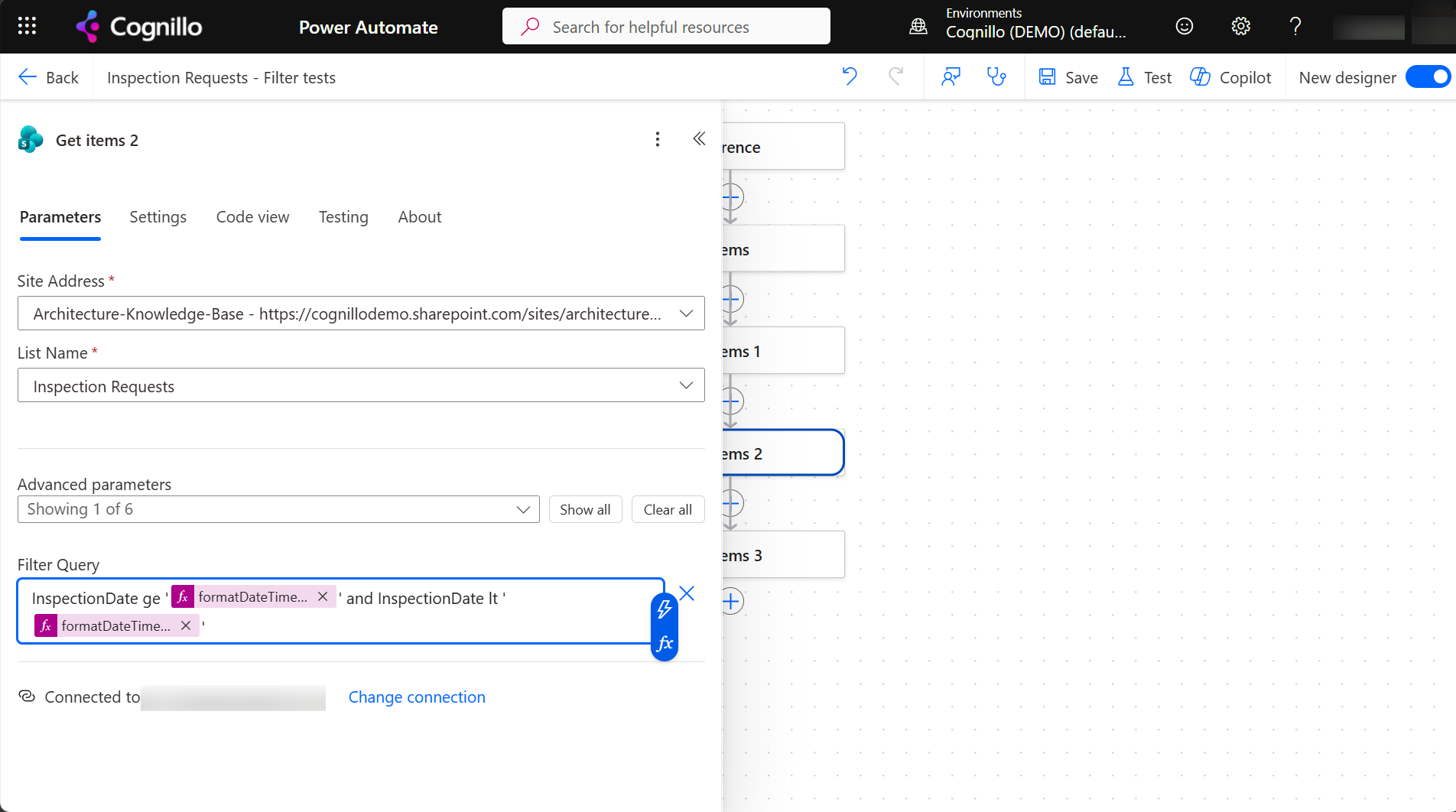
The flow ran at 11:36 PM Eastern on October 29, which was already 03:36 UTC on October 30. The raw inputs show what SharePoint got:
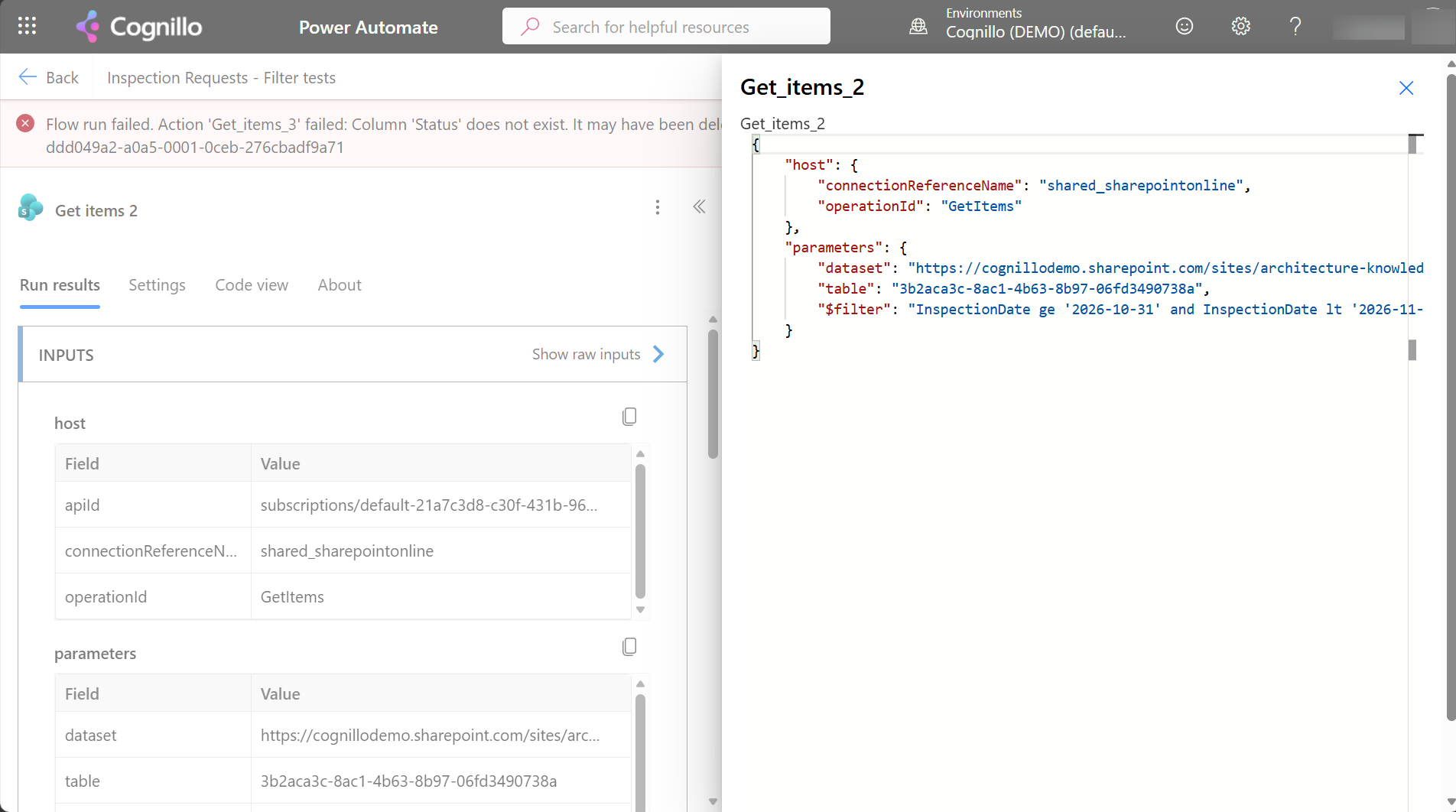
Convert to your time zone first:
InspectionDate ge '@{formatDateTime(addDays(convertFromUtc(utcNow(),'Eastern Standard Time'),1),'yyyy-MM-dd')}' and InspectionDate lt '@{formatDateTime(addDays(convertFromUtc(utcNow(),'Eastern Standard Time'),2),'yyyy-MM-dd')}'
Run just after local midnight on October 30, this filter returned the items for October 31, as it should. The full reminder flow is in due-date reminders.
Other limits
- 100 items by default. Get items returns 100 items unless you set Top Count or turn on Pagination in the action's settings with a threshold.
- The 5,000-item threshold. On large lists, filter on an indexed column first, or the request fails. See the list view threshold.
- Limit Columns by View makes the response smaller, which matters with many columns and pagination.
Test the filter with PowerShell first
The same OData filter works against the REST API, so you can try it before putting it in a flow. This is read-only and needs PnP PowerShell 2.x and your own Entra ID app registration.
$ClientId = "<your-app-id>"
$SiteUrl  = "https://contoso.sharepoint.com/sites/Projects"
$List     = "Inspection Requests"
$Filter   = "Inspector/EMail eq 'james.smith@contoso.com'"
$Select   = "Id,Title,InspectionDate,Inspector/EMail"
$Expand   = "Inspector"

Connect-PnPOnline -Url $SiteUrl -Interactive -ClientId $ClientId
$f = [uri]::EscapeDataString($Filter)
$url = "_api/web/lists/getbytitle('$List')/items?`$filter=$f&`$select=$Select&`$expand=$Expand&`$top=500"
(Invoke-PnPSPRestMethod -Url $url).value |
    Select-Object Id, Title, InspectionDate, @{ n = 'Inspector'; e = { $_.Inspector.EMail } } |
    Format-Table -AutoSize
In REST you have to $expand lookup and person columns yourself; Get items does that for you.
Search many lists at once with SharePoint Essentials Toolkit
Get items works one list at a time. When the question is "which items on any list mention this project or this person", the toolkit's Search area reads columns, pages and file contents across every list and site you pick:
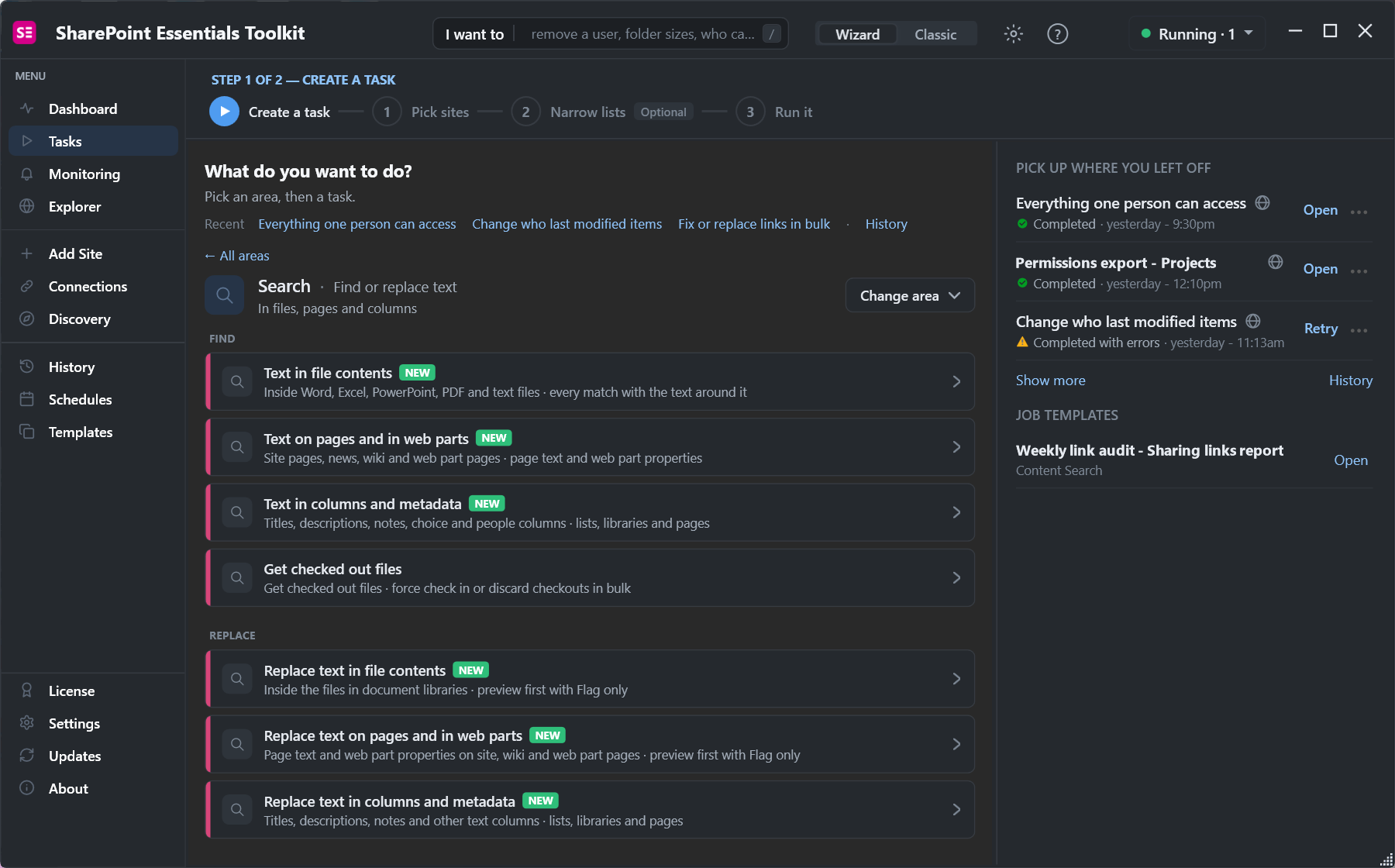
Use it to find which lists a flow should cover, then write the filter for each one.
Need due-date reminders? See how to send SharePoint due-date reminders with a scheduled flow.
Frequently asked questions
How do I filter Get items on a lookup column?
Use the lookup column, a slash and a field of the target list, for example Project/Title eq 'Northgate Transit Hub' or Project/Id eq 4.
How do I filter Get items on a person column?
Use the person column's EMail field: Inspector/EMail eq 'james.smith@contoso.com'. EMail has a capital M.
Why does my filter say Column does not exist?
The filter used the display name. Filter queries need the internal name, which can differ after a rename. Read it from Field= in the column settings URL.
How do I filter Get items for today's date?
Build the date with convertFromUtc(utcNow(),'your time zone') and formatDateTime(...,'yyyy-MM-dd'), then use ge today and lt tomorrow. Plain utcNow() can be a day off.
Why does Get items return only 100 items?
That's the default. Set Top Count, or turn on Pagination in the action settings with a threshold above the number of items you expect.
Find values across every list, free
SharePoint Essentials Toolkit Community Edition is free. Search columns, pages and files across lists and sites in one job, on up to 20 sites per Microsoft 365 tenant. Get your free Community Edition license key.